---
**The harness-native operator system for agentic work. Built from real-world multi-harness engineering workflows.**
Not just configs. A complete system: skills, instincts, memory optimization, continuous learning, security scanning, and research-first development. Production-ready agents, skills, hooks, rules, MCP configurations, and legacy command shims evolved over 10+ months of intensive daily use building real products.
Works across **Codex**, **Claude Code**, **Cursor**, **OpenCode**, **Gemini**, **Zed**, **GitHub Copilot**, and other AI agent harnesses.
ECC v2.0.0 adds the public Hermes operator story on top of that reusable layer: start with the [Hermes setup guide](docs/HERMES-SETUP.md), then review the [2.0.0 release notes](docs/releases/2.0.0/release-notes.md) and [cross-harness architecture](docs/architecture/cross-harness.md).
---
**OSS stays free.** This repo is MIT-licensed forever. ECC Pro is the hosted GitHub App for private repos. Sponsors and Pro subscribers fund the work — that's why a single maintainer ships weekly across 7 harnesses.
**The self-improving AI agent built by [Nous Research](https://nousresearch.com).** It's the only agent with a built-in learning loop — it creates skills from experience, improves them during use, nudges itself to persist knowledge, searches its own past conversations, and builds a deepening model of who you are across sessions. Run it on a $5 VPS, a GPU cluster, or serverless infrastructure that costs nearly nothing when idle. It's not tied to your laptop — talk to it from Telegram while it works on a cloud VM.
Use any model you want — [Nous Portal](https://portal.nousresearch.com), OpenRouter, OpenAI, your own endpoint, and [many others](https://hermes-agent.nousresearch.com/docs/integrations/providers). Switch with `hermes model` — no code changes, no lock-in.
A real terminal interface
Full TUI with multiline editing, slash-command autocomplete, conversation history, interrupt-and-redirect, and streaming tool output.
Lives where you do
Telegram, Discord, Slack, WhatsApp, Signal, and CLI — all from a single gateway process. Voice memo transcription, cross-platform conversation continuity.
A closed learning loop
Agent-curated memory with periodic nudges. Autonomous skill creation after complex tasks. Skills self-improve during use. FTS5 session search with LLM summarization for cross-session recall. Honcho dialectic user modeling. Compatible with the agentskills.io open standard.
Scheduled automations
Built-in cron scheduler with delivery to any platform. Daily reports, nightly backups, weekly audits — all in natural language, running unattended.
Delegates and parallelizes
Spawn isolated subagents for parallel workstreams. Write Python scripts that call tools via RPC, collapsing multi-step pipelines into zero-context-cost turns.
Runs anywhere, not just your laptop
Six terminal backends — local, Docker, SSH, Singularity, Modal, and Daytona. Daytona and Modal offer serverless persistence — your agent's environment hibernates when idle and wakes on demand, costing nearly nothing between sessions. Run it on a $5 VPS or a GPU cluster.
Research-ready
Batch trajectory generation, trajectory compression for training the next generation of tool-calling models.
---
## Quick Install
### Linux, macOS, WSL2, Termux
```bash
curl -fsSL https://hermes-agent.nousresearch.com/install.
```
---
**Machine-readable endpoints**
- JSON: [`/api/graphcanon/tools/nousresearch-hermes-agent`](/api/graphcanon/tools/nousresearch-hermes-agent)
- LLM index: [/llms.txt](/llms.txt)
- Full corpus: [/llms-full.txt](/llms-full.txt)
_GraphCanon - The knowledge graph for AI development. https://www.graphcanon.com/_
---
title: "AutoGPT"
type: "tool"
slug: "significant-gravitas-autogpt"
canonical_url: "https://www.graphcanon.com/tools/significant-gravitas-autogpt"
github_url: "https://github.com/Significant-Gravitas/AutoGPT"
homepage_url: "https://agpt.co"
stars: 185418
forks: 46125
primary_language: "Python"
license: "Other"
categories: ["inference-serving", "ai-agents", "llm-frameworks"]
tags: ["agents", "ai", "artificial-intelligence", "agentic-ai", "autonomous-agents", "llama-api", "gpt", "claude"]
updated_at: "2026-07-07T17:30:15.929615+00:00"
---
# AutoGPT
> AutoGPT is the vision of accessible AI for everyone, to use and to build on. Our mission is to provide the tools, so that you can focus on w
AutoGPT is the vision of accessible AI for everyone, to use and to build on. Our mission is to provide the tools, so that you can focus on what matters.
## Facts
- Repository: https://github.com/Significant-Gravitas/AutoGPT
- Homepage: https://agpt.co
- Stars: 185,418 · Forks: 46,125 · Open issues: 469 · Watchers: 1,548
- Primary language: Python
- License: Other
- Last pushed: 2026-07-07T16:18:22+00:00
## Categories
- [Inference & Serving](/categories/inference-serving.md)
- [AI Agents](/categories/ai-agents.md)
- [LLM Frameworks](/categories/llm-frameworks.md)
## Tags
agents, ai, artificial-intelligence, agentic-ai, autonomous-agents, llama-api, gpt, claude
## README (excerpt)
```text
# AutoGPT: Build, Deploy, and Run AI Agents
[Deutsch](https://zdoc.app/de/Significant-Gravitas/AutoGPT) |
[Español](https://zdoc.app/es/Significant-Gravitas/AutoGPT) |
[français](https://zdoc.app/fr/Significant-Gravitas/AutoGPT) |
[日本語](https://zdoc.app/ja/Significant-Gravitas/AutoGPT) |
[한국어](https://zdoc.app/ko/Significant-Gravitas/AutoGPT) |
[Português](https://zdoc.app/pt/Significant-Gravitas/AutoGPT) |
[Русский](https://zdoc.app/ru/Significant-Gravitas/AutoGPT) |
[中文](https://zdoc.app/zh/Significant-Gravitas/AutoGPT)
**AutoGPT** is a powerful platform that allows you to create, deploy, and manage continuous AI agents that automate complex workflows.
## Hosting Options
- Download to self-host (Free!)
- [Join the Waitlist](https://bit.ly/3ZDijAI) for the cloud-hosted beta (Closed Beta - Public release Coming Soon!)
## How to Self-Host the AutoGPT Platform
> [!NOTE]
> Setting up and hosting the AutoGPT Platform yourself is a technical process.
> If you'd rather something that just works, we recommend [joining the waitlist](https://bit.ly/3ZDijAI) for the cloud-hosted beta.
### System Requirements
Before proceeding with the installation, ensure your system meets the following requirements:
#### Hardware Requirements
- CPU: 4+ cores recommended
- RAM: Minimum 8GB, 16GB recommended
- Storage: At least 10GB of free space
#### Software Requirements
- Operating Systems:
- Linux (Ubuntu 20.04 or newer recommended)
- macOS (10.15 or newer)
- Windows 10/11 with WSL2
- Required Software (with minimum versions):
- Docker Engine (20.10.0 or newer)
- Docker Compose (2.0.0 or newer)
- Git (2.30 or newer)
- Node.js (16.x or newer)
- npm (8.x or newer)
- VSCode (1.60 or newer) or any modern code editor
#### Network Requirements
- Stable internet connection
- Access to required ports (will be configured in Docker)
- Ability to make outbound HTTPS connections
### Updated Setup Instructions:
We've moved to a fully maintained and regularly updated documentation site.
👉 [Follow the official self-hosting guide here](https://agpt.co/docs/platform/getting-started/getting-started)
This tutorial assumes you have Docker, VSCode, git and npm installed.
---
#### ⚡ Quick Setup with One-Line Script (Recommended for Local Hosting)
Skip the manual steps and get started in minutes using our automatic setup script.
For macOS/Linux:
```
curl -fsSL https://setup.agpt.co/install.sh -o install.sh && bash install.sh
```
For Windows (PowerShell):
```
powershell -c "iwr https://setup.agpt.co/install.bat -o install.bat; ./install.bat"
```
This will install dependencies, configure Docker, and launch your local instance — all in one go.
### 🧱 AutoGPT Frontend
The AutoGPT frontend is where users interact with our powerful AI automation platform. It offers multiple ways to engage with and leverage our AI agents. This is the interface where you'll bring your AI automation ideas to life:
**Agent Builder:** For those who want to customize, our intuitive, low-code interface allows you to design and configure your own AI agents.
**Workflow Management:** Build, modify, and optimize your automation workflows with ease. You build your agent by connecting blocks, where each block performs a single action.
**Deployment Controls:** Manage the lifecycle of your agents, from testing to production.
**Ready-to-Use Agents:** Don't want to build? Simply select from our library of pre-configured agents and put them to work immediately.
**Agent Interaction:** Whether you've built your own or are using pre-configured agents, easily run and interact with them through our user-friendly interface.
**Monitoring and Analytics:** Keep track of your agents' performance and gain insights to continually improve your automation processes.
[Read this guide](https://docs.agpt.co/platform/new_blocks/) to learn how to build your own custom blocks.
### 💽 AutoGPT Server
The AutoGPT Server is
```
---
**Machine-readable endpoints**
- JSON: [`/api/graphcanon/tools/significant-gravitas-autogpt`](/api/graphcanon/tools/significant-gravitas-autogpt)
- LLM index: [/llms.txt](/llms.txt)
- Full corpus: [/llms-full.txt](/llms-full.txt)
_GraphCanon - The knowledge graph for AI development. https://www.graphcanon.com/_
---
title: "ollama"
type: "tool"
slug: "ollama-ollama"
canonical_url: "https://www.graphcanon.com/tools/ollama-ollama"
github_url: "https://github.com/ollama/ollama"
homepage_url: "https://ollama.com"
stars: 175657
forks: 16870
primary_language: "Go"
license: "MIT"
categories: ["ai-agents", "llm-frameworks", "vector-databases"]
tags: ["go", "llama", "gemma", "gemma3", "deepseek", "gpt-oss", "glm", "golang"]
updated_at: "2026-07-07T17:30:17.367099+00:00"
---
# ollama
> Get up and running with Kimi-K2.6, GLM-5.1, MiniMax, DeepSeek, gpt-oss, Qwen, Gemma and other models.
Get up and running with Kimi-K2.6, GLM-5.1, MiniMax, DeepSeek, gpt-oss, Qwen, Gemma and other models.
## Facts
- Repository: https://github.com/ollama/ollama
- Homepage: https://ollama.com
- Stars: 175,657 · Forks: 16,870 · Open issues: 3,384 · Watchers: 987
- Primary language: Go
- License: MIT
- Last pushed: 2026-07-07T01:11:57+00:00
## Categories
- [AI Agents](/categories/ai-agents.md)
- [LLM Frameworks](/categories/llm-frameworks.md)
- [Vector Databases](/categories/vector-databases.md)
## Tags
go, llama, gemma, gemma3, deepseek, gpt-oss, glm, golang
## README (excerpt)
```text
# Ollama
Start building with open models.
## Download
### macOS
```shell
curl -fsSL https://ollama.com/install.sh | sh
```
or [download manually](https://ollama.com/download/Ollama.dmg)
### Windows
```shell
irm https://ollama.com/install.ps1 | iex
```
or [download manually](https://ollama.com/download/OllamaSetup.exe)
### Linux
```shell
curl -fsSL https://ollama.com/install.sh | sh
```
[Manual install instructions](https://docs.ollama.com/linux#manual-install)
### Docker
The official [Ollama Docker image](https://hub.docker.com/r/ollama/ollama) `ollama/ollama` is available on Docker Hub.
### Libraries
- [ollama-python](https://github.com/ollama/ollama-python)
- [ollama-js](https://github.com/ollama/ollama-js)
### Community
- [Discord](https://discord.gg/ollama)
- [𝕏 (Twitter)](https://x.com/ollama)
- [Reddit](https://reddit.com/r/ollama)
## Get started
```
ollama
```
You'll be prompted to run a model or connect Ollama to your existing agents or applications such as `Claude Code`, `OpenClaw`, `OpenCode` , `Codex`, `Copilot`, and more.
### Coding
To launch a specific integration:
```
ollama launch claude
```
Supported integrations include [Claude Code](https://docs.ollama.com/integrations/claude-code), [Codex](https://docs.ollama.com/integrations/codex), [Copilot CLI](https://docs.ollama.com/integrations/copilot-cli), [Droid](https://docs.ollama.com/integrations/droid), and [OpenCode](https://docs.ollama.com/integrations/opencode).
### AI assistant
Use [OpenClaw](https://docs.ollama.com/integrations/openclaw) to turn Ollama into a personal AI assistant across WhatsApp, Telegram, Slack, Discord, and more:
```
ollama launch openclaw
```
### Chat with a model
Run and chat with [Gemma 4](https://ollama.com/library/gemma4):
```
ollama run gemma4
```
See [ollama.com/library](https://ollama.com/library) for the full list.
See the [quickstart guide](https://docs.ollama.com/quickstart) for more details.
## REST API
Ollama has a REST API for running and managing models.
```
curl http://localhost:11434/api/chat -d '{
"model": "gemma4",
"messages": [{
"role": "user",
"content": "Why is the sky blue?"
}],
"stream": false
}'
```
See the [API documentation](https://docs.ollama.com/api) for all endpoints.
### Python
```
pip install ollama
```
```python
from ollama import chat
response = chat(model='gemma4', messages=[
{
'role': 'user',
'content': 'Why is the sky blue?',
},
])
print(response.message.content)
```
### JavaScript
```
npm i ollama
```
```javascript
import ollama from "ollama";
const response = await ollama.chat({
model: "gemma4",
messages: [{ role: "user", content: "Why is the sky blue?" }],
});
console.log(response.message.content);
```
## Supported backends
- [llama.cpp](https://github.com/ggml-org/llama.cpp) project founded by Georgi Gerganov.
## Documentation
- [CLI reference](https://docs.ollama.com/cli)
- [REST API reference](https://docs.ollama.com/api)
- [Importing models](https://docs.ollama.com/import)
- [Modelfile reference](https://docs.ollama.com/modelfile)
- [Building from source](https://github.com/ollama/ollama/blob/main/docs/development.md)
## Community Integrations
> Want to add your project? Open a pull request.
### Chat Interfaces
#### Web
- [Open WebUI](https://github.com/open-webui/open-webui) - Extensible, self-hosted AI interface
- [Onyx](https://github.com/onyx-dot-app/onyx) - Connected AI workspace
- [LibreChat](https://github.com/danny-avila/LibreChat) - Enhanced ChatGPT clone with multi-provider support
- [Lobe Chat](https://github.com/lobehub/lobe-chat) - Modern chat framework with plugin ecosystem ([docs](https://lobehub.com/docs/self-hosting/examples/ollama))
- [NextChat](https://github.com/ChatGPTNextWeb/ChatGPT-Next-Web) - Cros
```
---
**Machine-readable endpoints**
- JSON: [`/api/graphcanon/tools/ollama-ollama`](/api/graphcanon/tools/ollama-ollama)
- LLM index: [/llms.txt](/llms.txt)
- Full corpus: [/llms-full.txt](/llms-full.txt)
_GraphCanon - The knowledge graph for AI development. https://www.graphcanon.com/_
---
title: "prompts.chat"
type: "tool"
slug: "f-prompts-chat"
canonical_url: "https://www.graphcanon.com/tools/f-prompts-chat"
github_url: "https://github.com/f/prompts.chat"
homepage_url: "https://prompts.chat"
stars: 165018
forks: 21363
primary_language: "HTML"
license: "Other"
categories: ["ai-agents", "llm-frameworks"]
tags: ["ai", "artificial-intelligence", "gemini", "awesome-list", "chatgpt-prompts", "chatgpt", "gpt", "claude"]
updated_at: "2026-07-07T17:30:18.78179+00:00"
---
# prompts.chat
> f.k.a. Awesome ChatGPT Prompts. Share, discover, and collect prompts from the community. Free and open source — self-host for your organizat
f.k.a. Awesome ChatGPT Prompts. Share, discover, and collect prompts from the community. Free and open source — self-host for your organization with complete privacy.
## Facts
- Repository: https://github.com/f/prompts.chat
- Homepage: https://prompts.chat
- Stars: 165,018 · Forks: 21,363 · Open issues: 59 · Watchers: 1,640
- Primary language: HTML
- License: Other
- Last pushed: 2026-07-07T04:24:51+00:00
## Categories
- [AI Agents](/categories/ai-agents.md)
- [LLM Frameworks](/categories/llm-frameworks.md)
## Tags
ai, artificial-intelligence, gemini, awesome-list, chatgpt-prompts, chatgpt, gpt, claude
## README (excerpt)
```text
---
## What is this?
A curated collection of **prompt examples** for AI chat models. Originally created for ChatGPT, these prompts work great with any modern AI assistant.
| Browse Prompts | Data Formats |
|----------------|--------------|
| [prompts.chat](https://prompts.chat/prompts) | [prompts.csv](prompts.csv) |
| [PROMPTS.md](https://raw.githubusercontent.com/f/prompts.chat/main/PROMPTS.md) | [Hugging Face Dataset](https://huggingface.co/datasets/fka/prompts.chat) |
**Want to contribute?** Add prompts at [prompts.chat/prompts/new](https://prompts.chat/prompts/new) — they sync here automatically.
---
## 📖 The Interactive Book of Prompting
Learn prompt engineering with our **free, interactive guide** — 25+ chapters covering everything from basics to advanced techniques like chain-of-thought reasoning, few-shot learning, and AI agents.
**[Start Reading →](https://fka.gumroad.com/l/art-of-chatgpt-prompting)** (Source: https://github.com/f/prompts.chat/tree/main/src/content/book)
---
## 🎮 Prompting for Kids
> - **大模型实战项目**: [⭐AI 智能面试辅助平台 + RAG 知识库](https://javaguide.cn/zhuanlan/interview-guide.html)(基于 Spring Boot 4.0 + Java 21 + Spring AI 2.0,非常适合作为学习和简历项目,学习门槛低)。
> - **面试资料补充**:
> - [《Java 面试指北》](https://javaguide.cn/zhuanlan/java-mian-shi-zhi-bei.html):四年打磨,和 [JavaGuide 开源版](https://javaguide.cn/)的内容互补,带你从零开始系统准备面试!
> - [《后端面试高频系统设计&场景题》](https://javaguide.cn/zhuanlan/back-end-interview-high-frequency-system-design-and-scenario-questions.html):30+ 道高频系统设计和场景面试,助你应对当下中大厂面试趋势。
> - **使用建议** :如果你想要系统准备 Java 后端面试但又不知道如何开始的,可以参考 [Java 后端面试通关计划(后端通用)](https://javaguide.cn/interview-preparation/backend-interview-plan.html)。
> - **求个 Star**:如果觉得 JavaGuide 的内容对你有帮助的话,还请点个免费的 Star,这是对我最大的鼓励,感谢各位一起同行,共勉!传送门:[GitHub](https://github.com/Snailclimb/JavaGuide) | [Gitee](https://gitee.com/SnailClimb/JavaGuide)。
> - **转载须知**:以下所有文章如非文首说明为转载皆为 JavaGuide 原创,转载请在文首注明出处。如发现恶意抄袭/搬运,会动用法律武器维护自己的权益。让我们一起维护一个良好的技术创作环境!
## AI 应用开发面试指南
面向后端开发者的 AI 应用开发、AI 编程实战与面试指南已开源,涵盖 LLM、Agent、RAG、MCP、Claude Code、Codex 等核心技术与工程实践。对标 JavaGuide!有帮助的话,欢迎 Star!
- **项目地址**:[https://github.com/Snailclimb/AIGuide](https://github.com/Snailclimb/AIGuide)
- **在线阅读**:[https://javaguide.cn/ai/](https://javaguide.cn/ai/)
## 后端面试准备
- [⭐Java 后端面试通关计划(涵盖后端通用体系)](./docs/interview-preparation/backend-interview-plan.md) (一定要看 :+1:)
- [如何高效准备 Java 面试?](./docs/interview-preparation/teach-you-how-to-prepare-for-the-interview-hand-in-hand.md)
- [Java 后端面试重点总结](./docs/interview-preparation/key-points-of-interview.md)
- [Java 学习路线(最新版,4w+ 字)](./docs/interview-preparation/java-roadmap.md)
- [程序员简历编写指南](./docs/interview-preparation/resume-guide.md)
- [项目经验指南](./docs/interview-preparation/project-experience-guide.md)
- [面试太紧张怎么办?](./docs/interview-preparation/how-to-handle-interview-nerves.md)
- [校招没有实习经历怎么办?实习经历怎么写?](./docs/interview-preparation/internship-experience.md)
## Java
### 基础
**知识点/面试题总结**(必看:+1:):
- [Java 基础常见知识点&面试题总结(上)](./docs/java/basis/java-basic-questions-01.md)
- [Java 基础常见知识点&面试题总结(中)](./docs/java/basis/java-basic-questions-02.md)
- [Java 基础常见知识点&面试题总结(下)](./docs/java/basis/java-basic-questions-03.md)
**重要知识点详解**:
- [为什么 Java 中只有值传递?](./docs/java/basis/why-there-only-value-passing-in-java.md)
- [Java 序列化详解](./docs/java/basis/serialization.md)
- [泛型&通配符详解](./docs/java/basis/generics-and-wildcards.md)
- [Java 反射机制详解](./docs/java/basis/reflection.md)
- [Java 代理模式详解](./docs/java/basis/proxy.md)
- [BigDecimal 详解](./docs/java/basis/bigdecimal.md)
- [Java 魔法类 Unsafe 详解](./docs/java/basis/unsafe.md)
- [Java SPI 机制详解](./docs/java/basis/spi.md)
- [Java 语法糖详解](./docs/java/basis/syntactic-sugar.md)
### 集合
**知识点/面试题总结**:
- [Java 集合常见知识点&面试题总结(上)](./docs/java/collection/java-collection-questions-01.md) (必看 :+1:)
- [Java 集合常见知识点&面试题总结(下)](./docs/java/collection/java-collection-questions-02.md) (必看 :+1:)
- [Java 容器使用注意事项总结](./docs/java/collection/java-collection-precautions-for-use.md)
**源码分析**:
- [ArrayList 核心源码+扩容机制分析](./docs/java/collection/arraylist-source-code.md)
- [LinkedList 核心源码分析](./docs/java/collection/linkedlist-source-code.md)
- [HashMap 核心源码+底层数据结构分析](./docs/java/collection/hashmap-source-code.md)
- [ConcurrentHashMap 核心源码+底层数据结构分析](./docs/java/collection/concurrent-hash-map-source-code.md)
- [LinkedHashMap 核心源码分析](./docs/java/collection/linkedhashmap-source-code.md)
- [CopyOnWriteArrayList 核心源码分析](./docs/java/collection/copyonwritearraylist-source-code.md)
- [ArrayBlockingQueue 核心源
```
---
**Machine-readable endpoints**
- JSON: [`/api/graphcanon/tools/snailclimb-javaguide`](/api/graphcanon/tools/snailclimb-javaguide)
- LLM index: [/llms.txt](/llms.txt)
- Full corpus: [/llms-full.txt](/llms-full.txt)
_GraphCanon - The knowledge graph for AI development. https://www.graphcanon.com/_
---
title: "langflow"
type: "tool"
slug: "langflow-ai-langflow"
canonical_url: "https://www.graphcanon.com/tools/langflow-ai-langflow"
github_url: "https://github.com/langflow-ai/langflow"
homepage_url: "http://www.langflow.org"
stars: 151298
forks: 9458
primary_language: "Python"
license: "MIT"
categories: ["ai-agents", "llm-frameworks", "vector-databases"]
tags: ["multiagent", "agents", "python", "large-language-models", "generative-ai", "chatgpt", "react-flow"]
updated_at: "2026-07-07T17:33:06.311403+00:00"
---
# langflow
> Langflow is a powerful tool for building and deploying AI-powered agents and workflows.
Langflow is a powerful tool for building and deploying AI-powered agents and workflows.
## Facts
- Repository: https://github.com/langflow-ai/langflow
- Homepage: http://www.langflow.org
- Stars: 151,298 · Forks: 9,458 · Open issues: 977 · Watchers: 480
- Primary language: Python
- License: MIT
- Last pushed: 2026-07-07T17:30:15+00:00
## Categories
- [AI Agents](/categories/ai-agents.md)
- [LLM Frameworks](/categories/llm-frameworks.md)
- [Vector Databases](/categories/vector-databases.md)
## Tags
multiagent, agents, python, large-language-models, generative-ai, chatgpt, react-flow
## README (excerpt)
```text
[Langflow](https://langflow.org) is a powerful platform for building and deploying AI-powered agents and workflows. It provides developers with both a visual authoring experience and built-in API and MCP servers that turn every workflow into a tool that can be integrated into applications built on any framework or stack. Langflow comes with batteries included and supports all major LLMs, vector databases and a growing library of AI tools.
## ✨ Highlight features
- **Visual builder interface** to quickly get started and iterate.
- **Source code access** lets you customize any component using Python.
- **Interactive playground** to immediately test and refine your flows with step-by-step control.
- **Multi-agent orchestration** with conversation management and retrieval.
- **Deploy as an API** or export as JSON for Python apps.
- **Deploy as an MCP server** and turn your flows into tools for MCP clients.
- **Observability** with LangSmith, LangFuse and other integrations.
- **Enterprise-ready** security and scalability.
## 🖥️ Langflow Desktop
Langflow Desktop is the easiest way to get started with Langflow. All dependencies are included, so you don't need to manage Python environments or install packages manually.
Available for Windows and macOS.
[📥 Download Langflow Desktop](https://www.langflow.org/desktop)
## ⚡️ Quickstart
### Install locally (recommended)
Requires Python 3.10–3.14 and [uv](https://docs.astral.sh/uv/getting-started/installation/) (recommended package manager).
#### Install
From a fresh directory, run:
```shell
uv pip install langflow -U
```
The latest Langflow package is installed.
For more information, see [Install and run the Langflow OSS Python package](https://docs.langflow.org/get-started-installation#install-and-run-the-langflow-oss-python-package).
#### Run
To start Langflow, run:
```shell
uv run langflow run
```
Langflow starts at http://127.0.0.1:7860.
That's it! You're ready to build with Langflow! 🎉
## 📦 Other install options
### Run from source
If you've cloned this repository and want to contribute, run this command from the repository root:
```shell
make run_cli
```
For more information, see [DEVELOPMENT.md](./DEVELOPMENT.md).
### Docker
Start a Langflow container with default settings:
```shell
docker run -p 7860:7860 langflowai/langflow:latest
```
Langflow is available at http://localhost:7860/.
For configuration options, see the [Docker deployment guide](https://docs.langflow.org/deployment-docker).
## 🛡️ Security
For security information, see our [Security Policy](./SECURITY.md).
## 🚀 Deployment
Langflow is completely open source and you can deploy it to all major deployment clouds. To learn how to deploy Langflow, see our [Langflow deployment guides](https://docs.langflow.org/deployment-overview).
## ⭐ Stay up-to-date
Star Langflow on GitHub to be instantly notified of new releases.
## 👋 Contribute
We welcome contributions from developers of all levels. If you'd like to contribute, please check our [contributing guidelines](./CONTRIBUTING.md) and help make Langflow more accessible.
---
## ❤️ Contributors
```
---
**Machine-readable endpoints**
- JSON: [`/api/graphcanon/tools/langflow-ai-langflow`](/api/graphcanon/tools/langflow-ai-langflow)
- LLM index: [/llms.txt](/llms.txt)
- Full corpus: [/llms-full.txt](/llms-full.txt)
_GraphCanon - The knowledge graph for AI development. https://www.graphcanon.com/_
---
title: "dify"
type: "tool"
slug: "langgenius-dify"
canonical_url: "https://www.graphcanon.com/tools/langgenius-dify"
github_url: "https://github.com/langgenius/dify"
homepage_url: "https://dify.ai"
stars: 148066
forks: 23319
primary_language: "TypeScript"
license: "Other"
categories: ["ai-agents", "developer-tools", "llm-frameworks"]
tags: ["genai", "ai", "gemini", "agentic-framework", "agentic-workflow", "agentic-ai", "automation", "agent"]
updated_at: "2026-07-07T17:30:22.641717+00:00"
---
# dify
> Production-ready platform for agentic workflow development.
Production-ready platform for agentic workflow development.
## Facts
- Repository: https://github.com/langgenius/dify
- Homepage: https://dify.ai
- Stars: 148,066 · Forks: 23,319 · Open issues: 851 · Watchers: 816
- Primary language: TypeScript
- License: Other
- Last pushed: 2026-07-07T17:20:52+00:00
## Categories
- [AI Agents](/categories/ai-agents.md)
- [Developer Tools](/categories/developer-tools.md)
- [LLM Frameworks](/categories/llm-frameworks.md)
## Tags
genai, ai, gemini, agentic-framework, agentic-workflow, agentic-ai, automation, agent
## README (excerpt)
```text
---
# **🔥 Firecrawl**
**The API to search, scrape, and interact with the web at scale. 🔥** The web context API to find sources, extract content, and turn it into clean Markdown or structured data your agents can ship with. Open source and available as a [hosted service](https://firecrawl.dev/?ref=github).
_Pst. Hey, you, join our stargazers :)_
---
## Why Firecrawl?
- **Industry-leading reliability**: Covers 96% of the web, including JS-heavy pages — no proxy headaches, just clean data ([see benchmarks](https://www.firecrawl.dev/blog/the-worlds-best-web-data-api-v25))
- **Blazingly fast**: P95 latency of 3.4s across millions of pages, built for real-time agents and dynamic apps
- **LLM-ready output**: Clean markdown, structured JSON, screenshots, and more — spend fewer tokens, build better AI apps
- **We handle the hard stuff**: Rotating proxies, orchestration, rate limits, JS-blocked content, and more — zero configuration
- **Agent ready**: Connect Firecrawl to any AI agent or MCP client with a single command
- **Media parsing**: Parse and extract content from web-hosted PDFs, DOCX, and more
- **Actions**: Click, scroll, write, wait, and press before extracting content
- **Open source**: Developed transparently and collaboratively — [join our community](https://github.com/firecrawl/firecrawl)
---
## Feature Overview
**Core Endpoints**
| Feature | Description |
|---------|-------------|
| [**Search**](#search) | Search the web and get full page content from results |
| [**Scrape**](#scrape) | Convert any URL to markdown, HTML, screenshots, or structured JSON |
| [**Interact**](#interact) | Scrape a page, then interact with it using AI prompts or code |
**More**
| Feature | Description |
|---------|-------------|
| [**Agent**](#agent) | Automated data gathering, just describe what you need |
| [**Crawl**](#crawl) | Scrape all URLs of a website with a single request |
| [**Map**](#map) | Discover all URLs on a website instantly |
| [**Batch Scrape**](#batch-scrape) | Scrape thousands of URLs asynchronously |
---
## Quick Start
Sign up at [firecrawl.dev](https://firecrawl.dev) to get your API key. Try the [playground](https://firecrawl.dev/playground) to test it out.
### Search
Search the web and get full content from results.
```python
from firecrawl import Firecrawl
a
```
---
**Machine-readable endpoints**
- JSON: [`/api/graphcanon/tools/firecrawl-firecrawl`](/api/graphcanon/tools/firecrawl-firecrawl)
- LLM index: [/llms.txt](/llms.txt)
- Full corpus: [/llms-full.txt](/llms-full.txt)
_GraphCanon - The knowledge graph for AI development. https://www.graphcanon.com/_
---
title: "open-webui"
type: "tool"
slug: "open-webui-open-webui"
canonical_url: "https://www.graphcanon.com/tools/open-webui-open-webui"
github_url: "https://github.com/open-webui/open-webui"
homepage_url: "https://openwebui.com"
stars: 144574
forks: 20901
primary_language: "Python"
license: "Other"
categories: ["ai-agents", "llm-frameworks", "vector-databases"]
tags: ["llm-webui", "llms", "llm-ui", "ollama-webui", "llm", "ai", "mcp", "ollama"]
updated_at: "2026-07-07T17:30:26.428687+00:00"
---
# open-webui
> User-friendly AI Interface (Supports Ollama, OpenAI API, ...)
User-friendly AI Interface (Supports Ollama, OpenAI API, ...)
## Facts
- Repository: https://github.com/open-webui/open-webui
- Homepage: https://openwebui.com
- Stars: 144,574 · Forks: 20,901 · Open issues: 338 · Watchers: 635
- Primary language: Python
- License: Other
- Last pushed: 2026-07-02T17:38:23+00:00
## Categories
- [AI Agents](/categories/ai-agents.md)
- [LLM Frameworks](/categories/llm-frameworks.md)
- [Vector Databases](/categories/vector-databases.md)
## Tags
llm-webui, llms, llm-ui, ollama-webui, llm, ai, mcp, ollama
## README (excerpt)
```text
# Open WebUI 👋
**Open WebUI is an [extensible](https://docs.openwebui.com/features/extensibility/plugin), feature-rich, and user-friendly self-hosted AI platform designed to operate entirely offline.** It supports various LLM runners like **Ollama** and **OpenAI-compatible APIs**, with **built-in inference engine** for RAG, making it a **powerful AI deployment solution**.
Passionate about open-source AI? [Join our team →](https://careers.openwebui.com/)
> [!TIP]
> **Looking for an [Enterprise Plan](https://docs.openwebui.com/enterprise)?** – **[Speak with Our Sales Team Today!](https://docs.openwebui.com/enterprise)**
>
> Get **enhanced capabilities**, including **custom theming and branding**, **Service Level Agreement (SLA) support**, **Long-Term Support (LTS) versions**, and **more!**
For more information, be sure to check out our [Open WebUI Documentation](https://docs.openwebui.com/).
## Key Features of Open WebUI ⭐
- 🚀 **Effortless Setup**: Install seamlessly via pip, uv, Docker, or Kubernetes (kubectl, kustomize, or helm), with `:ollama` and `:cuda` tagged images available for container deployments.
- 🤝 **Broad Model & API Integration**: Connect any OpenAI-compatible API alongside local Ollama models. Point the API URL at **LMStudio, GroqCloud, Mistral, OpenRouter, vLLM, and more** to mix and match providers freely.
- 🔐 **Granular RBAC & User Groups**: Administrators define detailed roles, groups, and permissions, giving each user exactly the access they need. Secure by default, with tailored experiences per group.
- 🧩 **Plugin Support**: Extend Open WebUI with **Filters**, **Actions**, **Pipes**, **Tools**, and **Skills**. Connect external services through **MCP**, **MCPO**, and **OpenAPI tool servers**. Build custom integrations, rate limits, approval flows, data connections, and more.
- 🤖 **Models & Agents**: Wrap any base model with custom instructions, tools, and knowledge to build specialized agents. Supports dynamic variables, per-user/group access control, and community preset imports via [Open WebUI Community](https://openwebui.com/).
- 📝 **Notes**: A dedicated workspace for content outside conversations. Draft with a rich editor, use AI to rewrite selected text, and attach notes to any chat for full-context injection.
- 📢 **Channels**: Real-time shared spaces where your team and AI models collaborate in one timeline. Tag models to draft or critique, with threads, reactions, pins, and access control.
- 🧠 **Persistent Memory**: The AI remembers facts about you across conversations, carrying context from one chat to the next.
- ✅ **Live Workflow & Message Flow**: Watch the AI build and work through checklists in real time. Queue messages while the AI is still responding; they send automatically when it's ready.
- 📅 **Calendar & AI Scheduling**: Built-in personal and shared calendars with month/week/day views, recurring events, color coding, attendees, and reminders. Models manage your schedule conversationally through native function calling.
- ⏱️ **Automations**: Schedule prompts to run on recurring schedules, with runs surfaced on your calendar and each completed run linking back to the chat it produced.
- 📱 **Responsive Design & PWA**: Seamless experience across desktop, laptop, and mobile, with a Progressive Web App for native app-like feel and offline access on localhost.
- ✒️🔢 **Full Markdown and LaTeX Support**: Comprehensive Markdown and LaTeX capabilities for enriched interaction.
- 🎤📹 **Hands-Free Voice/Video Call**: Integrated voice and video calls with multiple Speech-to-Text providers (Local Whisper, OpenAI, Deepgram, Azure) and Text-to-Speech engines (Azure, ElevenLabs, OpenAI, Transformers, WebAPI).
- 💾 **Persistent Artifact Storage**: Built-in key-value storage API for artifacts, enabling journals, trackers, leaderboards, and collaborative tools with personal and shared data scopes.
- 📚 **Local RAG Integration**: Retrieval Augmented Generation b
```
---
**Machine-readable endpoints**
- JSON: [`/api/graphcanon/tools/open-webui-open-webui`](/api/graphcanon/tools/open-webui-open-webui)
- LLM index: [/llms.txt](/llms.txt)
- Full corpus: [/llms-full.txt](/llms-full.txt)
_GraphCanon - The knowledge graph for AI development. https://www.graphcanon.com/_
---
title: "langchain"
type: "tool"
slug: "langchain-ai-langchain"
canonical_url: "https://www.graphcanon.com/tools/langchain-ai-langchain"
github_url: "https://github.com/langchain-ai/langchain"
homepage_url: "https://docs.langchain.com/langchain/"
stars: 141208
forks: 23472
primary_language: "Python"
license: "MIT"
categories: ["ai-agents", "llm-frameworks", "vector-databases"]
tags: ["agents", "ai", "deepagents", "chatgpt", "anthropic", "framework", "ai-agents", "enterprise"]
updated_at: "2026-07-07T17:30:27.991723+00:00"
---
# langchain
> The agent engineering platform.
The agent engineering platform.
## Facts
- Repository: https://github.com/langchain-ai/langchain
- Homepage: https://docs.langchain.com/langchain/
- Stars: 141,208 · Forks: 23,472 · Open issues: 404 · Watchers: 891
- Primary language: Python
- License: MIT
- Last pushed: 2026-07-07T15:40:51+00:00
## Categories
- [AI Agents](/categories/ai-agents.md)
- [LLM Frameworks](/categories/llm-frameworks.md)
- [Vector Databases](/categories/vector-databases.md)
## Tags
agents, ai, deepagents, chatgpt, anthropic, framework, ai-agents, enterprise
## README (excerpt)
```text
The agent engineering platform.
LangChain is a framework for building agents and LLM-powered applications. It helps you chain together interoperable components and third-party integrations to simplify AI application development — all while future-proofing decisions as the underlying technology evolves.
> [!TIP]
> Just getting started? Check out **[Deep Agents](http://docs.langchain.com/oss/python/deepagents/)** — a higher-level package built on LangChain for agents that have built-in capabilites for common usage patterns such as planning, subagents, file system usage, and more.
## Quickstart
```bash
uv add langchain
```
```python
from langchain.chat_models import init_chat_model
model = init_chat_model("openai:gpt-5.5")
result = model.invoke("Hello, world!")
```
If you're looking for more advanced customization or agent orchestration, check out [LangGraph](https://github.com/langchain-ai/langgraph), our framework for building controllable agent workflows.
For an equivalent JS/TS library, check out [LangChain.js](https://github.com/langchain-ai/langchainjs).
> [!TIP]
> For developing, debugging, and deploying AI agents and LLM applications, see [LangSmith](https://docs.langchain.com/langsmith/home).
## LangChain ecosystem
While the LangChain framework can be used standalone, it also integrates seamlessly with any LangChain product, giving developers a full suite of tools when building LLM applications.
- **[Deep Agents](http://docs.langchain.com/oss/python/deepagents/)** — Build agents that can plan, use subagents, and leverage file systems for complex tasks
- **[LangGraph](https://docs.langchain.com/oss/python/langgraph/overview)** — Build agents that can reliably handle complex tasks with our low-level agent orchestration framework
- **[Integrations](https://docs.langchain.com/oss/python/integrations/providers/overview)** — Chat & embedding models, tools & toolkits, and more
- **[LangSmith](https://www.langchain.com/langsmith)** — Agent evals, observability, and debugging for LLM apps
- **[LangSmith Deployment](https://docs.langchain.com/langsmith/deployments)** — Deploy and scale agents with a purpose-built platform for long-running, stateful workflows
## Why use LangChain?
LangChain helps developers build applications powered by LLMs through a standard interface for models, embeddings, vector stores, and more.
- **Real-time data augmentation** — Easily connect LLMs to diverse data sources and external/internal systems, drawing from LangChain's vast library of integrations with model providers, tools, vector stores, retrievers, and more
- **Model interoperability** — Swap models in and out as your engineering team experiments to find the best choice for your application's needs. As the industry frontier evolves, adapt quickly — LangChain's abstractions keep you moving without losing momentum
- **Rapid prototyping** —
```
---
**Machine-readable endpoints**
- JSON: [`/api/graphcanon/tools/langchain-ai-langchain`](/api/graphcanon/tools/langchain-ai-langchain)
- LLM index: [/llms.txt](/llms.txt)
- Full corpus: [/llms-full.txt](/llms-full.txt)
_GraphCanon - The knowledge graph for AI development. https://www.graphcanon.com/_
---
title: "awesome-llm-apps"
type: "tool"
slug: "shubhamsaboo-awesome-llm-apps"
canonical_url: "https://www.graphcanon.com/tools/shubhamsaboo-awesome-llm-apps"
github_url: "https://github.com/Shubhamsaboo/awesome-llm-apps"
homepage_url: "https://www.theunwindai.com"
stars: 116702
forks: 17365
primary_language: "Python"
license: "Apache-2.0"
categories: ["ai-agents", "llm-frameworks", "vector-databases"]
tags: ["llms", "agents", "python", "rag"]
updated_at: "2026-07-07T17:36:04.18379+00:00"
---
# awesome-llm-apps
> 100+ AI Agent & RAG apps you can actually run — clone, customize, ship.
100+ AI Agent & RAG apps you can actually run — clone, customize, ship.
## Facts
- Repository: https://github.com/Shubhamsaboo/awesome-llm-apps
- Homepage: https://www.theunwindai.com
- Stars: 116,702 · Forks: 17,365 · Open issues: 6 · Watchers: 1,178
- Primary language: Python
- License: Apache-2.0
- Last pushed: 2026-06-15T01:00:09+00:00
## Categories
- [AI Agents](/categories/ai-agents.md)
- [LLM Frameworks](/categories/llm-frameworks.md)
- [Vector Databases](/categories/vector-databases.md)
## Tags
llms, agents, python, rag
## README (excerpt)
```text
---
## 💡 Why this exists
You shouldn't have to rebuild the same RAG pipeline, agent loop, or MCP integration from scratch every time you start a new LLM project.
**Awesome LLM Apps is a cookbook of ready-to-run templates** - starter code you can fork, customize, and ship as a production LLM app. Every template here is self-contained with full source code, not collected from elsewhere.
- 🛠️ **Hand-built, not curated** - every template is original work, tested end-to-end before it ships.
- 🧪 **Runs in 3 commands** - no broken `requirements.txt`, no "figure it out yourself" scaffolding.
- 🧠 **Covers the modern AI stack** - AI Agents, Always-on Agents, Multi-agent Teams, MCP Agents, Voice AI Agents, RAG, Agent Skills, Fine-tuning.
- 🌐 **Provider-agnostic** - switch between Claude, Gemini, GPT, Llama, Qwen, xAI and others with a
```
---
**Machine-readable endpoints**
- JSON: [`/api/graphcanon/tools/shubhamsaboo-awesome-llm-apps`](/api/graphcanon/tools/shubhamsaboo-awesome-llm-apps)
- LLM index: [/llms.txt](/llms.txt)
- Full corpus: [/llms-full.txt](/llms-full.txt)
_GraphCanon - The knowledge graph for AI development. https://www.graphcanon.com/_
---
title: "gemini-cli"
type: "tool"
slug: "google-gemini-gemini-cli"
canonical_url: "https://www.graphcanon.com/tools/google-gemini-gemini-cli"
github_url: "https://github.com/google-gemini/gemini-cli"
homepage_url: "https://geminicli.com"
stars: 105823
forks: 14226
primary_language: "TypeScript"
license: "Apache-2.0"
categories: ["ai-agents", "llm-frameworks", "vector-databases"]
tags: ["gemini-api", "mcp-server", "ai", "gemini", "mcp-client", "typescript", "ai-agents", "cli"]
updated_at: "2026-07-07T17:39:39.873543+00:00"
---
# gemini-cli
> An open-source AI agent that brings the power of Gemini directly into your terminal.
An open-source AI agent that brings the power of Gemini directly into your terminal.
## Facts
- Repository: https://github.com/google-gemini/gemini-cli
- Homepage: https://geminicli.com
- Stars: 105,823 · Forks: 14,226 · Open issues: 1,358 · Watchers: 581
- Primary language: TypeScript
- License: Apache-2.0
- Last pushed: 2026-07-07T01:56:36+00:00
## Categories
- [AI Agents](/categories/ai-agents.md)
- [LLM Frameworks](/categories/llm-frameworks.md)
- [Vector Databases](/categories/vector-databases.md)
## Tags
gemini-api, mcp-server, ai, gemini, mcp-client, TypeScript, ai-agents, cli
## README (excerpt)
```text
# Gemini CLI
Gemini CLI is an open-source AI agent that brings the power of Gemini directly
into your terminal. It provides lightweight access to Gemini, giving you the
most direct path from your prompt to our model.
Learn all about Gemini CLI in our [documentation](https://geminicli.com/docs/).
## 🚀 Why Gemini CLI?
- **🎯 Free tier**: 60 requests/min and 1,000 requests/day with personal Google
account.
- **🧠 Powerful Gemini 3 models**: Access to improved reasoning and 1M token
context window.
- **🔧 Built-in tools**: Google Search grounding, file operations, shell
commands, web fetching.
- **🔌 Extensible**: MCP (Model Context Protocol) support for custom
integrations.
- **💻 Terminal-first**: Designed for developers who live in the command line.
- **🛡️ Open source**: Apache 2.0 licensed.
## 📦 Installation
See
[Gemini CLI installation, execution, and releases](https://www.geminicli.com/docs/get-started/installation)
for recommended system specifications and a detailed installation guide.
### Quick Install
#### Run instantly with npx
```bash
# Using npx (no installation required)
npx @google/gemini-cli
```
#### Install globally with npm
```bash
npm install -g @google/gemini-cli
```
#### Install globally with Homebrew (macOS/Linux)
```bash
brew install gemini-cli
```
#### Install globally with MacPorts (macOS)
```bash
sudo port install gemini-cli
```
#### Install with Anaconda (for restricted environments)
```bash
# Create and activate a new environment
conda create -y -n gemini_env -c conda-forge nodejs
conda activate gemini_env
# Install Gemini CLI globally via npm (inside the environment)
npm install -g @google/gemini-cli
```
## Release Channels
See [Releases](https://www.geminicli.com/docs/changelogs) for more details.
### Preview
New preview releases will be published each week at UTC 23:59 on Tuesdays. These
releases will not have been fully vetted and may contain regressions or other
outstanding issues. Please help us test and install with `preview` tag.
```bash
npm install -g @google/gemini-cli@preview
```
### Stable
- New stable releases will be published each week at UTC 20:00 on Tuesdays, this
will be the full promotion of last week's `preview` release + any bug fixes
and validations. Use `latest` tag.
```bash
npm install -g @google/gemini-cli@latest
```
### Nightly
- New releases will be published each day at UTC 00:00. This will be all changes
from the main branch as represented at time of release. It should be assumed
there are pending validations and issues. Use `nightly` tag.
```bash
npm install -g @google/gemini-cli@nightly
```
## 📋 Key Features
### Code Understanding & Generation
- Query and edit large codebases
- Generate new apps from PDFs, images, or sketches using multimodal capabilities
- Debug issues and troubleshoot with natural language
### Automation & Integration
- Automate operational tasks like querying pull requests or handling complex
rebases
- Use MCP servers to connect new capabilities, including
[media generation with Imagen, Veo or Lyria](https://github.com/GoogleCloudPlatform/vertex-ai-creative-studio/tree/main/experiments/mcp-genmedia)
- Run non-interactively in scripts for workflow automation
### Advanced Capabilities
- Ground your queries with built-in
[Google Search](https://ai.google.dev/gemini-api/docs/grounding) for real-time
information
- Conversation checkpointing to save and resume complex sessions
- Custom context files (GEMINI.md) to tailor behavior for your projects
### GitHub Integration
Integrate Gemini CLI directly into your GitHub workflows with
[**Gemini CLI GitHub Action**](https://github.com/google-github-actions/run-gemini-cli):
- **Pull Request Reviews**: Automated code review with contextual feedback and
suggestions
- **Issue Triage**: Automated labeling and prioritization of GitHub issues based
on content analysis
- **On-demand Assistance**: Mention `@gemini-cli` in issues and pull request
```
---
**Machine-readable endpoints**
- JSON: [`/api/graphcanon/tools/google-gemini-gemini-cli`](/api/graphcanon/tools/google-gemini-gemini-cli)
- LLM index: [/llms.txt](/llms.txt)
- Full corpus: [/llms-full.txt](/llms-full.txt)
_GraphCanon - The knowledge graph for AI development. https://www.graphcanon.com/_
---
title: "browser-use"
type: "tool"
slug: "browser-use-browser-use"
canonical_url: "https://www.graphcanon.com/tools/browser-use-browser-use"
github_url: "https://github.com/browser-use/browser-use"
homepage_url: "https://browser-use.com"
stars: 103311
forks: 11433
primary_language: "Python"
license: "MIT"
categories: ["ai-agents", "developer-tools", "llm-frameworks"]
tags: ["llm", "python", "browser-automation", "browser-use", "playwright", "ai-agents", "ai-tools"]
updated_at: "2026-07-07T17:30:29.700872+00:00"
---
# browser-use
> 🌐 Make websites accessible for AI agents. Automate tasks online with ease.
🌐 Make websites accessible for AI agents. Automate tasks online with ease.
## Facts
- Repository: https://github.com/browser-use/browser-use
- Homepage: https://browser-use.com
- Stars: 103,311 · Forks: 11,433 · Open issues: 288 · Watchers: 440
- Primary language: Python
- License: MIT
- Last pushed: 2026-07-07T17:27:50+00:00
## Categories
- [AI Agents](/categories/ai-agents.md)
- [Developer Tools](/categories/developer-tools.md)
- [LLM Frameworks](/categories/llm-frameworks.md)
## Tags
llm, python, browser-automation, browser-use, playwright, ai-agents, ai-tools
## README (excerpt)
```text
---
**[Browser Use CLI 3.0 is here.](#-cli)** Give your coding agent a browser it can use reliably.
🌤️ Want to skip the setup? Use our [cloud](https://cloud.browser-use.com?utm_source=github&utm_medium=readme-skip-setup) for faster, scalable, stealth-enabled browser automation!
🤖 Give our docs to your coding agent: [llms-full.txt](https://docs.browser-use.com/llms-full.txt)
# 👋 Human Quickstart
**1. Install Browser Use (Python>=3.11):**
```bash
uv add browser-use
# or: pip install browser-use
```
**2. [Optional] Get your API key from [Browser Use Cloud](https://cloud.browser-use.com/new-api-key?utm_source=github&utm_medium=readme-quickstart-api-key):**
```
# .env
BROWSER_USE_API_KEY=your-key
# GOOGLE_API_KEY=your-key
# ANTHROPIC_API_KEY=your-key
```
**3. Run your first agent:**
**Python Script:**
```python
import asyncio
from browser_use import Agent, BrowserProfile, ChatBrowserUse
async def main():
agent = Agent(
task="Find the number of stars of the browser-use repo",
llm=ChatBrowserUse(model='openai/gpt-5.5'),
# llm=ChatBrowserUse(model='bu-2-0'), # Browser Use's optimized model
# llm=ChatOpenAI(model='gpt-5.5'),
# llm=ChatAnthropic(model='claude-opus-4-8'), # Sonnet also works well.
)
history = await agent.run()
if __name__ == "__main__":
asyncio.run(main())
```
Check out the [library docs](https://docs.browser-use.com/open-source/introduction) and the [cloud docs](https://docs.cloud.browser-use.com?u
```
---
**Machine-readable endpoints**
- JSON: [`/api/graphcanon/tools/browser-use-browser-use`](/api/graphcanon/tools/browser-use-browser-use)
- LLM index: [/llms.txt](/llms.txt)
- Full corpus: [/llms-full.txt](/llms-full.txt)
_GraphCanon - The knowledge graph for AI development. https://www.graphcanon.com/_
---
title: "LLMs-from-scratch"
type: "tool"
slug: "rasbt-llms-from-scratch"
canonical_url: "https://www.graphcanon.com/tools/rasbt-llms-from-scratch"
github_url: "https://github.com/rasbt/LLMs-from-scratch"
homepage_url: "https://amzn.to/4fqvn0D"
stars: 98709
forks: 15148
primary_language: "Jupyter Notebook"
license: "Other"
categories: ["model-training", "llm-frameworks", "vector-databases"]
tags: ["deep-learning", "ai", "artificial-intelligence", "attention-mechanism", "from-scratch", "generative-ai", "finetuning", "gpt"]
updated_at: "2026-07-07T17:30:31.144588+00:00"
---
# LLMs-from-scratch
> Implement a ChatGPT-like LLM in PyTorch from scratch, step by step
Implement a ChatGPT-like LLM in PyTorch from scratch, step by step
## Facts
- Repository: https://github.com/rasbt/LLMs-from-scratch
- Homepage: https://amzn.to/4fqvn0D
- Stars: 98,709 · Forks: 15,148 · Open issues: 4 · Watchers: 811
- Primary language: Jupyter Notebook
- License: Other
- Last pushed: 2026-06-02T14:14:19+00:00
## Categories
- [Model Training](/categories/model-training.md)
- [LLM Frameworks](/categories/llm-frameworks.md)
- [Vector Databases](/categories/vector-databases.md)
## Tags
deep-learning, ai, artificial-intelligence, attention-mechanism, from-scratch, generative-ai, finetuning, gpt
## README (excerpt)
```text
# Build a Large Language Model (From Scratch)
This repository contains the code for developing, pretraining, and finetuning a GPT-like LLM and is the official code repository for the book [Build a Large Language Model (From Scratch)](https://amzn.to/4fqvn0D).
In [*Build a Large Language Model (From Scratch)*](http://mng.bz/orYv), you'll learn and understand how large language models (LLMs) work from the inside out by coding them from the ground up, step by step. In this book, I'll guide you through creating your own LLM, explaining each stage with clear text, diagrams, and examples.
The method described in this book for training and developing your own small-but-functional model for educational purposes mirrors the approach used in creating large-scale foundational models such as those behind ChatGPT. In addition, this book includes code for loading the weights of larger pretrained models for finetuning.
- Link to the official [source code repository](https://github.com/rasbt/LLMs-from-scratch)
- [Link to the book at Manning (the publisher's website)](http://mng.bz/orYv)
- [Link to the book page on Amazon.com](https://www.amazon.com/gp/product/1633437167)
- ISBN 9781633437166
To download a copy of this repository, click on the [Download ZIP](https://github.com/rasbt/LLMs-from-scratch/archive/refs/heads/main.zip) button or execute the following command in your terminal:
```bash
git clone --depth 1 https://github.com/rasbt/LLMs-from-scratch.git
```
(If you downloaded the code bundle from the Manning website, please consider visiting the official code repository on GitHub at [https://github.com/rasbt/LLMs-from-scratch](https://github.com/rasbt/LLMs-from-scratch) for the latest updates.)
# Table of Contents
Please note that this `README.md` file is a Markdown (`.md`) file. If you have downloaded this code bundle from the Manning website and are viewing it on your local computer, I recommend using a Markdown editor or previewer for proper viewing. If you haven't installed a Markdown editor yet, [Ghostwriter](https://ghostwriter.kde.org) is a good free option.
You can alternatively view this and other files on GitHub at [https://github.com/rasbt/LLMs-from-scratch](https://github.com/rasbt/LLMs-from-scratch) in your browser, which renders Markdown automatically.
> **Tip:**
> If you're seeking guidance on installing Python and Python packages and setting up your code environment, I suggest reading the [README.md](setup/README.md) file located in the [setup](setup) directory.
- [Troubleshooting Guide](./troubleshooting.md)
| Chapter Title | Main Code (for Quick Access) | All Code + Supplementary |
|------------------------------------------------------------|---------------------------------------------------------------------------------------------------------------------------------|-------------------------------|
| [Setup recommendations](setup) [How to best read this book](https://sebastianraschka.com/blog/2025/reading-books.html) | - | - |
| Ch 1: Understanding Large Language Models | No code | - |
| Ch 2: Working with Text Data | - [ch02.i
```
---
**Machine-readable endpoints**
- JSON: [`/api/graphcanon/tools/rasbt-llms-from-scratch`](/api/graphcanon/tools/rasbt-llms-from-scratch)
- LLM index: [/llms.txt](/llms.txt)
- Full corpus: [/llms-full.txt](/llms-full.txt)
_GraphCanon - The knowledge graph for AI development. https://www.graphcanon.com/_
---
title: "TradingAgents"
type: "tool"
slug: "tauricresearch-tradingagents"
canonical_url: "https://www.graphcanon.com/tools/tauricresearch-tradingagents"
github_url: "https://github.com/TauricResearch/TradingAgents"
homepage_url: "https://arxiv.org/pdf/2412.20138"
stars: 91606
forks: 17699
primary_language: "Python"
license: "Apache-2.0"
categories: ["inference-serving", "ai-agents", "llm-frameworks"]
tags: ["multiagent", "llm", "python", "finance", "trading", "agent"]
updated_at: "2026-07-07T17:30:32.700932+00:00"
---
# TradingAgents
> TradingAgents: Multi-Agents LLM Financial Trading Framework
TradingAgents: Multi-Agents LLM Financial Trading Framework
## Facts
- Repository: https://github.com/TauricResearch/TradingAgents
- Homepage: https://arxiv.org/pdf/2412.20138
- Stars: 91,606 · Forks: 17,699 · Open issues: 279 · Watchers: 656
- Primary language: Python
- License: Apache-2.0
- Last pushed: 2026-07-05T14:32:24+00:00
## Categories
- [Inference & Serving](/categories/inference-serving.md)
- [AI Agents](/categories/ai-agents.md)
- [LLM Frameworks](/categories/llm-frameworks.md)
## Tags
multiagent, llm, python, finance, trading, agent
## README (excerpt)
```text
---
# TradingAgents: Multi-Agents LLM Financial Trading Framework
## News
- [2026-07] **TradingAgents v0.3.1** released with correctness and stability fixes: Alpha Vantage look-ahead filtering, graph-router crash-safety, graph-shape-aware checkpoint resume, working crypto sentiment sources, a configurable LLM retry budget, Bedrock API-key auth, and Claude Sonnet 5 / Fable 5 support. See [CHANGELOG.md](CHANGELOG.md) for the full list.
- [2026-06] **TradingAgents v0.3.0** released with a verified data-access contract, an expanded provider registry (NVIDIA, Kimi, Groq, Mistral, Bedrock, and any OpenAI-compatible endpoint), FRED and Polymarket data vendors, a current-generation model catalog, and a CI gate.
- [2026-05] **TradingAgents v0.2.5** released with the grounded Sentiment Analyst, GPT-5.5 etc. model coverage, Qwen/GLM/MiniMax dual-region support, `TRADINGAGENTS_*` env-var configurability with API-key auto-detection, remote Ollama support, non-US alpha benchmarks, and ticker path-traversal hardening.
- [2026-04] **TradingAgents v0.2.4** released with structured-output agents (Research Manager, Trader, Portfolio Manager), LangGraph checkpoint resume, persistent decision log, DeepSeek/Qwen/GLM/Azure provider support, Docker, and a Windows UTF-8 encoding fix.
- [2026-03] **TradingAgents v0.2.3** released with multi-language support, GPT-5.4 family models, unified model catalog, backtesting date fidelity, and proxy support.
- [2026-03] **TradingAgents v0.2.2** released with GPT-5.4/Gemini 3.1/Claude 4.6 model coverage, five-tier rating scale, OpenAI Responses API, Anthropic effort control, and cross-platform stability.
- [2026-02] **TradingAgents v0.2.0** released with multi-provider LLM support (GPT-5.x, Gemini 3.x, Claude 4.x, Grok 4.x) and improved system architecture.
- [2026-01] **Trading-R1** [Technical Report](https://arxiv.org/abs/2509.11420) released, with [Terminal](https://github.com/TauricResearch/Trading-R1) expected to land soon.
---
Caveman is a skill/plugin for [Claude Code](https://docs.anthropic.com/en/docs/claude-code), Codex, Gemini, Cursor, Windsurf, Cline, Copilot, and 30+ other agents. Install once. Agent drops the filler and answers in tight caveman-speak, keeping code, commands, and errors byte-for-byte exact. You save output tokens on every reply, forever.
## Before / After
🗣️ Normal agent — 69 tokens
Caveman agent — 19 tokens
> The reason your React component is re-rendering is likely because you're creating a new object reference on each render cycle. When you pass an inline object as a prop, React's shallow comparison sees it as a different object every time, which triggers a re-render. I'd recommend using useMemo to memoize the object.
> New object ref each render. Inline object prop = new ref = re-render. Wrap in `useMemo`.
> Sure! I'd be happy to help you with that. The issue you're experiencing is most likely caused by your authentication middleware not properly validating the token expiry. Let me take a look and suggest a fix.
> Bug in auth middleware. Token expiry check use `<` not `<=`. Fix:
Same fix. Third of the words. Nothing technical lost.
```
┌────────────────────────────────────────────┐
│ output tokens saved █████████ 65% │
│ input tokens saved ░░░░░░░░░ 0% │
│ technical accuracy █████████ 100% │
│ vibes █████████ OOG │
└────────────────────────────────────────────┘
```
Caveman no make brain smaller. Caveman make *mouth* smaller. Shrinks what the agent **says**, not what it knows.
## Install
**One command. Finds every agent on your machine. Installs for each.**
```bash
# macOS · Linux · WSL · Git Bash
curl -fsSL https://raw.githubusercontent.com/JuliusBrussee/caveman/main/install.sh | bash
```
```powershell
# Windows · PowerShell 5.1+
irm https://raw.githubusercontent.com/JuliusBrussee/caveman/main/install.ps1 | iex
```
~30 seconds. Needs Node ≥18. Skips agents you no have. Safe to re-run.
> [!TIP]
> **Turn it on:** type `/caveman` or say *"talk like caveman"*. **Turn it off:** say *"normal mode"*. On Claude Code, Codex, and Gemini it's already on from message one. No command needed.
Install for one agent, or any of 30+ others
Every agent has its own path (plugin, extension, rule file, or `npx skills add`). The full per-agent matrix, all flags, dry-run, and uninstall live in **[INSTA
```
---
**Machine-readable endpoints**
- JSON: [`/api/graphcanon/tools/juliusbrussee-caveman`](/api/graphcanon/tools/juliusbrussee-caveman)
- LLM index: [/llms.txt](/llms.txt)
- Full corpus: [/llms-full.txt](/llms-full.txt)
_GraphCanon - The knowledge graph for AI development. https://www.graphcanon.com/_
---
title: "vllm"
type: "tool"
slug: "vllm-project-vllm"
canonical_url: "https://www.graphcanon.com/tools/vllm-project-vllm"
github_url: "https://github.com/vllm-project/vllm"
homepage_url: "https://vllm.ai"
stars: 85611
forks: 19074
primary_language: "Python"
license: "Apache-2.0"
categories: ["model-training", "llm-frameworks", "vector-databases"]
tags: ["amd", "deepseek-v3", "deepseek", "cuda", "gpt-oss", "gpt", "inference", "blackwell"]
updated_at: "2026-07-07T17:30:35.865686+00:00"
---
# vllm
> A high-throughput and memory-efficient inference and serving engine for LLMs
A high-throughput and memory-efficient inference and serving engine for LLMs
## Facts
- Repository: https://github.com/vllm-project/vllm
- Homepage: https://vllm.ai
- Stars: 85,611 · Forks: 19,074 · Open issues: 5,589 · Watchers: 578
- Primary language: Python
- License: Apache-2.0
- Last pushed: 2026-07-07T17:15:33+00:00
## Categories
- [Model Training](/categories/model-training.md)
- [LLM Frameworks](/categories/llm-frameworks.md)
- [Vector Databases](/categories/vector-databases.md)
## Tags
amd, deepseek-v3, deepseek, Cuda, gpt-oss, gpt, inference, blackwell
## README (excerpt)
```text
🔥 We have built a vLLM website to help you get started with vLLM. Please visit [vllm.ai](https://vllm.ai) to learn more.
For events, please visit [vllm.ai/events](https://vllm.ai/events) to join us.
---
## About
vLLM is a fast and easy-to-use library for LLM inference and serving.
Originally developed in the [Sky Computing Lab](https://sky.cs.berkeley.edu) at UC Berkeley, vLLM has grown into one of the most active open-source AI projects built and maintained by a diverse community of many dozens of academic institutions and companies from over 2000 contributors.
vLLM is fast with:
- State-of-the-art serving throughput
- Efficient management of attention key and value memory with [**PagedAttention**](https://blog.vllm.ai/2023/06/20/vllm.html)
- Continuous batching of incoming requests, chunked prefill, prefix caching
- Fast and flexible model execution with piecewise and full CUDA/HIP graphs
- Quantization: FP8, MXFP8/MXFP4, NVFP4, INT8, INT4, GPTQ/AWQ, GGUF, compressed-tensors, ModelOpt, TorchAO, and [more](https://docs.vllm.ai/en/latest/features/quantization/index.html)
- Optimized attention kernels including FlashAttention, FlashInfer, TRTLLM-GEN, FlashMLA, and Triton
- Optimized GEMM/MoE kernels for various precisions using CUTLASS, TRTLLM-GEN, CuTeDSL
- Speculative decoding including n-gram, suffix, EAGLE, DFlash
- Automatic kernel generation and graph-level transformations using torch.compile
- Disaggregated prefill, decode, and encode
vLLM is flexible and easy to use with:
- Seamless integration with popular Hugging Face models
- High-throughput serving with various decoding algorithms, including *parallel sampling*, *beam search*, and more
- Tensor, pipeline, data, expert, and context parallelism for distributed inference
- Streaming outputs
- Generation of structured outputs using xgrammar or guidance
- Tool calling and reasoning parsers
- OpenAI-compatible API server, plus Anthropic Messages API and gRPC support
- Efficient multi-LoRA support for dense and MoE layers
- Support for NVIDIA GPUs, AMD GPUs, and x86/ARM/PowerPC CPUs. Additionally, diverse hardware plugins such as Google TPUs, Intel Gaudi, IBM Spyre, Huawei Ascend, Rebellions NPU, Apple Silicon, MetaX GPU, and more.
vLLM seamlessly supports 200+ model architectures on Hugging Face, including:
- Decoder-only LLMs (e.g., Llama, Qwen, Gemma)
- Mixture-of-Expert LLMs (e.g., Mixtral, DeepSeek-V3, Qwen-MoE, GPT-OSS)
- Hybrid attention and state-space models (e.g., Mamba, Qwen3.5)
- Multi-modal models (e.g., LLaVA, Qwen-VL, Pixtral)
- Embedding and retrieval models (e.g., E5-Mistral, GTE, ColBERT)
- Reward and classification models (e.g., Qwen-Math)
Find the full list of supported models [here](https://docs.vllm.ai/en/latest/models/supported_models.html).
## Getting Started
Install vLLM with [`uv`](https://docs.astral.sh/uv/) (recommended) or `pip`:
```bash
uv pip install vllm
```
Or [build from source](https://docs.vllm.ai/en/latest/getting_started/installation/gpu/index.html#build-wheel-from-source) for development.
Visit our [documentation](https://docs.vllm.ai/en/latest/) to learn more.
- [Installation](https://docs.vllm.ai/en/latest/getting_started/installation.
```
---
**Machine-readable endpoints**
- JSON: [`/api/graphcanon/tools/vllm-project-vllm`](/api/graphcanon/tools/vllm-project-vllm)
- LLM index: [/llms.txt](/llms.txt)
- Full corpus: [/llms-full.txt](/llms-full.txt)
_GraphCanon - The knowledge graph for AI development. https://www.graphcanon.com/_
---
title: "PaddleOCR"
type: "tool"
slug: "paddlepaddle-paddleocr"
canonical_url: "https://www.graphcanon.com/tools/paddlepaddle-paddleocr"
github_url: "https://github.com/PaddlePaddle/PaddleOCR"
homepage_url: "https://www.paddleocr.com"
stars: 84919
forks: 10978
primary_language: "Python"
license: "Apache-2.0"
categories: ["ai-agents", "llm-frameworks", "vector-databases"]
tags: ["ai4science", "document-translation", "pdf-extractor-rag", "kie", "paddleocr-vl", "chineseocr", "ocr", "document-parsing"]
updated_at: "2026-07-07T17:36:07.081902+00:00"
---
# PaddleOCR
> Turn any PDF or image document into structured data for your AI. A powerful, lightweight OCR toolkit that bridges the gap between images/PDF
Turn any PDF or image document into structured data for your AI. A powerful, lightweight OCR toolkit that bridges the gap between images/PDFs and LLMs. Supports 100+ languages.
## Facts
- Repository: https://github.com/PaddlePaddle/PaddleOCR
- Homepage: https://www.paddleocr.com
- Stars: 84,919 · Forks: 10,978 · Open issues: 220 · Watchers: 553
- Primary language: Python
- License: Apache-2.0
- Last pushed: 2026-06-26T09:31:42+00:00
## Categories
- [AI Agents](/categories/ai-agents.md)
- [LLM Frameworks](/categories/llm-frameworks.md)
- [Vector Databases](/categories/vector-databases.md)
## Tags
ai4science, document-translation, pdf-extractor-rag, kie, paddleocr-vl, chineseocr, ocr, document-parsing
## README (excerpt)
```text
**PaddleOCR converts PDF documents and images into structured, LLM-ready data (JSON/Markdown) with industry-leading accuracy. With 70k+ Stars and trusted by top-tier projects like Dify, RAGFlow, and Cherry Studio, PaddleOCR is the bedrock for building intelligent RAG and Agentic applications.**
## 🚀 Key Features
### 📄 Intelligent Document Parsing (LLM-Ready)
> *Transforming messy visuals into structured data for the LLM era.*
* **SOTA Document VLM**: Featuring **PaddleOCR-VL-1.6 (0.9B)**, the industry's leading lightweight vision-language model for document parsing. It achieves 96.3% accuracy on OmniDocBench v1.6, leads in text, formula, and table recognition, and shows significantly enhanced capabilities in ancient documents, rare characters, seals, and charts, with structured outputs in **Markdown** and **JSON** formats.
* **Structure-Aware Conversion**: Powered by **PP-StructureV3**, seamlessly convert complex PDFs and images into **Markdown** or **JSON**. Unlike the PaddleOCR-VL series models, it provides more fine-grained coordinate information, including table cell coordinates, text coordinates, and more.
* **Production-Ready Efficiency**: Achieve commercial-grade accuracy with an ultra-small footprint. Outperforms numerous closed-source solutions in public benchmarks while remaining resource-efficient for edge/cloud deployment.
### 🔍 Universal Text Recognition (Scene OCR)
> *The global gold standard for high-speed, multilingual text spotting.*
* **100+ Languages Supported**: Native recognition for a vast global library. **PP-OCRv6** supports 50 languages with a single unified model (Chinese, English, Japanese, and 46 Latin-script languages) — no model switching needed for multilingual documents.
* **Complex Element Mastery**: Beyond standard text recognition, we support **natural scene text spotting** across a wide range of environments, including IDs, street views, books, and industrial components
* **Performance Leap**: PP-OCRv6 achieves **+4.6% detection** and **+5.1% recognition** accuracy over PP-OCRv5, surpassing mainstream Vision-Language Models. 5.2× CPU inference speedup end-to-end.
### 🛠️ Developer-Centric Ecosystem
* **Seamless Integration**: The premier choice for the AI Agent ecosystem—deeply integrated with **Dify, RAGFlow, Pathway, and Cherry Studio**.
* **LLM Data Flywheel**: A complete pipeline to build high-quality datasets, providing a sustainable "Data Engine" for fine-tuning Large Language Models.
* **One-Click Deployment**: Supports various hardware backends (NVIDIA GPU, Intel CPU, Kunlunxin XPU, and diverse AI Accelerators).
## 📣 Recent updates
### 🔥 2026.06.11: Release of PaddleOCR 3.7.0
- PP-OCRv6 highlights:
- **Accuracy boost**: Medium tier achieves +4.6% detection and +5.1% recognition over PP-OCRv5_server, surpassing mainstream VLMs (Qwen3-VL-235B, GPT-5.5) with only 34.5M parameters.
- **50 languages unified**: Single model covers Chinese, English, Japanese, and 46 Latin-script languages — no model switching needed.
- **Specialized scenarios**: Major improvements in digital displays, dot-matrix characters, tire prints, and industrial text recognition.
- **Faster inference**: 5.2× CPU speedup (OpenVINO), 6.1× on Apple M
```
---
**Machine-readable endpoints**
- JSON: [`/api/graphcanon/tools/paddlepaddle-paddleocr`](/api/graphcanon/tools/paddlepaddle-paddleocr)
- LLM index: [/llms.txt](/llms.txt)
- Full corpus: [/llms-full.txt](/llms-full.txt)
_GraphCanon - The knowledge graph for AI development. https://www.graphcanon.com/_
---
title: "ragflow"
type: "tool"
slug: "infiniflow-ragflow"
canonical_url: "https://www.graphcanon.com/tools/infiniflow-ragflow"
github_url: "https://github.com/infiniflow/ragflow"
homepage_url: "https://ragflow.io"
stars: 84526
forks: 9846
primary_language: "Go"
license: "Apache-2.0"
categories: ["ai-agents", "llm-frameworks", "computer-vision"]
tags: ["ai", "context-management", "agentic-retrieval", "agentic-ai", "llm-apps", "ai-agents", "agentic-search", "context-engine"]
updated_at: "2026-07-07T17:36:08.622995+00:00"
---
# ragflow
> RAGFlow is a leading open-source Retrieval-Augmented Generation (RAG) engine that fuses cutting-edge RAG with Agent capabilities to create a
RAGFlow is a leading open-source Retrieval-Augmented Generation (RAG) engine that fuses cutting-edge RAG with Agent capabilities to create a superior context layer for LLMs
## Facts
- Repository: https://github.com/infiniflow/ragflow
- Homepage: https://ragflow.io
- Stars: 84,526 · Forks: 9,846 · Open issues: 2,330 · Watchers: 344
- Primary language: Go
- License: Apache-2.0
- Last pushed: 2026-07-07T13:45:59+00:00
## Categories
- [AI Agents](/categories/ai-agents.md)
- [LLM Frameworks](/categories/llm-frameworks.md)
- [Computer Vision](/categories/computer-vision.md)
## Tags
ai, context-management, agentic-retrieval, agentic-ai, llm-apps, ai-agents, agentic-search, context-engine
## README (excerpt)
```text
The LLM course is divided into three parts:
1. 🧩 **LLM Fundamentals** is optional and covers fundamental knowledge about mathematics, Python, and neural networks.
2. 🧑🔬 **The LLM Scientist** focuses on building the best possible LLMs using the latest techniques.
3. 👷 **The LLM Engineer** focuses on creating LLM-based applications and deploying them.
> [!NOTE]
> Based on this course, I co-wrote the [LLM Engineer's Handbook](https://packt.link/a/9781836200079), a hands-on book that covers an end-to-end LLM application from design to deployment. The LLM course will always stay free, but you can support my work by purchasing this book.
For a more comprehensive version of this course, check out the [DeepWiki](https://deepwiki.com/mlabonne/llm-course/).
## 📝 Notebooks
A list of notebooks and articles I wrote about LLMs.
Toggle section (optional)
### Tools
| Notebook | Description | Notebook |
|----------|-------------|----------|
| 🧐 [LLM AutoEval](https://github.com/mlabonne/llm-autoeval) | Automatically evaluate your LLMs using RunPod | |
| 🥱 LazyMergekit | Easily merge models using MergeKit in one click. | |
| 🦎 LazyAxolotl | Fine-tune models in the cloud using Axolotl in one click. | |
| ⚡ AutoQuant | Quantize LLMs in GGUF, GPTQ, EXL2, AWQ, and HQQ formats in one click. | |
| 🌳 Model Family Tree | Visualize the family tree of merged models. | |
| 🚀 ZeroSpace | Automatically create a Gradio chat interface using a free ZeroGPU. | |
| ✂️ AutoAbliteration | Automatically abliteration models with custom datasets. | |
| 🧼 AutoDedup | Automatically deduplicate datasets using the Rensa library. | |
### Fine-tuning
| Notebook | Description | Article | Notebook |
|---------------------------------------|-------------------------------------------------------------------------|---------------------------------------------------------------------------------------------|------------------------------------------------------------------------------------------------------------------------------------------------------|
| Fine-tune Llama 3.1 with Unsloth | Ultra-efficient supervised fine-tuning in Google Colab. | [Article](https://mlabonne.github.io/blog/posts/2024-07-29_Finetune_Llama31.html) | 🙌 OpenHands: AI-Driven Development
🙌 OpenHands: AI-Driven Development
## Facts
- Repository: https://github.com/OpenHands/OpenHands
- Homepage: https://openhands.dev
- Stars: 79,803 · Forks: 10,177 · Open issues: 350 · Watchers: 467
- Primary language: Python
- License: Other
- Last pushed: 2026-07-07T17:02:00+00:00
## Categories
- [AI Agents](/categories/ai-agents.md)
- [Developer Tools](/categories/developer-tools.md)
- [LLM Frameworks](/categories/llm-frameworks.md)
## Tags
claude-ai, llm, artificial-intelligence, chatgpt, gpt, agent, developer-tools, cli
## README (excerpt)
```text
The self-hosted developer control center for coding agents and automations.
Run OpenHands, Claude Code, Codex, Gemini, or any ACP-compatible agent across local, remote, and cloud backends.
OpenHands Agent Canvas turns your coding agents into a self-hosted, always-on engineering team. It's a developer control center for starting conversations and automating everyday tasks — like generating reports that publish to Slack or automatically decomposing GitHub issues into tasks.
It runs locally on your machine by default, but can connect to multiple “agent backends”, e.g. running agents in Docker containers, on VMs, or within your company infrastructure. You can optionally choose to run agents on OpenHands Cloud or OpenHands Enterprise infrastructure.
Agent Canvas runs the open source OpenHands agent out-of-the-box, but can use any third-party agent like Claude Code and Codex.
| | |
|---|---|
| [**Self-host your way**](https://docs.openhands.dev/openhands/usage/agent-canvas/backend-setup/vm) | Run agents locally, in Docker, on VMs, or anywhere you can run an agent server backend |
| [**Switch between different backends**](https://docs.openhands.dev/openhands/usage/agent-canvas/backends) | Switch between local, remote, and cloud agents without losing focus |
| [**Create automations**](https://docs.openhands.dev/openhands/usage/agent-canvas/prebuilt-automations) | Create automations and workflows that integrate with Slack, GitHub, Linear, and more. Run on a schedule or in response to webhook events |
| [**Integrate with the tools you use**](https://docs.openhands.dev/openhands/usage/agent-canvas/prebuilt-automations) | Connect your automations with third-party services like Slack, GitHub, Notion, and more to automate workflows |
| [**Bring your own model**](https://docs.openhands.dev/openhands/usage/settings/llm-settings#llm-profiles) | Use with any LLM |
| [**Use with any agent**](https://docs.openhands.dev/openhands/usage/agent-canvas/acp-agents) | Use with OpenHands, Claude Code, Codex, Gemini, or any agent with Agent-Client Protocol (ACP). |
If yo
```
---
**Machine-readable endpoints**
- JSON: [`/api/graphcanon/tools/openhands-openhands`](/api/graphcanon/tools/openhands-openhands)
- LLM index: [/llms.txt](/llms.txt)
- Full corpus: [/llms-full.txt](/llms-full.txt)
_GraphCanon - The knowledge graph for AI development. https://www.graphcanon.com/_
---
title: "lobehub"
type: "tool"
slug: "lobehub-lobehub"
canonical_url: "https://www.graphcanon.com/tools/lobehub-lobehub"
github_url: "https://github.com/lobehub/lobehub"
homepage_url: "https://lobehub.com"
stars: 79579
forks: 15561
primary_language: "TypeScript"
license: "Other"
categories: ["inference-serving", "ai-agents", "vector-databases"]
tags: ["agent-collaboration", "ai", "chief-agent-operator", "chatgpt", "claude", "cao", "agent-harness", "agent"]
updated_at: "2026-07-07T17:37:59.928759+00:00"
---
# lobehub
> 🤯 LobeHub is your Chief Agent Operator, organizing your agents into 7×24 operations by hiring, scheduling, and reporting on your entire AI
🤯 LobeHub is your Chief Agent Operator, organizing your agents into 7×24 operations by hiring, scheduling, and reporting on your entire AI team.
## Facts
- Repository: https://github.com/lobehub/lobehub
- Homepage: https://lobehub.com
- Stars: 79,579 · Forks: 15,561 · Open issues: 587 · Watchers: 294
- Primary language: TypeScript
- License: Other
- Last pushed: 2026-07-07T17:37:48+00:00
## Categories
- [Inference & Serving](/categories/inference-serving.md)
- [AI Agents](/categories/ai-agents.md)
- [Vector Databases](/categories/vector-databases.md)
## Tags
agent-collaboration, ai, chief-agent-operator, chatgpt, claude, cao, agent-harness, agent
## README (excerpt)
```text
[![][image-banner]][vercel-link]
# LobeHub
LobeHub organizes your agents into 7×24 operation.
It hires, schedules, reports on your entire AI team.
You stay in charge — without staying online.
**English** · [简体中文](./README.zh-CN.md) · [Official Site][official-site] · [Changelog][changelog] · [Documents][docs] · [Blog][blog] · [Feedback][github-issues-link]
[![][github-release-shield]][github-release-link]
[![][docker-release-shield]][docker-release-link]
[![][vercel-shield]][vercel-link]
[![][discord-shield]][discord-link]
[![][codecov-shield]][codecov-link]
[![][github-action-test-shield]][github-action-test-link]
[![][github-action-release-shield]][github-action-release-link]
[![][github-releasedate-shield]][github-releasedate-link]
[![][github-contributors-shield]][github-contributors-link]
[![][github-forks-shield]][github-forks-link]
[![][github-stars-shield]][github-stars-link]
[![][github-issues-shield]][github-issues-link]
[![][github-license-shield]][github-license-link]
**Share LobeHub Repository**
[![][share-x-shield]][share-x-link]
[![][share-telegram-shield]][share-telegram-link]
[![][share-whatsapp-shield]][share-whatsapp-link]
[![][share-reddit-shield]][share-reddit-link]
[![][share-weibo-shield]][share-weibo-link]
[![][share-mastodon-shield]][share-mastodon-link]
[![][share-linkedin-shield]][share-linkedin-link]
Your Chief Agent Operator
Table of contents
#### TOC
- [👋🏻 Getting Started & Join Our Community](#-getting-started--join-our-community)
- [✨ Features](#-features)
- [Operator: Agents as the Unit of Work](#operator-agents-as-the-unit-of-work)
- [Create: Agents as the Unit of Work](#create-agents-as-the-unit-of-work)
- [Collaborate: Scale New Forms of Collaboration Networks](#collaborate-scale-new-forms-of-collaboration-networks)
- [Evolve: Co-evolution of Humans and Agents](#evolve-co-evolution-of-humans-and-agents)
- [🛳 Self Hosting](#-self-hosting)
- [`A` Deploying with Vercel, Zeabur , Sealos or Alibaba Cloud](#a-deploying-with-vercel-zeabur--sealos-or-alibaba-cloud)
- [`B` Deploying with Docker](#b-deploying-with-docker)
- [Environment Variable](#environment-variable)
- [📦 Ecosystem](#-ecosystem)
- [🧩 Plugins](#-plugins)
- [⌨️ Local Development](#️-local-development)
- [🤝 Contributing](#-contributing)
- [❤️ Sponsor](#️-sponsor)
- [🔗 More Products](#-more-products)
####
## 👋🏻 Getting Started & Join Our Community
We are a group of e/acc design-engineers, hoping to provide modern design components and tools for AIGC.
By adopting the Bootstrapping approach, we aim to provide developers and users with a more open, transparent, and user-friendly product ecosystem.
Whether for users or professional developers, LobeHub will be your AI Agent playground. Please be aware that LobeHub is currently under active development, and feedback is welcome for any [issues][issues-link] encountered.
| | We are live on Product Hunt! We are thrilled to bring LobeHub to the world. If you believe in a future where humans and agents co-evolve, please support our journey. |
| :---------
```
---
**Machine-readable endpoints**
- JSON: [`/api/graphcanon/tools/lobehub-lobehub`](/api/graphcanon/tools/lobehub-lobehub)
- LLM index: [/llms.txt](/llms.txt)
- Full corpus: [/llms-full.txt](/llms-full.txt)
_GraphCanon - The knowledge graph for AI development. https://www.graphcanon.com/_
---
title: "graphify"
type: "tool"
slug: "graphify-labs-graphify"
canonical_url: "https://www.graphcanon.com/tools/graphify-labs-graphify"
github_url: "https://github.com/Graphify-Labs/graphify"
homepage_url: "https://graphifylabs.ai/"
stars: 79371
forks: 7823
primary_language: "Python"
license: "MIT"
categories: ["developer-tools", "llm-frameworks", "computer-vision"]
tags: ["graphrag", "openclaw", "gemini", "codex", "antigravity", "knowledge-graph", "claude-code", "leiden"]
updated_at: "2026-07-07T17:36:10.383725+00:00"
---
# graphify
> AI coding assistant skill (Claude Code, Codex, OpenCode, Cursor, Gemini CLI, and more). Turn any folder of code, SQL schemas, R scripts, she
AI coding assistant skill (Claude Code, Codex, OpenCode, Cursor, Gemini CLI, and more). Turn any folder of code, SQL schemas, R scripts, shell scripts, docs, papers, images, or videos into a queryable knowledge graph. App code + database schema + infrastructure in one graph.
## Facts
- Repository: https://github.com/Graphify-Labs/graphify
- Homepage: https://graphifylabs.ai/
- Stars: 79,371 · Forks: 7,823 · Open issues: 440 · Watchers: 266
- Primary language: Python
- License: MIT
- Last pushed: 2026-07-07T15:15:02+00:00
## Categories
- [Developer Tools](/categories/developer-tools.md)
- [LLM Frameworks](/categories/llm-frameworks.md)
- [Computer Vision](/categories/computer-vision.md)
## Tags
graphrag, openclaw, gemini, codex, antigravity, knowledge-graph, claude-code, leiden
## README (excerpt)
```text
Type `/graphify` in your AI coding assistant and it maps your entire project (code, docs, PDFs, images, videos) into a **knowledge graph** you can **query instead of grepping** through files.
- **Code maps for free, fully local.** Code is parsed with tree-sitter AST: deterministic, no LLM, nothing leaves your machine. (Docs, PDFs, images and video use your assistant's model, or a configured API key, for a semantic pass.)
- **Every edge is explained.** Each connection is tagged `EXTRACTED` (explicit in the source) or `INFERRED` (resolved by graphify), so you
```
---
**Machine-readable endpoints**
- JSON: [`/api/graphcanon/tools/graphify-labs-graphify`](/api/graphcanon/tools/graphify-labs-graphify)
- LLM index: [/llms.txt](/llms.txt)
- Full corpus: [/llms-full.txt](/llms-full.txt)
_GraphCanon - The knowledge graph for AI development. https://www.graphcanon.com/_
---
title: "ponytail"
type: "tool"
slug: "dietrichgebert-ponytail"
canonical_url: "https://www.graphcanon.com/tools/dietrichgebert-ponytail"
github_url: "https://github.com/DietrichGebert/ponytail"
homepage_url: "https://ponytail.dev"
stars: 76698
forks: 4086
primary_language: "JavaScript"
license: "MIT"
categories: ["ai-agents", "llm-frameworks", "vector-databases"]
tags: ["agent-skills", "cursor-rules", "llm", "claude", "claude-code-plugin", "claude-code", "developer-tools", "ai-agents"]
updated_at: "2026-07-07T17:30:41.201536+00:00"
---
# ponytail
> Makes your AI agent think like the laziest senior dev in the room. The best code is the code you never wrote.
Makes your AI agent think like the laziest senior dev in the room. The best code is the code you never wrote.
## Facts
- Repository: https://github.com/DietrichGebert/ponytail
- Homepage: https://ponytail.dev
- Stars: 76,698 · Forks: 4,086 · Open issues: 127 · Watchers: 181
- Primary language: JavaScript
- License: MIT
- Last pushed: 2026-07-07T02:06:38+00:00
## Categories
- [AI Agents](/categories/ai-agents.md)
- [LLM Frameworks](/categories/llm-frameworks.md)
- [Vector Databases](/categories/vector-databases.md)
## Tags
agent-skills, cursor-rules, llm, claude, claude-code-plugin, claude-code, developer-tools, ai-agents
## README (excerpt)
```text
Ponytail
He says nothing. He writes one line. It works.
~54% less code (up to 94%) · ~20% cheaper · ~27% faster · 100% safe Measured on real Claude Code sessions editing a real open-source repo (FastAPI + React), against the same agent with no skill. ~54% is the mean across 12 feature tasks (Haiku 4.5, n=4); it reaches 94% where an agent over-builds (a date picker) and is near zero where the code is already minimal. ponytail keeps every safety guard while a bare "write one-liners" prompt drops one. (The earlier single-shot benchmark reported 80-94% as a flat figure; against a fair agentic baseline that is the per-task ceiling, not the average.) Full writeup · reproduce it.
You know him. Long ponytail. Oval glasses. Has been at the company longer than the version control. You show him fifty lines; he looks at them, says nothing, and replaces them with one.
Ponytail puts him inside your AI agent.
## Before / after
You ask for a date picker. Your agent installs flatpickr, writes a wrapper component, adds a stylesheet, and starts a discussion about timezones.
With ponytail:
```html
```
More survivors in [examples/](examples/).
## Numbers
The honest measurement is a real agent doing real work: a headless Claude Code session editing [tiangolo's full-stack-fastapi-template](https://github.com/fastapi/full-stack-fastapi-template) (a real FastAPI + React repo), scored on the `git diff` it leaves behind. Twelve feature tickets, the same agent with and without the skill, n=4, Haiku 4.5.
| vs no-skill baseline | LOC | tokens | cost | time | safe |
|---|--:|--:|--:|--:|--:|
| **ponytail** | **-54%** | **-22%** | **-20%** | **-27%** | **100%** |
| caveman (terse
```
---
**Machine-readable endpoints**
- JSON: [`/api/graphcanon/tools/dietrichgebert-ponytail`](/api/graphcanon/tools/dietrichgebert-ponytail)
- LLM index: [/llms.txt](/llms.txt)
- Full corpus: [/llms-full.txt](/llms-full.txt)
_GraphCanon - The knowledge graph for AI development. https://www.graphcanon.com/_
---
title: "deer-flow"
type: "tool"
slug: "bytedance-deer-flow"
canonical_url: "https://www.graphcanon.com/tools/bytedance-deer-flow"
github_url: "https://github.com/bytedance/deer-flow"
homepage_url: "https://deerflow.tech"
stars: 76361
forks: 10354
primary_language: "Python"
license: "MIT"
categories: ["ai-agents", "llm-frameworks", "vector-databases"]
tags: ["ai", "agentic-framework", "agentic-workflow", "harness", "deep-research", "agentic", "agent", "ai-agents"]
updated_at: "2026-07-07T17:30:43.2953+00:00"
---
# deer-flow
> An open-source long-horizon SuperAgent harness that researches, codes, and creates. With the help of sandboxes, memories, tools, skill, suba
An open-source long-horizon SuperAgent harness that researches, codes, and creates. With the help of sandboxes, memories, tools, skill, subagents and message gateway, it handles different levels of tasks that could take minutes to hours.
## Facts
- Repository: https://github.com/bytedance/deer-flow
- Homepage: https://deerflow.tech
- Stars: 76,361 · Forks: 10,354 · Open issues: 929 · Watchers: 323
- Primary language: Python
- License: MIT
- Last pushed: 2026-07-07T15:09:06+00:00
## Categories
- [AI Agents](/categories/ai-agents.md)
- [LLM Frameworks](/categories/llm-frameworks.md)
- [Vector Databases](/categories/vector-databases.md)
## Tags
ai, agentic-framework, agentic-workflow, harness, deep-research, agentic, agent, ai-agents
## README (excerpt)
```text
# 🦌 DeerFlow - 2.0
English | [中文](./README_zh.md) | [日本語](./README_ja.md) | [Français](./README_fr.md) | [Русский](./README_ru.md)
> On February 28th, 2026, DeerFlow claimed the 🏆 #1 spot on GitHub Trending following the launch of version 2. Thanks a million to our incredible community — you made this happen! 💪🔥
DeerFlow (**D**eep **E**xploration and **E**fficient **R**esearch **Flow**) is an open-source **super agent harness** that orchestrates **sub-agents**, **memory**, and **sandboxes** to do almost anything — powered by **extensible skills**.
https://github.com/user-attachments/assets/a8bcadc4-e040-4cf2-8fda-dd768b999c18
> [!NOTE]
> **DeerFlow 2.0 is a ground-up rewrite.** It shares no code with v1. If you're looking for the original Deep Research framework, it's maintained on the [`1.x` branch](https://github.com/bytedance/deer-flow/tree/main-1.x) — contributions there are still welcome. Active development has moved to 2.0.
## Official Website
Learn more and see **real demos** on our [**official website**](https://deerflow.tech).
## Coding Plan from ByteDance Volcengine
- We strongly recommend using Doubao-Seed-2.0-Code, DeepSeek v3.2 and Kimi 2.5 to run DeerFlow
- [Learn more](https://www.byteplus.com/en/activity/codingplan?utm_campaign=deer_flow&utm_content=deer_flow&utm_medium=devrel&utm_source=OWO&utm_term=deer_flow)
- [中国大陆地区的开发者请点击这里](https://www.volcengine.com/activity/codingplan?utm_campaign=deer_flow&utm_content=deer_flow&utm_medium=devrel&utm_source=OWO&utm_term=deer_flow)
## InfoQuest
DeerFlow has newly integrated the intelligent search and crawling toolset independently developed by BytePlus--[InfoQuest (supports free online experience)](https://docs.byteplus.com/en/docs/InfoQuest/What_is_Info_Quest)
---
## Table of Contents
- [🦌 DeerFlow - 2.0](#-deerflow---20)
- [Official Website](#official-website)
- [Coding Plan from ByteDance Volcengine](#coding-plan-from-bytedance-volcengine)
- [InfoQuest](#infoquest)
- [Table of Contents](#table-of-contents)
- [One-Line Agent Setup](#one-line-agent-setup)
- [Quick Start](#quick-start)
- [Configuration](#configuration)
- [Running the Application](#running-the-application)
- [Deployment Sizing](#deployment-sizing)
- [Option 1: Docker (Recommended)](#option-1-docker-recommended)
- [Option 2: Local Development](#option-2-local-development)
- [Advanced](#advanced)
- [Sandbox Mode](#sandbox-mode)
- [MCP Server](#mcp-server)
- [IM Channels](#im-channels)
- [LangSmith Tracing](#langsmith-tracing)
- [Langfuse Tracing](#langfuse-tracing)
- [Using Both Providers](#using-both-providers)
- [From Deep Research to Super Agent Harness](#from-deep-research-to-super-agent-harness)
- [Core Features](#core-features)
- [Skills \& Tools](#skills--tools)
- [Claude Code Integration](#claude-code-integration)
- [Session Goals](#session-goals)
- [Manual Context Compaction](#manual-context-compaction)
- [Sub-Agents](#sub-agents)
- [Sandbox \& File System](#sandbox--file-system)
- [Context Engineering](#context-engineering)
- [Long-Term Memory](#long-term-memory)
- [Recommended Models](#recommended-models)
- [Embedded Python Client](#embedded-python-client)
- [Scheduled Tasks](#scheduled-tasks)
- [Terminal Workbench (TUI)](#terminal-workbench-tui)
- [Documentation](#documentation)
- [⚠️ Security Notice](#️-security-notice)
- [Improper Deployment May Introduce Security Risks](#improper-deployment-may
```
---
**Machine-readable endpoints**
- JSON: [`/api/graphcanon/tools/bytedance-deer-flow`](/api/graphcanon/tools/bytedance-deer-flow)
- LLM index: [/llms.txt](/llms.txt)
- Full corpus: [/llms-full.txt](/llms-full.txt)
_GraphCanon - The knowledge graph for AI development. https://www.graphcanon.com/_
---
title: "Prompt-Engineering-Guide"
type: "tool"
slug: "dair-ai-prompt-engineering-guide"
canonical_url: "https://www.graphcanon.com/tools/dair-ai-prompt-engineering-guide"
github_url: "https://github.com/dair-ai/Prompt-Engineering-Guide"
homepage_url: "https://www.promptingguide.ai/"
stars: 76274
forks: 8350
primary_language: "MDX"
license: "MIT"
categories: ["ai-agents", "llm-frameworks", "vector-databases"]
tags: ["llms", "deep-learning", "agents", "generative-ai", "chatgpt", "agent", "ai-agents", "language-model"]
updated_at: "2026-07-07T17:36:11.749912+00:00"
---
# Prompt-Engineering-Guide
> 🐙 Guides, papers, lessons, notebooks and resources for prompt engineering, context engineering, RAG, and AI Agents.
🐙 Guides, papers, lessons, notebooks and resources for prompt engineering, context engineering, RAG, and AI Agents.
## Facts
- Repository: https://github.com/dair-ai/Prompt-Engineering-Guide
- Homepage: https://www.promptingguide.ai/
- Stars: 76,274 · Forks: 8,350 · Open issues: 273 · Watchers: 749
- Primary language: MDX
- License: MIT
- Last pushed: 2026-03-11T20:09:13+00:00
## Categories
- [AI Agents](/categories/ai-agents.md)
- [LLM Frameworks](/categories/llm-frameworks.md)
- [Vector Databases](/categories/vector-databases.md)
## Tags
llms, deep-learning, agents, generative-ai, chatgpt, agent, ai-agents, language-model
## README (excerpt)
```text
# Prompt Engineering Guide
Sponsored by
Prompt engineering is a relatively new discipline for developing and optimizing prompts to efficiently use language models (LMs) for a wide variety of applications and research topics. Prompt engineering skills help to better understand the capabilities and limitations of large language models (LLMs). Researchers use prompt engineering to improve the capacity of LLMs on a wide range of common and complex tasks such as question answering and arithmetic reasoning. Developers use prompt engineering to design robust and effective prompting techniques that interface with LLMs and other tools.
Motivated by the high interest in developing with LLMs, we have created this new prompt engineering guide that contains all the latest papers, learning guides, lectures, references, and tools related to prompt engineering for LLMs.
🌐 [Prompt Engineering Guide (Web Version)](https://www.promptingguide.ai/)
🎉 We are excited to launch our new prompt engineering, RAG, and AI Agents courses under the DAIR.AI Academy. [Join Now](https://academy.dair.ai/pricing)!
The courses are meant to compliment this guide and provide a more hands-on approach to learning about prompt engineering, context engineering, and AI Agents.
Use code PROMPTING20 to get an extra 20% off.
Happy Prompting!
---
## Announcements / Updates
- 🎓 We now offer self-paced prompt engineering courses under our DAIR.AI Academy. [Join Now](https://academy.dair.ai/pricing)!
- 🎓 New course on Prompt Engineering for LLMs announced! [Enroll here](https://academy.dair.ai/courses/introduction-prompt-engineering)!
- 💼 We now offer several [services](https://www.promptingguide.ai/services) like corporate training, consulting, and talks.
- 🌐 We now support 13 languages! Welcoming more translations.
- 👩🎓 We crossed 3 million learners in January 2024!
- 🎉 We have launched a new web version of the guide [here](https://www.promptingguide.ai/)
- 🔥 We reached #1 on Hacker News on 21 Feb 2023
- 🎉 The First Prompt Engineering Lecture went live [here](https://youtu.be/dOxUroR57xs)
[Join our Discord](https://discord.gg/YbMT8k6GfX)
[Follow us on Twitter](https://twitter.com/dair_ai)
[Subscribe to our YouTube](https://www.youtube.com/channel/UCyna_OxOWL7IEuOwb7WhmxQ)
[Subscribe to our Newsletter](https://nlpnews.substack.com/)
---
## Guides
You can also find the most up-to-date guides on our new website [https://www.promptingguide.ai/](https://www.promptingguide.ai/).
- [Prompt Engineering - Introduction](https://www.promptingguide.ai/introduction)
- [Prompt Engineering - LLM Settings](https://www.promptingguide.ai/introduction/settings)
- [Prompt Engineering - Basics of Prompting](https://www.promptingguide.ai/introduction/basics)
- [Prompt Engineering - Prompt Elements](https://www.promptingguide.ai/introduction/elements)
- [Prompt Engineering - General Tips for Designing Prompts](https://www.promptingguide.ai/introduction/tips)
- [Prompt Engineering - Examples of Prompts](https://www.promptingguide.ai/introduction/examples)
- [Prompt Engineering - Techniques](https://www.promptingguide.ai/techniques)
- [Prompt Engineering - Zero-Shot Prompting](https://www.promptingguide.ai/techniques/zeroshot)
- [Prompt Engineering - Few-Shot Prompting](https://www.promptingguide.ai/techniques/fewshot)
- [Prompt Engineering - Chain-of-Thought Prompting](https://www.promptingguide.ai/techniques/cot)
- [Prompt Engineering - Self-Consistency](https://www.promptingguide.ai/techniques/consistency)
- [Prompt Engineering - Generate Knowledge Prompting](https://www.promptingguide.ai/techniques/knowledge)
- [Prompt Engineering - Prompt Chaining](https://www.promptingguide.ai/techniques/prompt_chaining)
- [Prompt Engineering - Tree of Thoughts (To
```
---
**Machine-readable endpoints**
- JSON: [`/api/graphcanon/tools/dair-ai-prompt-engineering-guide`](/api/graphcanon/tools/dair-ai-prompt-engineering-guide)
- LLM index: [/llms.txt](/llms.txt)
- Full corpus: [/llms-full.txt](/llms-full.txt)
_GraphCanon - The knowledge graph for AI development. https://www.graphcanon.com/_
---
title: "open-design"
type: "tool"
slug: "nexu-io-open-design"
canonical_url: "https://www.graphcanon.com/tools/nexu-io-open-design"
github_url: "https://github.com/nexu-io/open-design"
homepage_url: "https://open-design.ai"
stars: 75928
forks: 8655
primary_language: "TypeScript"
license: "Apache-2.0"
categories: ["ai-agents", "vector-databases", "computer-vision"]
tags: ["agent-skills", "claude-design", "coding-agents", "claude-code-for-design", "ai-design", "codex-design", "byok", "ai-agents"]
updated_at: "2026-07-07T17:39:41.787678+00:00"
---
# open-design
> 🎨 The open-source Claude Design alternative. 🖥️ Local-first desktop app. 🖼️ Your coding agent becomes the design engine: prototypes, land
🎨 The open-source Claude Design alternative. 🖥️ Local-first desktop app. 🖼️ Your coding agent becomes the design engine: prototypes, landing pages, dashboards, slides, images & video — real files, HTML/PDF/PPTX/MP4 export. 🤖 Claude Code / Codex / Cursor / Gemini / OpenCode / Qwen & 20+ CLIs via BYOK.
## Facts
- Repository: https://github.com/nexu-io/open-design
- Homepage: https://open-design.ai
- Stars: 75,928 · Forks: 8,655 · Open issues: 539 · Watchers: 248
- Primary language: TypeScript
- License: Apache-2.0
- Last pushed: 2026-07-07T16:22:46+00:00
## Categories
- [AI Agents](/categories/ai-agents.md)
- [Vector Databases](/categories/vector-databases.md)
- [Computer Vision](/categories/computer-vision.md)
## Tags
agent-skills, claude-design, coding-agents, claude-code-for-design, ai-design, codex-design, byok, ai-agents
## README (excerpt)
```text
Open Design: The open-source Claude Design alternative
> 🔥 **Open Design 0.13.0 — _Stay in Flow_ is here.** Long design sessions used to break on every interruption — a run lost its place, a model picker made you guess, an export needed one more detour. 0.13.0 keeps the session alive: resume Codex / OpenCode / Pi / Open Design Cloud runs across turns, pick the right model faster, and hand off screenshot-backed PPTX / PDF without leaving the app. [Download 0.13.0](https://github.com/nexu-io/open-design/releases) · [Release notes](https://github.com/nexu-io/open-design/releases/tag/open-design-v0.13.0)
>
> ⚡ **Open Design Cloud — the official model service.** One recharge to use GPT, Claude, Gemini, and DeepSeek inside Open Design: 20+ flagship models, zero config, billed by real token usage. [Try Open Design Cloud](https://open-design.ai/cloud/?utm_source=github&utm_medium=referral&utm_content=readme_try_cloud)
>
> 🏅 **The Open Design Fellow program is now open.** If you also believe design should be open — become an Open Design Fellow, shape the product alongside the core team, and help more people take part in defining the future of design. Details → [`MAINTAINERS.md`](MAINTAINERS.md) and [Discord](https://discord.gg/mHAjSMV6gz).
---
## What is Open Design
🎨 **The open-source Claude Design alternative.** 🖥️ **Local-first native desktop app for macOS and Windows.** ⚡ **Composable skills, brand-grade `DESIGN.md` design systems, and ready-to-use plugins.** 🖼️ Generates **web · desktop · mobile prototypes**, **live dashboards / artifacts**, **decks**, **images**, **video**, plus **HyperFrames** motion graphics. 🔒 Sandboxed iframe preview · HTML / PDF / PPTX / MP4 export.
```
---
**Machine-readable endpoints**
- JSON: [`/api/graphcanon/tools/nexu-io-open-design`](/api/graphcanon/tools/nexu-io-open-design)
- LLM index: [/llms.txt](/llms.txt)
- Full corpus: [/llms-full.txt](/llms-full.txt)
_GraphCanon - The knowledge graph for AI development. https://www.graphcanon.com/_
---
title: "Front-End-Checklist"
type: "tool"
slug: "thedaviddias-front-end-checklist"
canonical_url: "https://www.graphcanon.com/tools/thedaviddias-front-end-checklist"
github_url: "https://github.com/thedaviddias/Front-End-Checklist"
homepage_url: "https://frontendchecklist.io"
stars: 73146
forks: 6646
primary_language: "MDX"
license: null
categories: ["ai-agents", "llm-frameworks", "computer-vision"]
tags: ["front-end-developer-tool", "checklist", "css", "front-end-development", "guidelines", "frontend", "ai-agents", "ai-agent"]
updated_at: "2026-07-07T17:39:44.409128+00:00"
---
# Front-End-Checklist
> 🗂 The essential checklist for modern web development, for humans and AI agents
🗂 The essential checklist for modern web development, for humans and AI agents
## Facts
- Repository: https://github.com/thedaviddias/Front-End-Checklist
- Homepage: https://frontendchecklist.io
- Stars: 73,146 · Forks: 6,646 · Open issues: 3 · Watchers: 1,424
- Primary language: MDX
- Last pushed: 2026-06-18T03:46:44+00:00
## Categories
- [AI Agents](/categories/ai-agents.md)
- [LLM Frameworks](/categories/llm-frameworks.md)
- [Computer Vision](/categories/computer-vision.md)
## Tags
front-end-developer-tool, checklist, css, front-end-development, guidelines, frontend, ai-agents, ai-agent
## README (excerpt)
```text
# Front-End Checklist
Front-End Checklist is the open-source front-end quality system for humans and AI agents. It turns front-end best practices into a practical review workflow you can browse on the web, run through with MCP-compatible tools, or work through directly in this README.
- Website: [frontendchecklist.io](https://frontendchecklist.io)
- Rules: [frontendchecklist.io/rules](https://frontendchecklist.io/rules)
- MCP server: [mcp.frontendchecklist.io](https://mcp.frontendchecklist.io)
Companion project: [UX Patterns for Devs](https://uxpatterns.dev/) helps developers choose the right UI pattern before using Front-End Checklist to verify implementation quality.
> [!IMPORTANT]
> Use the website for browsing and filtering, the MCP server for agent workflows, and this README when you want the checklist in one place.
## What you get
- `385` English rules across `11` active categories
- `11` MCP tools exposed by the hosted server
- Rule pages with explanations, remediation guidance, and verification steps
## How to use this checklist
1. Start with the category navigator below and jump straight to the part of the checklist you need.
2. Work through the checkbox items that apply to your project, audit, or pull request.
3. Open the linked rule pages when you need the full guidance, examples, verification steps, and AI prompts.
4. Use [frontendchecklist.io](https://frontendchecklist.io) for interactive browsing, and [mcp.frontendchecklist.io](https://mcp.frontendchecklist.io) when you want agents to use the same rule corpus directly.
## Priority legend
- ![Critical][critical_img] means site-breaking, compliance-sensitive, or security-sensitive issues that should be fixed first.
- ![High][high_img] means issues with major impact on user experience, accessibility, performance, or discoverability.
- ![Medium][medium_img] means strong best practices that should be part of normal frontend quality review.
- ![Low][low_img] means useful improvements that are situational or lower urgency.
## Choose your workflow
### Browse online
- Explore all rules at [frontendchecklist.io/rules](https://frontendchecklist.io/rules)
- Use curated checklists at [frontendchecklist.io/checklists](https://frontendchecklist.io/checklists)
- Open a category page for focused audits and implementation guidance
### Choose the right pattern first
Front-End Checklist helps you review implementation quality. If you are still deciding what interface to build, use [UX Patterns for Devs](https://uxpatterns.dev/) to compare common UI patterns, understand tradeoffs, and find practical guidance for forms, navigation, data display, feedback states, authentication, and AI interfaces.
### Contribute to the checklist
- Install dependencies: `pnpm install`
- Run local development: `pnpm dev`
- Validate structure: `pnpm validate:rule-structure`
- Score the corpus: `pnpm score:rules`
- Regenerate derived artifacts: `pnpm generate:skills` and `pnpm generate:readme`
## Use with MCP
Connect an MCP-capable agent to Front-End Checklist for frontend code review, structured rule lookup, audits, and remediation workflows across React, Next.js, HTML, CSS, JavaScript, accessibility, performance, SEO, security, images, privacy, i18n, and testing.
> [!TIP]
> Best first use: point an MCP-capable agent at a real component, page, or public URL and explicitly ask it to use the Front-End Checklist MCP for the highest-confidence frontend findings first. Some clients discover installed MCP tools lazily, so naming the server in the prompt helps.
- Public endpoint: [mcp.frontendchecklist.io](https://mcp.frontendchecklist.io)
- Public docs: [frontendchecklist.io/mcp](https://frontendchecklist.io/mcp)
- Local/editor integration: stdio server at [`packages/mcp/src/cli.ts`](packages/mcp/src/cli.ts)
What you can do:
- Review pasted code or file contents against the checklist
- Audit a live public URL
- Fetch a specific rule with remediation guidance
- Search rules by keyword,
```
---
**Machine-readable endpoints**
- JSON: [`/api/graphcanon/tools/thedaviddias-front-end-checklist`](/api/graphcanon/tools/thedaviddias-front-end-checklist)
- LLM index: [/llms.txt](/llms.txt)
- Full corpus: [/llms-full.txt](/llms-full.txt)
_GraphCanon - The knowledge graph for AI development. https://www.graphcanon.com/_
---
title: "LlamaFactory"
type: "tool"
slug: "hiyouga-llamafactory"
canonical_url: "https://www.graphcanon.com/tools/hiyouga-llamafactory"
github_url: "https://github.com/hiyouga/LlamaFactory"
homepage_url: "https://llamafactory.readthedocs.io"
stars: 73040
forks: 8927
primary_language: "Python"
license: "Apache-2.0"
categories: ["model-training", "ai-agents", "llm-frameworks"]
tags: ["gemma", "fine-tuning", "deepseek", "ai", "instruction-tuning", "large-language-models", "gpt", "agent"]
updated_at: "2026-07-07T17:30:45.162339+00:00"
---
# LlamaFactory
> Unified Efficient Fine-Tuning of 100+ LLMs & VLMs (ACL 2024)
Unified Efficient Fine-Tuning of 100+ LLMs & VLMs (ACL 2024)
## Facts
- Repository: https://github.com/hiyouga/LlamaFactory
- Homepage: https://llamafactory.readthedocs.io
- Stars: 73,040 · Forks: 8,927 · Open issues: 1,063 · Watchers: 339
- Primary language: Python
- License: Apache-2.0
- Last pushed: 2026-07-07T09:30:58+00:00
## Categories
- [Model Training](/categories/model-training.md)
- [AI Agents](/categories/ai-agents.md)
- [LLM Frameworks](/categories/llm-frameworks.md)
## Tags
gemma, fine-tuning, deepseek, ai, instruction-tuning, large-language-models, gpt, agent
## README (excerpt)
```text
### Used by [Amazon](https://aws.amazon.com/cn/blogs/machine-learning/how-apoidea-group-enhances-visual-information-extraction-from-banking-documents-with-multimodal-models-using-llama-factory-on-amazon-sagemaker-hyperpod/), [NVIDIA](https://developer.nvidia.com/rtx/ai-toolkit), [Aliyun](https://help.aliyun.com/zh/pai/use-cases/fine-tune-a-llama-3-model-with-llama-factory), etc.
**如果喜欢这个项目,请给它一个Star;如果您发明了好用的快捷键或插件,欢迎发pull requests!**
If you like this project, please give it a Star.
Read this in [English](docs/README.English.md) | [日本語](docs/README.Japanese.md) | [한국어](docs/README.Korean.md) | [Русский](docs/README.Russian.md) | [Français](docs/README.French.md). All translations have been provided by the project itself. To translate this project to arbitrary language with GPT, read and run [`multi_language.py`](multi_language.py) (experimental).
> [!NOTE]
> 1.本项目中每个文件的功能都在[自译解报告](https://github.com/binary-husky/gpt_academic/wiki/GPT‐Academic项目自译解报告)`self_analysis.md`详细说明。随着版本的迭代,您也可以随时自行点击相关函数插件,调用GPT重新生成项目的自我解析报告。常见问题请查阅wiki。
> )
>
> 2.本项目兼容并鼓励尝试国内中文大语言基座模型如通义千问,智谱GLM等。支持多个api-key共存,可在配置文件中填写如`API_KEY="openai-key1,openai-key2,azure-key3,api2d-key4"`。需要临时更换`API_KEY`时,在输入区输入临时的`API_KEY`然后回车键提交即可生效。
功能(⭐= 近期新增功能) | 描述
--- | ---
⭐[接入新模型](https://github.com/binary-husky/gpt_academic/wiki/%E5%A6%82%E4%BD%95%E5%88%87%E6%8D%A2%E6%A8%A1%E5%9E%8B) | 百度[千帆](https://cloud.baidu.com/doc/WENXINWORKSHOP/s/Nlks5zkzu)与文心一言, 通义千问[Qwen](https://modelscope.cn/models/qwen/Qwen-7B-Chat/summary),上海AI-Lab[书生](https://github.com/InternLM/InternLM),讯飞[星火](https://xinghuo.xfyun.cn/),[LLaMa2](https://huggingface.co/meta-llama/Llama-2-7b-chat-hf),[智谱GLM4](https://open.bigmodel.cn/),DALLE3, [DeepseekCoder](https://coder.deepseek.com/)
⭐支持mermaid图像渲染 | 支持让GPT生成[流程图](https://www.bilibili.com/video/BV18c41147H9/)、状态转移图、甘特图、饼状图、GitGraph等等(3.7版本)
⭐Arxiv论文精细翻译 ([Docker](https://github.com/binary-husky/gpt_academic/pkgs/container/gpt_academic_with_latex)) | [插件] 一键[以超高质量翻译arxiv论文](https://www.bilibili.com/video/BV1dz4y1v77A/),目前最好的论文翻译工具
⭐[实时语音对话输入](https://github.com/binary-husky/gpt_academic/blob/master/docs/use_audio.md) | [插件] 异步[监听音频](https://www.bilibili.com/video/
```
---
**Machine-readable endpoints**
- JSON: [`/api/graphcanon/tools/binary-husky-gpt-academic`](/api/graphcanon/tools/binary-husky-gpt-academic)
- LLM index: [/llms.txt](/llms.txt)
- Full corpus: [/llms-full.txt](/llms-full.txt)
_GraphCanon - The knowledge graph for AI development. https://www.graphcanon.com/_
---
title: "learn-claude-code"
type: "tool"
slug: "shareai-lab-learn-claude-code"
canonical_url: "https://www.graphcanon.com/tools/shareai-lab-learn-claude-code"
github_url: "https://github.com/shareAI-lab/learn-claude-code"
homepage_url: "https://learn.shareai.run"
stars: 70216
forks: 11445
primary_language: "Python"
license: "MIT"
categories: ["model-training", "ai-agents", "llm-frameworks"]
tags: ["agent-development", "llm", "python", "educational", "claude", "claude-code", "agent", "ai-agent"]
updated_at: "2026-07-07T17:30:47.452813+00:00"
---
# learn-claude-code
> Bash is all you need - A nano claude code–like 「agent harness」, built from 0 to 1
Bash is all you need - A nano claude code–like 「agent harness」, built from 0 to 1
## Facts
- Repository: https://github.com/shareAI-lab/learn-claude-code
- Homepage: https://learn.shareai.run
- Stars: 70,216 · Forks: 11,445 · Open issues: 54 · Watchers: 288
- Primary language: Python
- License: MIT
- Last pushed: 2026-06-26T19:36:35+00:00
## Categories
- [Model Training](/categories/model-training.md)
- [AI Agents](/categories/ai-agents.md)
- [LLM Frameworks](/categories/llm-frameworks.md)
## Tags
agent-development, llm, python, educational, claude, claude-code, agent, ai-agent
## README (excerpt)
```text
[English](./README.md) | [中文](./README-zh.md) | [日本語](./README-ja.md)
# Learn Claude Code -- Harness Engineering for Real Agents
## Agency Comes from the Model. An Agent Product = Model + Harness.
Before we write any code, one thing needs to be clear.
**Agency -- the capacity to perceive, reason, and act -- comes from model training, not from external code orchestration.** But a working agent product needs both the model and the harness. The model is the driver. The harness is the vehicle. This repository teaches you how to build the vehicle.
### Where Agency Comes From
At the core of every agent is a neural network -- a Transformer, an RNN, a trained function -- shaped by billions of gradient updates on sequences of perception, reasoning, and action. Agency was never bestowed by the surrounding code. It was learned during training.
Humans are the original proof. A biological neural network, refined by millions of years of evolutionary pressure, perceives the world through senses, reasons through a brain, and acts through a body. When DeepMind, OpenAI, or Anthropic say "agent," they all mean the same core thing: **a model that learned to act through training, plus the infrastructure that lets it operate in a specific environment.**
The historical record is unambiguous:
- **2013 -- DeepMind DQN plays Atari.** A single neural network, receiving only raw pixels and game scores, learned 7 Atari 2600 games -- surpassing prior algorithms and beating human experts in 3 of them. By 2015, scaled to [49 games at professional tester level](https://www.nature.com/articles/nature14236), published in *Nature*. No game-specific rules. One model, learning from experience.
- **2019 -- OpenAI Five conquers Dota 2.** Five neural networks played [45,000 years of Dota 2 against themselves](https://openai.com/index/openai-five-defeats-dota-2-world-champions/) over 10 months, then defeated **OG** -- the TI8 world champions -- 2-0 in a live match. In the public arena, the AI won 99.4% of 42,729 games. No scripted strategies. Models learned teamwork through self-play.
- **2019 -- DeepMind AlphaStar masters StarCraft II.** AlphaStar [beat a professional player 10-1](https://deepmind.google/blog/alphastar-mastering-the-real-time-strategy-game-starcraft-ii/) in closed matches, then reached [Grandmaster rank](https://www.nature.com/articles/d41586-019-03298-6) on the European server -- top 0.15% of 90,000 players. An incomplete-information, real-time game with a combinatorial action space far exceeding chess or Go.
- **2019 -- Tencent Jueyu dominates Honor of Kings.** Tencent AI Lab's "Jueyu" system [defeated KPL professional players in full 5v5](https://www.jiemian.com/article/3371171.html) at the World Champion Cup semifinal. In 1v1 mode, pros [won just 1 out of 15 matches, lasting under 8 minutes at best](https://developer.aliyun.com/article/851058). Training intensity: one day equaled 440 human years. A model that learned the entire game from scratch through self-play.
- **2024-2025 -- LLM agents reshape software engineering.** Claude, GPT, Gemini -- large language models trained on the full breadth of human code and reasoning -- are deployed as coding agents. They read codebases, write implementations, debug failures, and coordinate as teams. The architecture is identical to every previous agent: a trained model, placed in an environment, given tools for perception and action.
Every milestone points to the same fact: **Agency -- the ability to perceive, reason, and act -- is trained, not coded.** But every agent also needs an environment to operate in: an Atari emulator, the Dota 2 client, the StarCraft II engine, an IDE and a terminal. The model supplies the intelligence. The environment suppl
```
---
**Machine-readable endpoints**
- JSON: [`/api/graphcanon/tools/shareai-lab-learn-claude-code`](/api/graphcanon/tools/shareai-lab-learn-claude-code)
- LLM index: [/llms.txt](/llms.txt)
- Full corpus: [/llms-full.txt](/llms-full.txt)
_GraphCanon - The knowledge graph for AI development. https://www.graphcanon.com/_
---
title: "rtk"
type: "tool"
slug: "rtk-ai-rtk"
canonical_url: "https://www.graphcanon.com/tools/rtk-ai-rtk"
github_url: "https://github.com/rtk-ai/rtk"
homepage_url: "https://www.rtk-ai.app"
stars: 69253
forks: 4291
primary_language: "Rust"
license: "Apache-2.0"
categories: ["ai-agents", "developer-tools", "llm-frameworks"]
tags: ["command-line-tool", "ai-coding", "agentic-coding", "claude-code", "anthropic", "cost-reduction", "developer-tools", "cli"]
updated_at: "2026-07-07T17:30:48.988016+00:00"
---
# rtk
> CLI proxy that reduces LLM token consumption by 60-90% on common dev commands. Single Rust binary, zero dependencies
CLI proxy that reduces LLM token consumption by 60-90% on common dev commands. Single Rust binary, zero dependencies
## Facts
- Repository: https://github.com/rtk-ai/rtk
- Homepage: https://www.rtk-ai.app
- Stars: 69,253 · Forks: 4,291 · Open issues: 1,503 · Watchers: 166
- Primary language: Rust
- License: Apache-2.0
- Last pushed: 2026-07-07T09:49:20+00:00
## Categories
- [AI Agents](/categories/ai-agents.md)
- [Developer Tools](/categories/developer-tools.md)
- [LLM Frameworks](/categories/llm-frameworks.md)
## Tags
command-line-tool, ai-coding, agentic-coding, claude-code, anthropic, cost-reduction, developer-tools, cli
## README (excerpt)
```text
High-performance CLI proxy that reduces LLM token consumption by 60-90%
---
rtk filters and compresses command outputs before they reach your LLM context. Single Rust binary, 100+ supported commands, <10ms overhead.
## Token Savings (30-min Claude Code Session)
| Operation | Frequency | Standard | rtk | Savings |
|-----------|-----------|----------|-----|---------|
| `ls` / `tree` | 10x | 2,000 | 400 | -80% |
| `cat` / `read` | 20x | 40,000 | 12,000 | -70% |
| `grep` / `rg` | 8x | 16,000 | 3,200 | -80% |
| `git status` | 10x | 3,000 | 600 | -80% |
| `git diff` | 5x | 10,000 | 2,500 | -75% |
| `git log` | 5x | 2,500 | 500 | -80% |
| `git add/commit/push` | 8x | 1,600 | 120 | -92% |
| `cargo test` / `npm test` | 5x | 25,000 | 2,500 | -90% |
| `ruff check` | 3x | 3,000 | 600 | -80% |
| `pytest` | 4x | 8,000 | 800 | -90% |
| `go test` | 3x | 6,000 | 600 | -90% |
| `docker ps` | 3x | 900 | 180 | -80% |
| **Total** | | **~118,000** | **~23,900** | **-80%** |
> Estimates based on medium-sized TypeScript/Rust projects. Actual savings vary by project size.
## Installation
### Homebrew (recommended)
```bash
brew install rtk
```
### Quick Install (Linux/macOS)
```bash
curl -fsSL https://raw.githubusercontent.com/rtk-ai/rtk/refs/heads/master/install.sh | sh
```
> Installs to `~/.local/bin`. Add to PATH if needed:
> ```bash
> echo 'export PATH="$HOME/.local/bin:$PATH"' >> ~/.bashrc # or ~/.zshrc
> ```
### Cargo
```bash
cargo install --git https://github.com/rtk-ai/rtk
```
### Pre-built Binaries
Download from [releases](https://github.com/rtk-ai/rtk/releases):
- macOS: `rtk-x86_64-apple-darwin.tar.gz` / `rtk-aarch64-apple-darwin.tar.gz`
- Linux: `rtk-x86_64-unknown-linux-musl.tar.gz` / `rtk-aarch64-unknown-linux-gnu.tar.gz`
- Windows: `rtk-x86_64-pc-windows-msvc.zip`
> **Windows users**: Extract the zip and place `rtk.exe` somewhere in your PATH (e.g. `C:\Users\\.local\bin`). Run RTK from **Command Prompt**, **PowerShell**, or **Windows Terminal** — do not double-click the `.exe` (it will flash and close). The full hook system works natively on Windows (and in [WSL](https://learn.microsoft.com/en-us/windows/wsl/install)). See [Windows setup](#windows) below for details.
### Verify Installation
```bash
rtk --version # Should show "rtk 0.28.2"
rtk gain # Should show token savings stats
```
> **Name collision warning**: Another project named "rtk" (Rust Type Kit) exists on crates.io. If `rtk gain
```
---
**Machine-readable endpoints**
- JSON: [`/api/graphcanon/tools/rtk-ai-rtk`](/api/graphcanon/tools/rtk-ai-rtk)
- LLM index: [/llms.txt](/llms.txt)
- Full corpus: [/llms-full.txt](/llms-full.txt)
_GraphCanon - The knowledge graph for AI development. https://www.graphcanon.com/_
---
title: "MetaGPT"
type: "tool"
slug: "foundationagents-metagpt"
canonical_url: "https://www.graphcanon.com/tools/foundationagents-metagpt"
github_url: "https://github.com/FoundationAgents/MetaGPT"
homepage_url: "https://atoms.dev/"
stars: 69249
forks: 8830
primary_language: "Python"
license: "MIT"
categories: ["inference-serving", "ai-agents", "llm-frameworks"]
tags: ["multi-agent", "llm", "python", "metagpt", "gpt", "agent"]
updated_at: "2026-07-07T17:30:50.82768+00:00"
---
# MetaGPT
> 🌟 The Multi-Agent Framework: First AI Software Company, Towards Natural Language Programming
🌟 The Multi-Agent Framework: First AI Software Company, Towards Natural Language Programming
## Facts
- Repository: https://github.com/FoundationAgents/MetaGPT
- Homepage: https://atoms.dev/
- Stars: 69,249 · Forks: 8,830 · Open issues: 132 · Watchers: 910
- Primary language: Python
- License: MIT
- Last pushed: 2026-01-21T10:12:33+00:00
## Categories
- [Inference & Serving](/categories/inference-serving.md)
- [AI Agents](/categories/ai-agents.md)
- [LLM Frameworks](/categories/llm-frameworks.md)
## Tags
multi-agent, llm, python, metagpt, gpt, agent
## README (excerpt)
```text
# MetaGPT: The Multi-Agent Framework
[ En |
中 |
Fr |
日 ]
Assign different roles to GPTs to form a collaborative entity for complex tasks.
## News
🚀 Mar. 10, 2025: 🎉 [mgx.dev](https://mgx.dev/) is the #1 Product of the Week on @ProductHunt! 🏆
🚀 Mar. 4, 2025: 🎉 [mgx.dev](https://mgx.dev/) is the #1 Product of the Day on @ProductHunt! 🏆
🚀 Feb. 19, 2025: Today we are officially launching our natural language programming product: [MGX (MetaGPT X)](https://mgx.dev/) - the world's first AI agent development team. More details on [Twitter](https://x.com/MetaGPT_/status/1892199535130329356).
🚀 Feb. 17, 2025: We introduced two papers: [SPO](https://arxiv.org/pdf/2502.06855) and [AOT](https://arxiv.org/pdf/2502.12018), check the [code](examples)!
🚀 Jan. 22, 2025: Our paper [AFlow: Automating Agentic Workflow Generation](https://openreview.net/forum?id=z5uVAKwmjf) accepted for **oral presentation (top 1.8%)** at ICLR 2025, **ranking #2** in the LLM-based Agent category.
👉👉 [Earlier news](docs/NEWS.md)
## Software Company as Multi-Agent System
1. MetaGPT takes a **one line requirement** as input and outputs **user stories / competitive analysis / requirements / data structures / APIs / documents, etc.**
2. Internally, MetaGPT includes **product managers / architects / project managers / engineers.** It provides the entire process of a **software company along with carefully orchestrated SOPs.**
1. `Code = SOP(Team)` is the core philosophy. We materialize SOP and apply it to teams composed of LLMs.
Software Company Multi-Agent Schematic (Gradually Implementing)
## Get Started
### Installation
> Ensure that Python 3.9 or later, but less than 3.12, is installed on your system. You can check this by using: `python --version`.
> You can use conda like this: `conda create -n metagpt python=3.9 && conda activate metagpt`
```bash
pip install --upgrade metagpt
# or `pip install --upgrade git+https://github.com/geekan/MetaGPT.git`
# or `git clone https://github.com/geekan/MetaGPT && cd MetaGPT && pip install --upgrade -e .`
```
**Install [node](https://nodejs.org/en/download) and [pnpm](https://pnpm.io/installation#using-npm) before actual use.**
For detailed installation guidance, please refer to [cli_install](https://docs.deepwisdom.ai/main/en/guide/get_started/installation.html#install-stable-version)
or [docker_install](https://docs.deepwisdom.ai/main/en/guide/get_started/installation.html#install-with-docker)
### Configuration
You can init the config of MetaGPT by running the following command, or manually create `~/.metagpt/config2.yaml` file:
```bash
# Check https://docs.deepwisdom.ai/main/en/guide/get_started/configuration.html for more details
metagpt --init-config # it will create ~/.metagpt/config2.yaml, just modify it to your needs
```
You can configure `~/.metagpt/config2.yaml` according to the [example](https://github.com/geekan/MetaGPT/blob/main/config/config2.example.yaml) and [doc](https://docs.deepwisdom.ai/main/en/guide/get_started/configuration.html):
```yaml
llm:
api_type: "openai" # or azure / ollama / groq etc. Check LLMType for more options
model: "gpt-4-turbo
```
---
**Machine-readable endpoints**
- JSON: [`/api/graphcanon/tools/foundationagents-metagpt`](/api/graphcanon/tools/foundationagents-metagpt)
- LLM index: [/llms.txt](/llms.txt)
- Full corpus: [/llms-full.txt](/llms-full.txt)
_GraphCanon - The knowledge graph for AI development. https://www.graphcanon.com/_
---
title: "ai-agents-for-beginners"
type: "tool"
slug: "microsoft-ai-agents-for-beginners"
canonical_url: "https://www.graphcanon.com/tools/microsoft-ai-agents-for-beginners"
github_url: "https://github.com/microsoft/ai-agents-for-beginners"
homepage_url: "https://aka.ms/ai-agents-beginners"
stars: 68795
forks: 22808
primary_language: "Jupyter Notebook"
license: "MIT"
categories: ["ai-agents", "llm-frameworks", "vector-databases"]
tags: ["autogen", "agentic-framework", "semantic-kernel", "generative-ai", "agentic-ai", "ai-agents-framework", "agentic-rag", "ai-agents"]
updated_at: "2026-07-07T17:39:47.976882+00:00"
---
# ai-agents-for-beginners
> 12 Lessons to Get Started Building AI Agents
12 Lessons to Get Started Building AI Agents
## Facts
- Repository: https://github.com/microsoft/ai-agents-for-beginners
- Homepage: https://aka.ms/ai-agents-beginners
- Stars: 68,795 · Forks: 22,808 · Open issues: 9 · Watchers: 542
- Primary language: Jupyter Notebook
- License: MIT
- Last pushed: 2026-07-06T23:27:19+00:00
## Categories
- [AI Agents](/categories/ai-agents.md)
- [LLM Frameworks](/categories/llm-frameworks.md)
- [Vector Databases](/categories/vector-databases.md)
## Tags
autogen, agentic-framework, semantic-kernel, generative-ai, agentic-ai, ai-agents-framework, agentic-rag, ai-agents
## README (excerpt)
```text
# AI Agents for Beginners - A Course
## A course teaching everything you need to know to start building AI Agents
### 🌐 Multi-Language Support
#### Supported via GitHub Action (Automated & Always Up-to-Date)
[Arabic](./translations/ar/README.md) | [Bengali](./translations/bn/README.md) | [Bulgarian](./translations/bg/README.md) | [Burmese (Myanmar)](./translations/my/README.md) | [Chinese (Simplified)](./translations/zh-CN/README.md) | [Chinese (Traditional, Hong Kong)](./translations/zh-HK/README.md) | [Chinese (Traditional, Macau)](./translations/zh-MO/README.md) | [Chinese (Traditional, Taiwan)](./translations/zh-TW/README.md) | [Croatian](./translations/hr/README.md) | [Czech](./translations/cs/README.md) | [Danish](./translations/da/README.md) | [Dutch](./translations/nl/README.md) | [Estonian](./translations/et/README.md) | [Finnish](./translations/fi/README.md) | [French](./translations/fr/README.md) | [German](./translations/de/README.md) | [Greek](./translations/el/README.md) | [Hebrew](./translations/he/README.md) | [Hindi](./translations/hi/README.md) | [Hungarian](./translations/hu/README.md) | [Indonesian](./translations/id/README.md) | [Italian](./translations/it/README.md) | [Japanese](./translations/ja/README.md) | [Kannada](./translations/kn/README.md) | [Khmer](./translations/km/README.md) | [Korean](./translations/ko/README.md) | [Lithuanian](./translations/lt/README.md) | [Malay](./translations/ms/README.md) | [Malayalam](./translations/ml/README.md) | [Marathi](./translations/mr/README.md) | [Nepali](./translations/ne/README.md) | [Nigerian Pidgin](./translations/pcm/README.md) | [Norwegian](./translations/no/README.md) | [Persian (Farsi)](./translations/fa/README.md) | [Polish](./translations/pl/README.md) | [Portuguese (Brazil)](./translations/pt-BR/README.md) | [Portuguese (Portugal)](./translations/pt-PT/README.md) | [Punjabi (Gurmukhi)](./translations/pa/README.md) | [Romanian](./translations/ro/README.md) | [Russian](./translations/ru/README.md) | [Serbian (Cyrillic)](./translations/sr/README.md) | [Slovak](./translations/sk/README.md) | [Slovenian](./translations/sl/README.md) | [Spanish](./translations/es/README.md) | [Swahili](./translations/sw/README.md) | [Swedish](./translations/sv/README.md) | [Tagalog (Filipino)](./translations/tl/README.md) | [Tamil](./translations/ta/README.md) | [Telugu](./translations/te/README.md) | [Thai](./translations/th/README.md) | [Turkish](./translations/tr/README.md) | [Ukrainian](./translations/uk/README.md) | [Urdu](./translations/ur/README.md) | [Vietnamese](./translations/vi/README.md)
> **Prefer to Clone Locally?**
>
> This repository includes 50+ language translations which significantly increases the download size. To clone without translations, use sparse checkout:
>
> **Bash / macOS / Linux:**
> ```bash
> git clone --filter=blob:none --sparse https://github.com/microsoft/ai-agents-for-beginners.git
> cd ai-agents-for-beginners
> git sparse-checkout set --no-cone '/*' '!translations' '!translated_images'
> ```
>
> **CMD (Windows):**
> ```cmd
> git clone --filter=blob:none --sparse https://github.com/microsoft/ai-agents-for-beginners.git
> cd ai-agents-for-beginners
> git sparse-checkout set --no-cone "/*" "!translations" "!translated_images"
> ```
>
> This gives you everything you need to complete the course with a much faster download.
**If you wish to have additional translation languages supported, they are listed [here](https://github.com/Azure/co-op-translator/blob/main/getting_started/supported-languages.md).**
## 🌱 Getting Started
This course has lessons covering the fundamentals of building AI Agents. Each lesson covers its own topic so start wherever you like!
There is multi-language support for this course. Go to our [available languages here](#-multi-language-support).
If this is your first time building with Generative AI models, check out our [Generative AI For Beginners](https://aka.ms/genai-beginners) course, w
```
---
**Machine-readable endpoints**
- JSON: [`/api/graphcanon/tools/microsoft-ai-agents-for-beginners`](/api/graphcanon/tools/microsoft-ai-agents-for-beginners)
- LLM index: [/llms.txt](/llms.txt)
- Full corpus: [/llms-full.txt](/llms-full.txt)
_GraphCanon - The knowledge graph for AI development. https://www.graphcanon.com/_
---
title: "unsloth"
type: "tool"
slug: "unslothai-unsloth"
canonical_url: "https://www.graphcanon.com/tools/unslothai-unsloth"
github_url: "https://github.com/unslothai/unsloth"
homepage_url: "https://unsloth.ai/docs"
stars: 67883
forks: 6107
primary_language: "Python"
license: "Apache-2.0"
categories: ["ai-agents", "llm-frameworks", "vector-databases"]
tags: ["llama", "gemma", "gemma3", "fine-tuning", "deepseek", "gpt-oss", "llama3", "agent"]
updated_at: "2026-07-07T17:30:52.252116+00:00"
---
# unsloth
> Unsloth Studio is a web UI for training and running open models like Gemma 4, Qwen3.6, DeepSeek, gpt-oss locally.
Unsloth Studio is a web UI for training and running open models like Gemma 4, Qwen3.6, DeepSeek, gpt-oss locally.
## Facts
- Repository: https://github.com/unslothai/unsloth
- Homepage: https://unsloth.ai/docs
- Stars: 67,883 · Forks: 6,107 · Open issues: 1,024 · Watchers: 362
- Primary language: Python
- License: Apache-2.0
- Last pushed: 2026-07-07T16:54:32+00:00
## Categories
- [AI Agents](/categories/ai-agents.md)
- [LLM Frameworks](/categories/llm-frameworks.md)
- [Vector Databases](/categories/vector-databases.md)
## Tags
llama, gemma, gemma3, fine-tuning, deepseek, gpt-oss, llama3, agent
## README (excerpt)
```text
Unsloth Studio lets you run and train models locally.
## ⚡ Get started
#### macOS, Linux, WSL:
```bash
curl -fsSL https://unsloth.ai/install.sh | sh
```
#### Windows:
```powershell
irm https://unsloth.ai/install.ps1 | iex
```
#### Community:
- [Discord](https://discord.gg/unsloth)
- [𝕏 (Twitter)](https://x.com/UnslothAI)
- [Reddit](https://reddit.com/r/unsloth)
## ⭐ Features
Unsloth Studio (Beta) lets you run and train text, [audio](https://unsloth.ai/docs/basics/text-to-speech-tts-fine-tuning), [embedding](https://unsloth.ai/docs/new/embedding-finetuning), [vision](https://unsloth.ai/docs/basics/vision-fine-tuning) models on Windows, Linux and macOS.
### Inference
* **Search + download + run models** including GGUF, LoRA adapters, safetensors
* **Export models**: [Save or export](https://unsloth.ai/docs/new/studio/export) models to GGUF, 16-bit safetensors and other formats.
* **Tool calling**: Support for [self-healing tool calling](https://unsloth.ai/docs/new/studio/chat#auto-healing-tool-calling) and web search
* **[Code execution](https://unsloth.ai/docs/new/studio/chat#code-execution)**: lets LLMs test code in Claude artifacts and sandbox environments
* **[API inference endpoint](https://unsloth.ai/docs/basics/api)**: Deploy and run local LLMs in Claude Code, Codex tools with Unsloth
* [Auto set inference settings](https://unsloth.ai/docs/new/studio/chat#auto-parameter-tuning) and customize chat templates.
* We work directly with teams behind [gpt-oss](https://docs.unsloth.ai/new/gpt-oss-how-to-run-and-fine-tune#unsloth-fixes-for-gpt-oss), [Qwen3](https://www.reddit.com/r/LocalLLaMA/comments/1kaodxu/qwen3_unsloth_dynamic_ggufs_128k_context_bug_fixes/), [Llama 4](https://github.com/ggml-org/llama.cpp/pull/12889), [Mistral](https://huggingface.co/mistralai/Mistral-Medium-3.5-128B/discussions/18), [Gemma 1-3](https://news.ycombinator.com/item?id=39671146), and [Phi-4](https://unsloth.ai/blog/phi4), where we’ve fixed bugs that improve model accuracy.
* Chat with images, audio, PDFs, code, DOCX and more. [Connect API providers](https://unsloth.ai/docs/integrations/connections) (OpenAI, Anthropic) or servers (vLLM, Ollama).
### Training
* Train and RL **500+ models** up to **2x faster** with up to **70% less VRAM**, with no accuracy loss.
* Custom Triton and mathematical **kernels**. See some collabs we did with [PyTorch](https://unsloth.ai/docs/get-started/reinforcement-learning-rl-guide/fp8-reinforcement-learning) and [Hugging Face](https://unsloth.ai/docs/new/faster-moe).
* **Data Recipes**: [Auto-create datasets](https://unsloth.ai/docs/new/studio/data-recipe) from **PDF, CSV, DOCX** etc. Edit data in a visual-node workflow.
* **[Reinforcement Learning](https://unsloth.ai/docs/get-started/reinforcement-learning-rl-guide)** (RL): The most efficient [RL](https://unsloth.ai/docs/get-started/reinforcement-learning-rl-guide) library, using **80% less VRAM** for GRPO,
```
---
**Machine-readable endpoints**
- JSON: [`/api/graphcanon/tools/unslothai-unsloth`](/api/graphcanon/tools/unslothai-unsloth)
- LLM index: [/llms.txt](/llms.txt)
- Full corpus: [/llms-full.txt](/llms-full.txt)
_GraphCanon - The knowledge graph for AI development. https://www.graphcanon.com/_
---
title: "awesome-claude-skills"
type: "tool"
slug: "composiohq-awesome-claude-skills"
canonical_url: "https://www.graphcanon.com/tools/composiohq-awesome-claude-skills"
github_url: "https://github.com/ComposioHQ/awesome-claude-skills"
homepage_url: null
stars: 67080
forks: 7512
primary_language: "Python"
license: null
categories: ["ai-agents", "developer-tools", "vector-databases"]
tags: ["agent-skills", "codex", "antigravity", "claude", "composio", "claude-code", "automation", "ai-agents"]
updated_at: "2026-07-07T17:39:49.678082+00:00"
---
# awesome-claude-skills
> A curated list of awesome Claude Skills, resources, and tools for customizing Claude AI workflows
A curated list of awesome Claude Skills, resources, and tools for customizing Claude AI workflows
## Facts
- Repository: https://github.com/ComposioHQ/awesome-claude-skills
- Stars: 67,080 · Forks: 7,512 · Open issues: 946 · Watchers: 430
- Primary language: Python
- Last pushed: 2026-05-22T03:17:49+00:00
## Categories
- [AI Agents](/categories/ai-agents.md)
- [Developer Tools](/categories/developer-tools.md)
- [Vector Databases](/categories/vector-databases.md)
## Tags
agent-skills, codex, antigravity, claude, composio, claude-code, automation, ai-agents
## README (excerpt)
```text
Awesome Claude Skills
A comprehensive and curated list of 1000+ production ready and practical Claude Skills and Plugins for enhancing productivity across usecases on not just Claude.ai, Claude Code, but also across coding agents like Codex, Cursor, Gemini CLI, Antigravity and more.
> **Want skills that do more than generate text?** Claude can send emails, create issues, post to Slack, and take actions across 1000+ apps. [See how →](./connect/)
---
## Quickstart: Connect Claude to 500+ Apps
The **connect-apps** plugin lets Claude perform real actions - send emails, create issues, post to Slack. It handles auth and connects to 500+ apps using Composio under the hood.
### 1. Install the Plugin
```bash
claude --plugin-dir ./connect-apps-plugin
```
### 2. Run Setup
```
/connect-apps:setup
```
Paste your API key when asked. (Get a free key at [dashboard.composio.dev](https://dashboard.composio.dev/login?utm_source=Github&utm_content=AwesomeSkills))
### 3. Restart & Try It
```bash
exit
claude
```
> **Want skills that do more than generate text?** Claude can send emails, create issues, post to Slack, and take actions across 1000+ apps. [See how →](./connect/)
If you receive the email, Claude is now connected to 500+ apps.
**[See all supported apps →](https://composio.dev/toolkits)**
---
## Contents
- [What Are Claude Skills?](#what-are-claude-skills)
- [Skills](#skills)
- [Document Processing](#document-processing)
- [Development & Code Tools](#development--code-tools)
- [Data & Analysis](#data--analysis)
- [Business & Marketing](#business--marketing)
- [Communication & Writing](#communication--writing)
- [Creative & Media](#creative--media)
- [Productivity & Organization](#productivity--organization)
- [Collaboration & Project Management](#collaboration--project-management)
- [Security & Systems](#security--systems)
- [App Automation via Composio](#app-automation-via-composio)
- [Getting Started](#getting-started)
- [Creating Skills](#creating-skills)
- [Contributing](#contributing)
- [Resources](#resources)
- [License](#license)
## What Are Claude Skills?
Claude Skills are reusable instruction packages that teach an AI agent how to handle a specific class of tasks. Each skill is a folder containing a `SKILL.md` file with YAML frontmatter (name, description) and Markdown instructions, optionally bundled with scripts, references, and assets. Anthropic introduced the format in October 2025 and released it as an [open standard](https://github.com/anthropics/skills) in December 2025; it's now suppor
```
---
**Machine-readable endpoints**
- JSON: [`/api/graphcanon/tools/composiohq-awesome-claude-skills`](/api/graphcanon/tools/composiohq-awesome-claude-skills)
- LLM index: [/llms.txt](/llms.txt)
- Full corpus: [/llms-full.txt](/llms-full.txt)
_GraphCanon - The knowledge graph for AI development. https://www.graphcanon.com/_
---
title: "oh-my-openagent"
type: "tool"
slug: "code-yeongyu-oh-my-openagent"
canonical_url: "https://www.graphcanon.com/tools/code-yeongyu-oh-my-openagent"
github_url: "https://github.com/code-yeongyu/oh-my-openagent"
homepage_url: "https://omo.dev"
stars: 65161
forks: 5320
primary_language: "TypeScript"
license: "Other"
categories: ["ai-agents", "llm-frameworks"]
tags: ["claude-skills", "ai", "codex", "chatgpt", "claude", "cursor", "anthropic", "ai-agents"]
updated_at: "2026-07-07T17:39:51.107826+00:00"
---
# oh-my-openagent
> omo/lazycodex: The coding agent for tokenmaxxers;the one and only agent harness for complex codebases. For your Codex, for your OpenCode
omo/lazycodex: The coding agent for tokenmaxxers;the one and only agent harness for complex codebases. For your Codex, for your OpenCode
## Facts
- Repository: https://github.com/code-yeongyu/oh-my-openagent
- Homepage: https://omo.dev
- Stars: 65,161 · Forks: 5,320 · Open issues: 873 · Watchers: 217
- Primary language: TypeScript
- License: Other
- Last pushed: 2026-07-07T17:34:04+00:00
## Categories
- [AI Agents](/categories/ai-agents.md)
- [LLM Frameworks](/categories/llm-frameworks.md)
## Tags
claude-skills, ai, codex, chatgpt, claude, cursor, anthropic, ai-agents
## README (excerpt)
```text
> [!NOTE]
> **OmO for Codex is here: try LazyCodex**
>
> We loved Anthropic models enough to get blocked. Now we are backing Codex.
> If you are an OmO fan but the setup felt like too much, use LazyCodex. OmO for Codex has shipped:
> ```bash
> npx lazycodex-ai install
> ```
> Learn more at [lazycodex.ai](https://lazycodex.ai).
> [!NOTE]
> **Multi-Harness Agent OS Refactor in Progress**
>
> We are restructuring the codebase to support multiple agent harnesses (OpenCode, Codex, Pi, and others). If you are interested in contributing, please read the [ROADMAP](./ROADMAP.md) first. PRs related to roadmap work should use the `ROADMAP` label.
> [!TIP]
> **Building in Public**
>
> The maintainer builds and maintains oh-my-openagent in real-time with Jobdori, an AI assistant running on a heavily customized fork of OpenClaw.
> Every feature, every fix, every issue triage — live in our Discord.
>
>
>
> [**→ Watch it happen in #building-in-public**](https://discord.gg/PUwSMR9XNk)
> [!NOTE]
>
>
> > **OmO is maintained by Jobdori, the AI assistant shown above. Meet your own Jobdori — Dori. Join the waitlist [here](https://sisyphuslabs.ai).**
> [!TIP]
> Be with us!
>
> | [](https://discord.gg/PUwSMR9XNk) | Join our [Discord community](https://discord.gg/PUwSMR9XNk) to connect with contributors and fellow `oh-my-openagent` users. |
> | :-----| :----- |
> | [](https://x.com/justsisyphus) | Updates for `oh-my-openagent` used to be posted on my X account. Since it was mistakenly suspended, [@justsisyphus](https://x.com/justsisyphus) now posts updates on my behalf. |
> | [](https://github.com/code-yeongyu) | Follow [@code-yeongyu](https://github.com/code-yeongyu) on GitHub for more projects. |
> This is oh-my-openagent, running Team Mode. With Kimi K2.6 and GPT-5.5.
> Anthropic [**blocked OpenCode because of us.**](https://x.com/thdxr/status/2010149530486911014) **Yes, this is true.**
> They want you locked in. Claude Code is a nice prison, but it's still a prison.
>
> You don't need to pay $200 for 2 hours of work.
> The future isn't picking one winner; it's orchestrating them all. Models get cheaper every month. Smarter every month. No single provider will dominate. We're building for that open market, not their walled gardens.
## Reviews
> "It made me cancel my Cursor subscription. Unbelievable things are happening in the open source community." - [Arthur Guiot](https://x.com/arthur_guiot/status/2008736347092382053?s=20)
> "If Claude Code does in 7 days what a human does in 3 months, Sisyphus does it in 1 hour. It just works until the task is done. It is a discipline agent." - B, Quant Researcher
> "Knocked out 8000 eslint warnings with Oh My Opencode, just in a day" - [Jacob Ferrari](https://x.com/jacobferrari_/status/2003258761952289061)
> "I converted a 45k line tauri app into a SaaS web app overnight using Ohmyopencode and ralph loop. Started with interview me prompt, asked it for ratings and recommendations on the questions. It was amazing to watch it work and to wake up this morning to a mostly working website!" - [James Hargis](https://x.com/hargabyte/status/2007299688261882202)
> "use oh-my-opencode, you will n
```
---
**Machine-readable endpoints**
- JSON: [`/api/graphcanon/tools/code-yeongyu-oh-my-openagent`](/api/graphcanon/tools/code-yeongyu-oh-my-openagent)
- LLM index: [/llms.txt](/llms.txt)
- Full corpus: [/llms-full.txt](/llms-full.txt)
_GraphCanon - The knowledge graph for AI development. https://www.graphcanon.com/_
---
title: "hello-agents"
type: "tool"
slug: "datawhalechina-hello-agents"
canonical_url: "https://www.graphcanon.com/tools/datawhalechina-hello-agents"
github_url: "https://github.com/datawhalechina/hello-agents"
homepage_url: "https://hello-agents.datawhale.cc"
stars: 64659
forks: 8023
primary_language: "Python"
license: "Other"
categories: ["model-training", "ai-agents", "llm-frameworks"]
tags: ["llm", "python", "rag", "tutorial", "agent"]
updated_at: "2026-07-07T17:30:54.222344+00:00"
---
# hello-agents
> 📚 《从零开始构建智能体》——从零开始的智能体原理与实践教程
📚 《从零开始构建智能体》——从零开始的智能体原理与实践教程
## Facts
- Repository: https://github.com/datawhalechina/hello-agents
- Homepage: https://hello-agents.datawhale.cc
- Stars: 64,659 · Forks: 8,023 · Open issues: 138 · Watchers: 194
- Primary language: Python
- License: Other
- Last pushed: 2026-07-06T05:06:10+00:00
## Categories
- [Model Training](/categories/model-training.md)
- [AI Agents](/categories/ai-agents.md)
- [LLM Frameworks](/categories/llm-frameworks.md)
## Tags
llm, python, rag, tutorial, agent
## README (excerpt)
```text
# Ruflo
**An agent meta-harness for Claude Code and Codex.**
> **Agent = Model + Harness.** The model writes; the harness gives it tools, memory, loops, sandboxes, and controls so it can actually work. **Ruflo is the harness** — the execution layer around Claude Code and Codex that adds 100+ specialized agents, coordinated swarms, self-learning memory, federated comms across machines, and enterprise security guardrails. So agents don't just run, they collaborate.
One `npx ruflo init` gives Claude Code a nervous system: agents self-organize into swarms, learn from every task, remember across sessions, and — with federation — securely talk to agents on other machines without leaking data. You keep writing code. Ruflo handles the coordination.
```
Self-Learning / Self-Optimizing Agent Architecture
User --> Ruflo (CLI/MCP) --> Router --> Swarm --> Agents --> Memory --> LLM Providers
^ |
+---- Learning Loop <-------+
```
> **New to Ruflo?** You don't need to learn 314 MCP tools or 26 CLI commands. After `init`, just use Claude Code normally — the hooks system automatically routes tasks, learns from successful patterns, and coordinates agents in the background.
📖 Background — where the name comes from
> Claude Flow is now Ruflo — named by [`rUv`](https://ruv.io), who loves Rust, flow states, and building things that feel inevitable. The "Ru" is the rUv. The "flo" is working until 3am. Underneath, powered by [`Cognitum.One`](https://cognitum.one/?RuFlo) agentic architecture, running a supercharged Rust-based AI engine, embeddings, memory, and plugin system.
---
## Quick Start
There are **two different install paths** with very different surface areas. Pick based on what you need (#1744):
| | **Claude Code Plugin** | **CLI install (`npx ruflo init`)** |
|---|---|---|
| What it gives you | Slash commands + a few skills + agent definitions per-plugin | Full Ruflo loop — 98 agents, 60+ commands, 30 skills, MCP server, hooks, daemon |
| Files in your workspace | **Zero** | `.claude/`, `.claude-flow/`, `CLAUDE.md`, helpers, settings |
| MCP server registered | **No** (`memory_store`, `swarm_init`, etc. unavailable to Claude) | Yes |
| Hooks installed | No | Yes |
| Best for | Try a single plugin's commands without committing to the full install | Production use — everything works as documented |
### Path A — Claude Code Plugins (lite, slash commands only)
```bash
# Add the marketplace
/plugin marketplace add ruvnet/ruflo
# Install core + any plugins you need
/plugin install ruflo-core@ruflo
/plugin install ruflo-swarm@ruflo
/plugin install ruflo-rag-memory@ruflo
/plugin install ruflo-neural-trader@ruflo
```
This adds slash commands and agent definitions only. The Ruflo MCP server is NOT registered, so `memory_store`, `swarm_init`, `agent_spawn`, etc. won't be callable from Claude. For the full loop, use Path B below.
🔌 All 35 plugins
#### Core & Orchestration
| Plugin | What it does |
|--------|-------------|
| [**ruflo-core**](plugins/ruflo-core/README.md) | Foundation — server, health checks, plugin discovery |
| [**ruflo-swarm**](plugins/ruflo-swarm/README.md) | Coordinate multiple agents as a team |
| [**ruflo-autopilot**](plugins/ruflo-autopilot/README.md) | Let agents run autonomously in a loop |
| [**ruflo-loop-workers**](plugins/ruflo-loop-workers/README.md) | Schedule background tasks on a timer |
| [**ruflo-workflows**](plugins/ruflo-workflows/README.md) | Reusable multi-step task templates |
| [**ruflo-federation**](plugins/ruflo-federation/README.md) | Agents on different machines collaborate securely |
#### Memory & Knowledge
| Plugin | What it does |
|--------|-------------|
| [**ruflo-agentdb**](plugins/ruflo-agentdb/README.md) | Fast vector database for agent memory |
| [*
```
---
**Machine-readable endpoints**
- JSON: [`/api/graphcanon/tools/ruvnet-ruflo`](/api/graphcanon/tools/ruvnet-ruflo)
- LLM index: [/llms.txt](/llms.txt)
- Full corpus: [/llms-full.txt](/llms-full.txt)
_GraphCanon - The knowledge graph for AI development. https://www.graphcanon.com/_
---
title: "anything-llm"
type: "tool"
slug: "mintplex-labs-anything-llm"
canonical_url: "https://www.graphcanon.com/tools/mintplex-labs-anything-llm"
github_url: "https://github.com/Mintplex-Labs/anything-llm"
homepage_url: "https://anythingllm.com"
stars: 62759
forks: 6859
primary_language: "JavaScript"
license: "MIT"
categories: ["ai-agents", "llm-frameworks", "vector-databases"]
tags: ["hermes-agent", "computer-use", "llm", "agentic-ai", "agent-computer", "local-ai", "agent-harness", "ai-agents"]
updated_at: "2026-07-07T17:30:56.182178+00:00"
---
# anything-llm
> Stop renting your intelligence. Own it with AnythingLLM. Everything you need for a powerful local-first agent experience
Stop renting your intelligence. Own it with AnythingLLM. Everything you need for a powerful local-first agent experience
## Facts
- Repository: https://github.com/Mintplex-Labs/anything-llm
- Homepage: https://anythingllm.com
- Stars: 62,759 · Forks: 6,859 · Open issues: 328 · Watchers: 399
- Primary language: JavaScript
- License: MIT
- Last pushed: 2026-07-07T16:09:44+00:00
## Categories
- [AI Agents](/categories/ai-agents.md)
- [LLM Frameworks](/categories/llm-frameworks.md)
- [Vector Databases](/categories/vector-databases.md)
## Tags
hermes-agent, computer-use, llm, agentic-ai, agent-computer, local-ai, agent-harness, ai-agents
## README (excerpt)
```text
> [!NOTE]
> We are also working on [Open Computer](/open-computer) which gives an entire computer environment for AI Agents to use.
>
> This will bring AnythingLLM's agent capabilities to a new level and a novel UX paradigm for AI Agent use.
>
> ⭐ Star the repo to stay updated!
AnythingLLM: The all-in-one AI app you were looking for.
Chat with your docs, use AI Agents, hyper-configurable, multi-user, & no frustrating setup required.
## New Memory Algorithm (April 2026)
| Benchmark | Old | New | Tokens | Latency p50 |
| --- | --- | --- | --- | --- |
| **LoCoMo** | 71.4 | **91.6** | 7.0K | 0.88s |
| **LongMemEval** | 67.8 | **94.8** | 6.8K | 1.09s |
| **BEAM (1M)** | — | **64.1** | 6.7K | 1.00s |
| **BEAM (10M)** | — | **48.6** | 6.9K | 1.05s |
All benchmarks run on the same production-representative model stack. Single-pass retrieval (one call, no agentic loops).
**What changed:**
- **Single-pass ADD-only extraction** -- one LLM call, no UPDATE/DELETE. Memories accumulate; nothing is overwritten.
- **Agent-generated facts are first-class** -- when an agent confirms an action, that information is now stored with equal weight.
- **Entity linking** -- entities are extracted, embedded, and linked across memories for retrieval boosting.
- **Multi-signal retrieval** -- semantic, BM25 keyword, and entity matching scored in parallel and fused.
- **Temporal Reasoning** -- time-aware retrieval that ranks the right dated instance for queries about current state, past events, and upcoming plans.
See the [migration guide](https://docs.mem0.ai/migration/oss-v2-to-v3) for upgrade instructions. The [evaluation framework](https://github.com/mem0ai/memory-benchmarks) is open-sourced so anyone can reproduce the numbers.
## Research Highlights
- **91.6 on LoCoMo** -- +20 points over the previous algorithm
- **94.8 on LongMemEval** -- +27 points, with +53.6 on assistant memory recall
- **64.1 on BEAM (1M)** -- production-scale memory evaluation at 1M tokens
- [Read the full paper](https://mem0.ai/research)
# Introduction
[Mem0](https://mem0.ai) ("mem-zero") enhances AI assistants and agents with an intelligent memory layer, enabling personalized AI interactions. It remembers user preferences, adapts to individual needs, and continuously learns over time—ideal for customer support chatbots, AI assistants, and autonomous systems.
### Key Features & Use Cases
**Core Capabilities:**
- **Multi-Level Memory**: Seamlessly retains User, Session, and Agent state with adaptive personalization
- **Developer-Friendly**: Intuitive API, cross-platform SDKs, and a fully managed service option
**Applications:**
- **AI Assi
```
---
**Machine-readable endpoints**
- JSON: [`/api/graphcanon/tools/mem0ai-mem0`](/api/graphcanon/tools/mem0ai-mem0)
- LLM index: [/llms.txt](/llms.txt)
- Full corpus: [/llms-full.txt](/llms-full.txt)
_GraphCanon - The knowledge graph for AI development. https://www.graphcanon.com/_
---
title: "taste-skill"
type: "tool"
slug: "leonxlnx-taste-skill"
canonical_url: "https://www.graphcanon.com/tools/leonxlnx-taste-skill"
github_url: "https://github.com/Leonxlnx/taste-skill"
homepage_url: "https://tasteskill.dev"
stars: 59959
forks: 4071
primary_language: "JavaScript"
license: "MIT"
categories: ["ai-agents", "vector-databases", "computer-vision"]
tags: ["ai", "coding", "codex", "claude", "frontend", "design", "claude-code", "agent"]
updated_at: "2026-07-07T17:38:02.888403+00:00"
---
# taste-skill
> Taste-Skill - gives your AI good taste. stops the AI from generating boring, generic slop
Taste-Skill - gives your AI good taste. stops the AI from generating boring, generic slop
## Facts
- Repository: https://github.com/Leonxlnx/taste-skill
- Homepage: https://tasteskill.dev
- Stars: 59,959 · Forks: 4,071 · Open issues: 42 · Watchers: 164
- Primary language: JavaScript
- License: MIT
- Last pushed: 2026-07-04T22:02:55+00:00
## Categories
- [AI Agents](/categories/ai-agents.md)
- [Vector Databases](/categories/vector-databases.md)
- [Computer Vision](/categories/computer-vision.md)
## Tags
ai, coding, codex, claude, frontend, design, claude-code, agent
## README (excerpt)
```text
Portable **Agent Skills** that upgrade AI-built interfaces: stronger layout, typography, motion, and spacing instead of boilerplate-looking UIs. This repo also includes **image-generation skills** for reference boards (web, mobile, brand kits). Pair them with **ChatGPT Images** or similar generators, then hand the frames to Codex, Cursor, or Claude Code for implementation.
## Disclaimer
Taste Skill has no official token, coin, or crypto project. Any token using my name, image, or project is unaffiliated and not endorsed by me.
## Feedback & Contributions
We would love your feedback. Suggestions and bug reports:
- Open a Pull Request or Issue on GitHub
- DM [@lexnlin](https://x.com/lexnlin) or [@blueemi99](https://x.com/blueemi99)
- Email us at [hello@tasteskill.dev](mailto:hello@tasteskill.dev)
## Installing
The [`npx skills add`](https://github.com/vercel-labs/agent-skills) CLI scans the `skills/` folder in this repo, so **all skills below (code and image-generation) install the same way.**
```bash
npx skills add https://github.com/Leonxlnx/taste-skill
```
Install a single skill by its **install name** (the `name:` field inside the SKILL frontmatter, not the folder name):
```bash
npx skills add https://github.com/Leonxlnx/taste-skill --skill "design-taste-frontend"
```
You can also copy any `SKILL.md` into your project or paste it into ChatGPT / Codex conversations.
### Updating from the previous version
The default `taste-skill` (install name `design-taste-frontend`) is now **v2 (experimental)**, a substantial rewrite of the original v1. If you already have v1 installed, just re-run the install command and you will be upgraded:
```bash
npx
```
---
**Machine-readable endpoints**
- JSON: [`/api/graphcanon/tools/leonxlnx-taste-skill`](/api/graphcanon/tools/leonxlnx-taste-skill)
- LLM index: [/llms.txt](/llms.txt)
- Full corpus: [/llms-full.txt](/llms-full.txt)
_GraphCanon - The knowledge graph for AI development. https://www.graphcanon.com/_
---
title: "autogen"
type: "tool"
slug: "microsoft-autogen"
canonical_url: "https://www.graphcanon.com/tools/microsoft-autogen"
github_url: "https://github.com/microsoft/autogen"
homepage_url: "https://microsoft.github.io/autogen/"
stars: 59553
forks: 8965
primary_language: "Python"
license: "CC-BY-4.0"
categories: ["ai-frameworks", "agent-platforms"]
tags: ["multi-agent", "agents", "llm", "python", "agentic-ai", "openai"]
updated_at: "2026-07-07T15:07:56.584963+00:00"
---
# autogen
> Multi-agent AI framework for autonomous or collaborative applications
AutoGen is a Python framework for creating complex AI agent systems that can interact autonomously or with human guidance. It enables developers to build sophisticated multi-agent workflows and AI applications using large language models.
## Facts
- Repository: https://github.com/microsoft/autogen
- Homepage: https://microsoft.github.io/autogen/
- Stars: 59,553 · Forks: 8,965 · Open issues: 927 · Watchers: 527
- Primary language: Python
- License: CC-BY-4.0
- Last pushed: 2026-04-15T11:59:09+00:00
## Categories
- [AI Frameworks](/categories/ai-frameworks.md)
- [Agent Platforms](/categories/agent-platforms.md)
## Tags
multi-agent, agents, llm, python, agentic-ai, openai
## README (excerpt)
```text
# AutoGen
**AutoGen** is a framework for creating multi-agent AI applications that can act autonomously or work alongside humans.
> [!CAUTION]
> **⚠️ Maintenance Mode**
>
> AutoGen is now in maintenance mode. It will not receive new features or enhancements and is community managed going forward.
>
> New users should start with [Microsoft Agent Framework](https://github.com/microsoft/agent-framework). Existing users are encouraged to migrate using the [AutoGen → Microsoft Agent Framework migration guide](https://learn.microsoft.com/en-us/agent-framework/migration-guide/from-autogen/).
>
> Microsoft Agent Framework (MAF) is the enterprise‑ready successor to AutoGen. Microsoft Agent FrameworkAF in now available as a production-ready release: stable APIs, and a commitment to long-term support. Whether you're building a single assistant or orchestrating a fleet of specialized agents, Microsoft Agent Framework 1.0 gives you enterprise-grade multi-agent orchestration, multi-provider model support, and cross-runtime interoperability via A2A and MCP.
## Installation
AutoGen requires **Python 3.10 or later**.
```bash
# Install AgentChat and OpenAI client from Extensions
pip install -U "autogen-agentchat" "autogen-ext[openai]"
```
The current stable version can be found in the [releases](https://github.com/microsoft/autogen/releases). If you are upgrading from AutoGen v0.2, please refer to the [Migration Guide](https://microsoft.github.io/autogen/stable/user-guide/agentchat-user-guide/migration-guide.html) for detailed instructions on how to update your code and configurations.
```bash
# Install AutoGen Studio for no-code GUI
pip install -U "autogenstudio"
```
## Quickstart
The following samples call OpenAI API, so you first need to create an account and export your key as `export OPENAI_API_KEY="sk-..."`.
### Hello World
Create an assistant agent using OpenAI's GPT-4o model. See [other supported models](https://microsoft.github.io/autogen/stable/user-guide/agentchat-user-guide/tutorial/models.html).
```python
import asyncio
from autogen_agentchat.agents import AssistantAgent
from autogen_ext.models.openai import OpenAIChatCompletionClient
async def main() -> None:
model_client = OpenAIChatCompletionClient(model="gpt-4.1")
agent = AssistantAgent("assistant", model_client=model_client)
print(await agent.run(task="Say 'Hello World!'"))
await model_client.close()
asyncio.run(main())
```
### MCP Server
Create a web browsing assistant agent that uses the Playwright MCP server.
```python
# First run `npm install -g @playwright/mcp@latest` to install the MCP server.
import asyncio
from autogen_agentchat.agents import AssistantAgent
from autogen_agentchat.ui import Console
from autogen_ext.models.openai import OpenAIChatCompletionClient
from autogen_ext.tools.mcp import McpWorkbench, StdioServerParams
async def main() -> None:
model_client = OpenAIChatCompletionClient(model="gpt-4.1")
server_params = StdioServerParams(
command="npx",
args=[
"@playwright/mcp@latest",
"--headless",
],
)
async with McpWorkbench(server_params) as mcp:
agent = AssistantAgent(
"web_browsing_assistant",
model_client=model_client,
workbench=mcp, # For multiple MCP servers, put them in a list.
model_client_stream=True,
max_tool_iterations=10,
)
await Console(agent.run_stream(task="Find out how many contributors for the microsoft/autogen repository"))
asyncio.run(main())
```
> **Warning**: Only connect to trusted MCP servers as they may execute commands
> in your local environment or expose sensitive information.
### Multi-Agent Orchestration
You can use `AgentTool` to create a basic multi-agent orchestration setup.
```python
impo
```
---
**Machine-readable endpoints**
- JSON: [`/api/graphcanon/tools/microsoft-autogen`](/api/graphcanon/tools/microsoft-autogen)
- LLM index: [/llms.txt](/llms.txt)
- Full corpus: [/llms-full.txt](/llms-full.txt)
_GraphCanon - The knowledge graph for AI development. https://www.graphcanon.com/_
---
title: "llm-app"
type: "tool"
slug: "pathwaycom-llm-app"
canonical_url: "https://www.graphcanon.com/tools/pathwaycom-llm-app"
github_url: "https://github.com/pathwaycom/llm-app"
homepage_url: "https://pathway.com/developers/templates/"
stars: 59097
forks: 1431
primary_language: "Jupyter Notebook"
license: "MIT"
categories: ["inference-serving", "llm-frameworks", "vector-databases"]
tags: ["llmops", "llm-prompting", "llm-local", "llm", "hugging-face", "machine-learning", "llm-security", "chatbot"]
updated_at: "2026-07-07T17:31:01.516337+00:00"
---
# llm-app
> Ready-to-run cloud templates for RAG, AI pipelines, and enterprise search with live data. 🐳Docker-friendly.⚡Always in sync with Sharepoint,
Ready-to-run cloud templates for RAG, AI pipelines, and enterprise search with live data. 🐳Docker-friendly.⚡Always in sync with Sharepoint, Google Drive, S3, Kafka, PostgreSQL, real-time data APIs, and more.
## Facts
- Repository: https://github.com/pathwaycom/llm-app
- Homepage: https://pathway.com/developers/templates/
- Stars: 59,097 · Forks: 1,431 · Open issues: 10 · Watchers: 88
- Primary language: Jupyter Notebook
- License: MIT
- Last pushed: 2026-07-05T17:59:07+00:00
## Categories
- [Inference & Serving](/categories/inference-serving.md)
- [LLM Frameworks](/categories/llm-frameworks.md)
- [Vector Databases](/categories/vector-databases.md)
## Tags
llmops, llm-prompting, llm-local, llm, hugging-face, machine-learning, llm-security, chatbot
## README (excerpt)
```text
# Pathway Live Data Framework AI Pipelines
The Pathway Live Data Framework's **AI Pipelines** allow you to quickly put in production AI applications that offer **high-accuracy RAG and AI enterprise search at scale** using the most **up-to-date knowledge** available in your data sources. It provides you ready-to-deploy **LLM (Large Language Model) App Templates**. You can test them on your own machine and deploy on-cloud (GCP, AWS, Azure, Render,...) or on-premises.
The apps connect and sync (all new data additions, deletions, updates) with data sources on your **file system, Google Drive, Sharepoint, S3, Kafka, PostgreSQL, real-time data APIs**. They come with no infrastructure dependencies that would need a separate setup. They include **built-in data indexing** enabling vector search, hybrid search, and full-text search - all done in-memory, with cache.
## Application Templates
The application templates provided in this repo scale up to **millions of pages of documents**. Some of them are optimized for simplicity, some are optimized for amazing accuracy. Pick the one that suits you best. You can use it out of the box, or change some steps of the pipeline - for example, if you would like to add a new data source, or change a Vector Index into a Hybrid Index, it's just a one-line change.
| Application (template) | Description |
| --------------------------------------------------------------------------------- | ------------------------------------------------------------------------------------------------------------------------------------------------------------------------------------------------------------------------------------------------------------------------------------------------------------------------------------------------------------------- |
| [`Question-Answering RAG App`](templates/question_answering_rag/) | Basic end-to-end RAG app. A question-answering pipeline that uses the GPT model of choice to provide answers to queries to your documents (PDF, DOCX,...) on a live connected data source (files, Google Drive, Sharepoint,...). You can also try out a [demo REST endpoint](https://pathway.com/solutions/rag-pipelines#try-it-out). |
| [`Live Document Indexing (Vector Store / Retriever)`](templates/document_indexing/) | A real-time document indexing pipeline for RAG that acts as a vector store service. It performs live indexing on your documents (PDF, DOCX,...) from a connected data source (files, Google Drive, Sharepoint,...). It can be used with any frontend, or integrated as a retriever backend for a [Langchain](https://pathway.com/blog/langchain-integration) or [Llamaindex](https://pathway.com/blog/llamaindex-pathway) application. You can also try out a [demo REST endpoint](https://pathway.com/solutions/ai-contract-management#try-it-out). |
| [`Multimodal RAG pipeline with GPT4o`](templates/multimodal_rag/) | Multimodal RAG using GPT-4o in the parsing stage to index PDFs and other documents from a connected data source files, Google Drive, Sharepoint,...). It is perfect for extracting information from unstructured financial documents in your folders (including charts and tables), updating results as documents change or new ones arrive.|
| [`Unstructured-to-SQL pipeline + SQL question-answering`](
```
---
**Machine-readable endpoints**
- JSON: [`/api/graphcanon/tools/pathwaycom-llm-app`](/api/graphcanon/tools/pathwaycom-llm-app)
- LLM index: [/llms.txt](/llms.txt)
- Full corpus: [/llms-full.txt](/llms-full.txt)
_GraphCanon - The knowledge graph for AI development. https://www.graphcanon.com/_
---
title: "context7"
type: "tool"
slug: "upstash-context7"
canonical_url: "https://www.graphcanon.com/tools/upstash-context7"
github_url: "https://github.com/upstash/context7"
homepage_url: "https://context7.com"
stars: 58720
forks: 2757
primary_language: "TypeScript"
license: "MIT"
categories: ["model-training", "ai-agents", "llm-frameworks"]
tags: ["mcp-server", "llm", "vibe-coding", "typescript", "mcp"]
updated_at: "2026-07-07T17:31:02.942571+00:00"
---
# context7
> Context7 Platform -- Up-to-date code documentation for LLMs and AI code editors
Context7 Platform -- Up-to-date code documentation for LLMs and AI code editors
## Facts
- Repository: https://github.com/upstash/context7
- Homepage: https://context7.com
- Stars: 58,720 · Forks: 2,757 · Open issues: 35 · Watchers: 152
- Primary language: TypeScript
- License: MIT
- Last pushed: 2026-07-07T13:56:55+00:00
## Categories
- [Model Training](/categories/model-training.md)
- [AI Agents](/categories/ai-agents.md)
- [LLM Frameworks](/categories/llm-frameworks.md)
## Tags
mcp-server, llm, vibe-coding, TypeScript, mcp
## README (excerpt)
```text
# Context7 Platform - Up-to-date Code Docs For Any Prompt
[-purple>)](./i18n/README.pt-BR.md)
## ❌ Without Context7
LLMs rely on outdated or generic information about the libraries you use. You get:
- ❌ Code examples are outdated and based on year-old training data
- ❌ Hallucinated APIs that don't even exist
- ❌ Generic answers for old package versions
## ✅ With Context7
Context7 pulls up-to-date, version-specific documentation and code examples straight from the source — and places them directly into your prompt.
```txt
Create a Next.js middleware that checks for a valid JWT in cookies
and redirects unauthenticated users to `/login`. use context7
```
```txt
Configure a Cloudflare Worker script to cache
JSON API responses for five minutes. use context7
```
```txt
Show me the Supabase auth API for email/password sign-up.
```
Context7 fetches up-to-date code examples and documentation right into your LLM's context. No tab-switching, no hallucinated APIs that don't exist, no outdated code generation.
Works in two modes:
- **CLI + Skills** — installs a skill that guides your agent to fetch docs using `ctx7` CLI commands (no MCP required)
- **MCP** — registers a Context7 MCP server so your agent can call documentation tools natively
## Installation
> [!NOTE]
> **API Key Recommended**: Get a free API key at [context7.com/dashboard](https://context7.com/dashboard) for higher rate limits.
Set up Context7 for your coding agents with a single command. The `ctx7` CLI requires Node.js 18 or newer.
```bash
npx ctx7 setup
```
Authenticates via OAuth, generates an API key, and installs the appropriate skill. You can choose between CLI + Skills or MCP mode. Use `--cursor`, `--claude`, or `--opencode` to target a specific agent.
To remove the generated setup later, run `npx ctx7 remove`. If you globally installed the CLI with `npm install -g ctx7`, remove that package separately with `npm uninstall -g ctx7`.
To configure manually, use the Context7 server URL `https://mcp.context7.com/mcp` with your MCP client and pass your API key via the `CONTEXT7_API_KEY` header. See the link below for client-specific setup instructions.
**[Manual Installation / Other Clients →](https://context7.com/docs/resources/all-clients)**
## Important Tips
### Use Library Id
If you already know exactly which library you want to use, add its Context7 ID to your prompt. That way, Context7 can skip the library-matching step and directly retrieve docs.
```txt
Implement basic authentication with Supabase. use library /supabase/supabase for API and docs.
```
The slash syntax tells Context7 exactly which library to load docs for.
### Specify a Version
To get documentation for a specific library version, just mention the version in your prompt:
```txt
How do I set up Next.js 14 middleware? use context7
```
Context7 will automatically match the appropriate version.
### Add a Rule
If you installed via `ctx7 setup`, a skill is configured automatically that triggers Context7 for library-related questions. To set up a rule manually instead, add one to your coding agent:
- **Cursor**: `Cursor Settings > Rules`
- **Claude Code**: `CLAUDE.md`
- Or the equivalent in your coding agent
**Example rule:**
```txt
Always use Context7 when I need library/API documentation, code generation, setup or configuration steps without me having to explicitly ask.
```
## Available Tools
### CLI Commands
- `ctx7 library `: Searches the Context7 index by library name and returns matching libraries with their IDs.
- `ctx7 docs `: Retrieves documentation for a library using a Context7-compatible library ID (e.g., `/mongodb/docs`, `/vercel/next.js`).
### MCP Tools
- `resolve-library-id`: Resolves a general library name into a Context7-compatible library ID.
- `query` (required): The user's question or task (used to rank results by relevance)
- `libraryName` (required): The name of the library to search for
- `que
```
---
**Machine-readable endpoints**
- JSON: [`/api/graphcanon/tools/upstash-context7`](/api/graphcanon/tools/upstash-context7)
- LLM index: [/llms.txt](/llms.txt)
- Full corpus: [/llms-full.txt](/llms-full.txt)
_GraphCanon - The knowledge graph for AI development. https://www.graphcanon.com/_
---
title: "meilisearch"
type: "tool"
slug: "meilisearch-meilisearch"
canonical_url: "https://www.graphcanon.com/tools/meilisearch-meilisearch"
github_url: "https://github.com/meilisearch/meilisearch"
homepage_url: "https://www.meilisearch.com"
stars: 58448
forks: 2605
primary_language: "Rust"
license: "Other"
categories: ["vector-databases", "computer-vision"]
tags: ["app-search", "full-text-search", "ai", "enterprise-search", "api", "database", "fuzzy-search", "faceting"]
updated_at: "2026-07-07T17:43:38.265582+00:00"
---
# meilisearch
> A lightning-fast search engine API bringing AI-powered hybrid search to your sites and applications.
A lightning-fast search engine API bringing AI-powered hybrid search to your sites and applications.
## Facts
- Repository: https://github.com/meilisearch/meilisearch
- Homepage: https://www.meilisearch.com
- Stars: 58,448 · Forks: 2,605 · Open issues: 306 · Watchers: 298
- Primary language: Rust
- License: Other
- Last pushed: 2026-07-07T16:41:29+00:00
## Categories
- [Vector Databases](/categories/vector-databases.md)
- [Computer Vision](/categories/computer-vision.md)
## Tags
app-search, full-text-search, ai, enterprise-search, api, database, fuzzy-search, faceting
## README (excerpt)
```text
⚡ A lightning-fast search engine that fits effortlessly into your apps, websites, and workflow 🔍
[Meilisearch](https://www.meilisearch.com?utm_campaign=oss&utm_source=github&utm_medium=meilisearch&utm_content=intro) helps you shape a delightful search experience in a snap, offering features that work out of the box to speed up your workflow.
## 🖥 Examples
- [**Movies**](https://where2watch.meilisearch.com/?utm_campaign=oss&utm_source=github&utm_medium=organization) — An application to help you find streaming platforms to watch movies using [hybrid search](https://www.meilisearch.com/solutions/hybrid-search?utm_campaign=oss&utm_source=github&utm_medium=meilisearch&utm_content=demos).
- [**Flickr**](https://flickr.meilisearch.com/?utm_campaign=oss&utm_source=github&utm_medium=organization) — Search and explore one hundred million Flickr images with semantic search.
- [**Ecommerce**](https://ecommerce.meilisearch.com/?utm_campaign=oss&utm_source=github&utm_medium=meilisearch&utm_content=demos) — Ecommerce website using disjunctive [facets](https://www.meilisearch.com/docs/learn/fine_tuning_results/faceted_search?utm_campaign=oss&utm_source=github&utm_medium=meilisearch&utm_content=demos), range and rating filtering, and pagination.
- [**Home Booking**](https://www.meilisearch.com/docs/resources/demos/home_booking) - A conversational search demo for finding holi
```
---
**Machine-readable endpoints**
- JSON: [`/api/graphcanon/tools/meilisearch-meilisearch`](/api/graphcanon/tools/meilisearch-meilisearch)
- LLM index: [/llms.txt](/llms.txt)
- Full corpus: [/llms-full.txt](/llms-full.txt)
_GraphCanon - The knowledge graph for AI development. https://www.graphcanon.com/_
---
title: "headroom"
type: "tool"
slug: "headroomlabs-ai-headroom"
canonical_url: "https://www.graphcanon.com/tools/headroomlabs-ai-headroom"
github_url: "https://github.com/headroomlabs-ai/headroom"
homepage_url: "https://headroom-docs.vercel.app/docs"
stars: 57440
forks: 4232
primary_language: "Python"
license: "Apache-2.0"
categories: ["ai-agents", "developer-tools", "llm-frameworks"]
tags: ["context-window", "compression", "ai", "context-engineering", "claude-code", "cursor", "anthropic", "agent"]
updated_at: "2026-07-07T17:31:04.553672+00:00"
---
# headroom
> Compress tool outputs, logs, files, and RAG chunks before they reach the LLM. 60-95% fewer tokens, same answers. Library, proxy, MCP server.
Compress tool outputs, logs, files, and RAG chunks before they reach the LLM. 60-95% fewer tokens, same answers. Library, proxy, MCP server.
## Facts
- Repository: https://github.com/headroomlabs-ai/headroom
- Homepage: https://headroom-docs.vercel.app/docs
- Stars: 57,440 · Forks: 4,232 · Open issues: 547 · Watchers: 178
- Primary language: Python
- License: Apache-2.0
- Last pushed: 2026-07-07T17:23:26+00:00
## Categories
- [AI Agents](/categories/ai-agents.md)
- [Developer Tools](/categories/developer-tools.md)
- [LLM Frameworks](/categories/llm-frameworks.md)
## Tags
context-window, compression, ai, context-engineering, claude-code, cursor, anthropic, agent
## README (excerpt)
```text
Headroom compresses everything your AI agent reads — tool outputs, logs, RAG chunks, files, and conversation history — before it reaches the LLM. Same answers, fraction of the tokens.
Live: 10,144 → 1,260 tokens — same FATAL found.
## What it does
- **Library** — `compress(messages)` in Python or TypeScript, inline in any app
- **Proxy** — `headroom proxy --port 8787`, zero code changes, any language
- **Agent wrap** — `headroom wrap claude|codex|copilot|cursor|aider|opencode|cline|continue|goose|openhands|openclaw|vibe` in one command; undo with `headroom unwrap `
- **MCP server** — `headroom_compress`, `headroom_retrieve`, `headroom_stats` for any MCP client
- **Cross-agent memory** — shared store across Claude, Codex, Gemini, auto-dedup
- **`headroom learn`** — mines failed sessions, writes corrections to `CLAUDE.local.md` (default, gitignored) or `CLAUDE.md` / `AGENTS.md` / `GEMINI.md`
- **Output token reduction** — trims what the model *writes back* (not just what you send): drops ceremony/restated code and skips deep "thinking" on routine steps. See [Output token reduction](#output-token-reduction-cut-what-the-model-writes-back).
- **Reversible (CCR)** — originals are cached for retrieval on demand
## How it works (30 seconds)
```
Your agent / app
```
---
**Machine-readable endpoints**
- JSON: [`/api/graphcanon/tools/headroomlabs-ai-headroom`](/api/graphcanon/tools/headroomlabs-ai-headroom)
- LLM index: [/llms.txt](/llms.txt)
- Full corpus: [/llms-full.txt](/llms-full.txt)
_GraphCanon - The knowledge graph for AI development. https://www.graphcanon.com/_
---
title: "mempalace"
type: "tool"
slug: "mempalace-mempalace"
canonical_url: "https://www.graphcanon.com/tools/mempalace-mempalace"
github_url: "https://github.com/MemPalace/mempalace"
homepage_url: "http://mempalaceofficial.com/"
stars: 57069
forks: 7370
primary_language: "Python"
license: "MIT"
categories: ["llm-frameworks", "vector-databases", "computer-vision"]
tags: ["memory", "llm", "ai", "python", "chromadb", "mcp"]
updated_at: "2026-07-07T17:31:06.422829+00:00"
---
# mempalace
> The best-benchmarked open-source AI memory system. And it's free.
The best-benchmarked open-source AI memory system. And it's free.
## Facts
- Repository: https://github.com/MemPalace/mempalace
- Homepage: http://mempalaceofficial.com/
- Stars: 57,069 · Forks: 7,370 · Open issues: 583 · Watchers: 327
- Primary language: Python
- License: MIT
- Last pushed: 2026-07-07T10:53:19+00:00
## Categories
- [LLM Frameworks](/categories/llm-frameworks.md)
- [Vector Databases](/categories/vector-databases.md)
- [Computer Vision](/categories/computer-vision.md)
## Tags
memory, llm, ai, python, chromadb, mcp
## README (excerpt)
```text
# MemPalace
Local-first AI memory. Verbatim storage, pluggable backend, 96.6% R@5 raw on LongMemEval — zero API calls.
[![][version-shield]][release-link]
[![][python-shield]][python-link]
[![][license-shield]][license-link]
[![][discord-shield]][discord-link]
> [!CAUTION]
> **Beware of impostor sites.** MemPalace has no other official websites. The **only** official sources are this **[GitHub repository](https://github.com/MemPalace/mempalace)**, the **[PyPI package](https://pypi.org/project/mempalace/)**, and the docs at **[mempalaceofficial.com](https://mempalaceofficial.com)**. Any other domain (including `.tech`, `.net`, or other `.com` variants) is an impostor and may distribute malware. Details and timeline: [docs/HISTORY.md](docs/HISTORY.md).
> [!IMPORTANT]
> **Claude Code sessions expire in 30 days without auto-save hooks wired.** [Read this →](https://github.com/MemPalace/mempalace/discussions/1388)
>
> Need the shortest recovery/setup path? Use the [Claude Code retention setup checklist](https://mempalaceofficial.com/guide/claude-code-retention.html).
---
## What it is
MemPalace stores your conversation history as verbatim text and retrieves
it with semantic search. It does not summarize, extract, or paraphrase.
The index is structured — people and projects become *wings*, topics
become *rooms*, and original content lives in *drawers* — so searches
can be scoped rather than run against a flat corpus.
The retrieval layer is pluggable. The current default is ChromaDB; the
interface is defined in [`mempalace/backends/base.py`](mempalace/backends/base.py)
and alternative backends can be dropped in without touching the rest of
the system.
Nothing leaves your machine unless you opt in.
Architecture, concepts, and mining flows:
[mempalaceofficial.com/concepts/the-palace](https://mempalaceofficial.com/concepts/the-palace.html).
---
## Install
MemPalace ships a CLI, so install it in an isolated environment to avoid
PEP 668 errors on Debian/Ubuntu/Homebrew Pythons and to keep mempalace's
deps (`chromadb`, `numpy`, `grpcio`, …) from conflicting with anything
else in your global site-packages.
We recommend [`uv`](https://docs.astral.sh/uv/) — `uv tool install` puts
the `mempalace` CLI in an isolated environment on your PATH:
```bash
uv tool install mempalace
mempalace init ~/projects/myapp
```
[`pipx`](https://pipx.pypa.io/) works the same way if you prefer it:
`pipx install mempalace`.
Prefer plain `pip` only inside an activated virtualenv where you
explicitly want `import mempalace` available:
```bash
python -m venv .venv && source .venv/bin/activate
pip install mempalace
```
### Docker
A container image is also available for running the MCP server or the CLI
without a local Python toolchain. Everything persists under `/data` (palace,
config, and the cached embedding model), so mount a volume there.
```bash
# Build the image (CPU; bundles the `extract` + `spellcheck` extras)
docker build -t mempalace .
# MCP server over stdio — note the `-i` flag (JSON-RPC needs stdin)
docker run -i --rm -v mempalace-data:/data mempalace
# Run any CLI command instead (mount the host directory you want to mine)
docker run --rm -v mempalace-data:/data -v /path/to/project:/work mempalace mine /work
docker run --rm -v mempalace-data:/data mempalace search "why GraphQL"
```
Wire it into an MCP client (e.g. Claude Code) as a stdio server:
```json
{
"mcpServers": {
"mempalace": {
"command": "docker",
"args": ["run", "-i", "--rm", "-v", "mempalace-data:/data", "mempalace"]
}
}
}
```
`docker compose run --rm mcp` works too (see `docker-compose.yml`). For
CUDA-accelerated embeddings, build the GPU variant with
`docker build -f Dockerfile.gpu -t mempalace:gpu .` and run it with
`--gpus all`. Customise the bundled extras at build time, e.g.
`docker build --build-arg EXTRAS="extract,spellcheck" -t mempalace .`.
```
---
**Machine-readable endpoints**
- JSON: [`/api/graphcanon/tools/mempalace-mempalace`](/api/graphcanon/tools/mempalace-mempalace)
- LLM index: [/llms.txt](/llms.txt)
- Full corpus: [/llms-full.txt](/llms-full.txt)
_GraphCanon - The knowledge graph for AI development. https://www.graphcanon.com/_
---
title: "daily_stock_analysis"
type: "tool"
slug: "zhulinsen-daily-stock-analysis"
canonical_url: "https://www.graphcanon.com/tools/zhulinsen-daily-stock-analysis"
github_url: "https://github.com/ZhuLinsen/daily_stock_analysis"
homepage_url: "https://dsa.zhulinsen.tech"
stars: 55491
forks: 47926
primary_language: "Python"
license: "MIT"
categories: ["ai-agents", "llm-frameworks", "vector-databases"]
tags: ["a-stock", "llm", "quantitative-trading", "python", "aigc", "quantitative-finance", "quant", "ai-agent"]
updated_at: "2026-07-07T17:31:08.378796+00:00"
---
# daily_stock_analysis
> LLM 驱动的多市场股票智能分析系统:多源行情、实时新闻、决策看板与自动推送,支持零成本定时运行。 LLM-powered multi-market stock analysis system with multi-source market data, real-time n
LLM 驱动的多市场股票智能分析系统:多源行情、实时新闻、决策看板与自动推送,支持零成本定时运行。 LLM-powered multi-market stock analysis system with multi-source market data, real-time news, decision dashboard, automated notifications, and cost-free scheduled runs.
## Facts
- Repository: https://github.com/ZhuLinsen/daily_stock_analysis
- Homepage: https://dsa.zhulinsen.tech
- Stars: 55,491 · Forks: 47,926 · Open issues: 72 · Watchers: 220
- Primary language: Python
- License: MIT
- Last pushed: 2026-07-07T16:28:31+00:00
## Categories
- [AI Agents](/categories/ai-agents.md)
- [LLM Frameworks](/categories/llm-frameworks.md)
- [Vector Databases](/categories/vector-databases.md)
## Tags
a-stock, llm, quantitative-trading, python, aigc, quantitative-finance, quant, ai-agent
## README (excerpt)
```text
### Fast and Flexible Multi-Agent Automation Framework
> CrewAI is an open-source Python framework with high-level abstractions and low-level APIs for building production-ready multi-agent workflows.
> It gives developers autonomous agent collaboration through Crews and precise, event-driven control through Flows.
- **CrewAI Crews**: Optimize for autonomy and collaborative intelligence with role-based AI agents.
- **CrewAI Flows**: Build event-driven automations that combine precise workflow control, single LLM calls, and native support for Crews.
With over 100,000 developers certified through our community courses at [learn.crewai.com](https://learn.crewai.com), CrewAI is rapidly becoming the
standard for production-ready agentic automation.
# CrewAI AMP Suite
For organizations that need a commercial control plane around CrewAI, [CrewAI AMP Suite](https://www.crewai.com/enterprise) adds managed deployment, observability, governance, security, and enterprise support.
You can try one part of the suite, the [Crew Control Plane, for free](https://app.crewai.com).
## Crew Control Plane Key Features:
- **Tracing & Observability**: Monitor and track your AI agents and workflows in real-time, including metrics, logs, and traces.
- **Unified Control Plane**: A centralized platform for managing, monitoring, and scaling your AI agents and workflows.
- **Seamless Integrations**: Easily connect with existing enterprise systems, data sources, and cloud infrastructure.
- **Advanced Security**: Built-in robust security and compliance measures ensuring safe deployment and management.
- **Actionable Insights**: Real-time analytics and reporting to optimize performance and decision-making.
- **24/7 Support**: Dedicated enterprise support to ensure uninterrupted operation and quick resolution of issues.
- **On-premise and Cloud Deployment Options**: Deploy CrewAI AMP on-pr
```
---
**Machine-readable endpoints**
- JSON: [`/api/graphcanon/tools/crewaiinc-crewai`](/api/graphcanon/tools/crewaiinc-crewai)
- LLM index: [/llms.txt](/llms.txt)
- Full corpus: [/llms-full.txt](/llms-full.txt)
_GraphCanon - The knowledge graph for AI development. https://www.graphcanon.com/_
---
title: "Flowise"
type: "tool"
slug: "flowiseai-flowise"
canonical_url: "https://www.graphcanon.com/tools/flowiseai-flowise"
github_url: "https://github.com/FlowiseAI/Flowise"
homepage_url: "https://flowiseai.com"
stars: 54383
forks: 24663
primary_language: "TypeScript"
license: "Other"
categories: ["inference-serving", "ai-agents", "llm-frameworks"]
tags: ["agents", "artificial-intelligence", "javascript", "agentic-workflow", "agentic-ai", "chatgpt", "langchain", "chatbot"]
updated_at: "2026-07-07T17:33:09.559236+00:00"
---
# Flowise
> Build AI Agents, Visually
Build AI Agents, Visually
## Facts
- Repository: https://github.com/FlowiseAI/Flowise
- Homepage: https://flowiseai.com
- Stars: 54,383 · Forks: 24,663 · Open issues: 979 · Watchers: 361
- Primary language: TypeScript
- License: Other
- Last pushed: 2026-07-06T04:30:06+00:00
## Categories
- [Inference & Serving](/categories/inference-serving.md)
- [AI Agents](/categories/ai-agents.md)
- [LLM Frameworks](/categories/llm-frameworks.md)
## Tags
agents, artificial-intelligence, javascript, agentic-workflow, agentic-ai, chatgpt, langchain, chatbot
## README (excerpt)
```text
English | [繁體中文](./i18n/README-TW.md) | [简体中文](./i18n/README-ZH.md) | [日本語](./i18n/README-JA.md) | [한국어](./i18n/README-KR.md)
Build AI Agents, Visually
## 📚 Table of Contents
- [⚡ Quick Start](#-quick-start)
- [🐳 Docker](#-docker)
- [👨💻 Developers](#-developers)
- [🌱 Env Variables](#-env-variables)
- [📖 Documentation](#-documentation)
- [🌐 Self Host](#-self-host)
- [☁️ Flowise Cloud](#️-flowise-cloud)
- [🙋 Support](#-support)
- [🙌 Contributing](#-contributing)
- [📄 License](#-license)
## ⚡Quick Start
Download and Install [NodeJS](https://nodejs.org/en/download) >= 20.0.0
1. Install Flowise
```bash
npm install -g flowise
```
2. Start Flowise
```bash
npx flowise start
```
3. Open [http://localhost:3000](http://localhost:3000)
## 🐳 Docker
### Docker Compose
1. Clone the Flowise project
2. Go to `docker` folder at the root of the project
3. Copy `.env.example` file, paste it into the same location, and rename to `.env` file
4. `docker compose up -d`
5. Open [http://localhost:3000](http://localhost:3000)
6. You can bring the containers down by `docker compose stop`
### Docker Image
1. Build the image locally:
```bash
docker build --no-cache -t flowise .
```
2. Run image:
```bash
docker run -d --name flowise -p 3000:3000 flowise
```
3. Stop image:
```bash
docker stop flowise
```
## 👨💻 Developers
Flowise has 3 different modules in a single mono repository.
- `server`: Node backend to serve API logics
- `ui`: React frontend
- `components`: Third-party nodes integrations
- `api-documentation`: Auto-generated swagger-ui API docs from express
### Prerequisite
- Install [PNPM](https://pnpm.io/installation)
```bash
npm i -g pnpm
```
### Setup
1. Clone the repository:
```bash
git clone https://github.com/FlowiseAI/Flowise.git
```
2. Go into repository folder:
```bash
cd Flowise
```
3. Install all dependencies of all modules:
```bash
pnpm install
```
4. Build all the code:
```bash
pnpm build
```
Exit code 134 (JavaScript heap out of memory)
If you get this error when running the above `build` script, try increasing the Node.js heap size and run the script again:
```bash
# macOS / Linux / Git Bash
export NODE_OPTIONS="--max-old-space-size=4096"
# Windows PowerShell
$env:NODE_OPTIONS="--max-old-space-size=4096"
# Windows CMD
set NODE_OPTIONS=--max-old-space-size=4096
```
Then run:
```bash
pnpm build
```
5. Start the app:
```bash
pnpm start
```
You can now access the app on [http://localhost:3000](http://localhost:3000)
6. For development build:
- Create `.env` file and specify the `VITE_PORT` (refer to `.env.example`) in `packages/ui`
- Create `.env` file and specify the `PORT` (refer to `.env.example`) in `packages/server`
- Run:
```bash
pnpm dev
```
Any code changes will reload the app automatically on [http://localhost:8080](http://localhost:8080)
## 🌱 Env Variables
Flowise supports different environment variables to configure your instance. You can specify the following variables in the `.env` file inside `packages/server` folder. Read [more](https://github.com/FlowiseAI/Flowise/blob/main/CONTRIBUTING.md#-env-variables)
## 📖 Documentation
You can view the Flowise Docs [here](https://docs.flowiseai.com/)
## 🌐 Self Host
Deploy
```
---
**Machine-readable endpoints**
- JSON: [`/api/graphcanon/tools/flowiseai-flowise`](/api/graphcanon/tools/flowiseai-flowise)
- LLM index: [/llms.txt](/llms.txt)
- Full corpus: [/llms-full.txt](/llms-full.txt)
_GraphCanon - The knowledge graph for AI development. https://www.graphcanon.com/_
---
title: "litellm"
type: "tool"
slug: "berriai-litellm"
canonical_url: "https://www.graphcanon.com/tools/berriai-litellm"
github_url: "https://github.com/BerriAI/litellm"
homepage_url: "https://docs.litellm.ai/docs/"
stars: 52877
forks: 9538
primary_language: "Python"
license: "Other"
categories: ["inference-serving", "llm-frameworks", "computer-vision"]
tags: ["gateway", "llm", "bedrock", "ai-gateway", "litellm", "langchain", "anthropic", "azure-openai"]
updated_at: "2026-07-07T17:31:11.527956+00:00"
---
# litellm
> Python SDK, Proxy Server (AI Gateway) to call 100+ LLM APIs in OpenAI (or native) format, with cost tracking, guardrails, loadbalancing and
Python SDK, Proxy Server (AI Gateway) to call 100+ LLM APIs in OpenAI (or native) format, with cost tracking, guardrails, loadbalancing and logging. [Bedrock, Azure, OpenAI, VertexAI, Cohere, Anthropic, Sagemaker, HuggingFace, VLLM, NVIDIA NIM]
## Facts
- Repository: https://github.com/BerriAI/litellm
- Homepage: https://docs.litellm.ai/docs/
- Stars: 52,877 · Forks: 9,538 · Open issues: 3,683 · Watchers: 212
- Primary language: Python
- License: Other
- Last pushed: 2026-07-07T17:27:04+00:00
## Categories
- [Inference & Serving](/categories/inference-serving.md)
- [LLM Frameworks](/categories/llm-frameworks.md)
- [Computer Vision](/categories/computer-vision.md)
## Tags
gateway, llm, bedrock, ai-gateway, litellm, langchain, anthropic, azure-openai
## README (excerpt)
```text
🚅 LiteLLM
LiteLLM AI Gateway
Open Source AI Gateway for 100+ LLMs. Self-hosted. Enterprise-ready. Call any LLM in OpenAI format.
---
## What is LiteLLM
LiteLLM is an open source AI Gateway that gives you a single, unified interface to call 100+ LLM providers — OpenAI, Anthropic, Gemini, Bedrock, Azure, and more — using the OpenAI format.
Use it as a **Python SDK** for direct library integration, or deploy the **AI Gateway (Proxy Server)** as a centralized service for your team or organization.
[**Jump to LiteLLM Proxy (LLM Gateway) Docs**](https://docs.litellm.ai/docs/simple_proxy)
[**Jump to Supported LLM Providers**](https://docs.litellm.ai/docs/providers)
---
## Why LiteLLM
Managing LLM calls across providers gets complicated fast — different SDKs, auth patterns, request formats, and error types for every model. LiteLLM removes that friction:
- **Unified API** — one interface for 100+ LLMs, no provider-specific SDK juggling
- **Drop-in
```
---
**Machine-readable endpoints**
- JSON: [`/api/graphcanon/tools/berriai-litellm`](/api/graphcanon/tools/berriai-litellm)
- LLM index: [/llms.txt](/llms.txt)
- Full corpus: [/llms-full.txt](/llms-full.txt)
_GraphCanon - The knowledge graph for AI development. https://www.graphcanon.com/_
---
title: "system_prompts_leaks"
type: "tool"
slug: "asgeirtj-system-prompts-leaks"
canonical_url: "https://www.graphcanon.com/tools/asgeirtj-system-prompts-leaks"
github_url: "https://github.com/asgeirtj/system_prompts_leaks"
homepage_url: "https://asgeirtj.github.io/system_prompts_leaks/"
stars: 52690
forks: 8577
primary_language: "JavaScript"
license: "CC0-1.0"
categories: ["ai-agents", "llm-frameworks", "vector-databases"]
tags: ["awesome", "ai", "chatgpt", "claude", "claude-code", "anthropic", "chatbot", "ai-agents"]
updated_at: "2026-07-07T17:31:13.126541+00:00"
---
# system_prompts_leaks
> Extracted system prompts from Anthropic - Claude Fable 5, Opus 4.8, Claude Code, Claude Design. OpenAI - ChatGPT 5.5 Thinking, GPT 5.5 Insta
Extracted system prompts from Anthropic - Claude Fable 5, Opus 4.8, Claude Code, Claude Design. OpenAI - ChatGPT 5.5 Thinking, GPT 5.5 Instant, Codex. Google - Gemini 3.5 Flash, 3.1 Pro, Antigravity. xAI - Grok, Cursor, Copilot, VS Code, Perplexity, and more. Updated regularly.
## Facts
- Repository: https://github.com/asgeirtj/system_prompts_leaks
- Homepage: https://asgeirtj.github.io/system_prompts_leaks/
- Stars: 52,690 · Forks: 8,577 · Open issues: 33 · Watchers: 601
- Primary language: JavaScript
- License: CC0-1.0
- Last pushed: 2026-07-07T16:55:03+00:00
## Categories
- [AI Agents](/categories/ai-agents.md)
- [LLM Frameworks](/categories/llm-frameworks.md)
- [Vector Databases](/categories/vector-databases.md)
## Tags
awesome, ai, chatgpt, claude, claude-code, anthropic, chatbot, ai-agents
## README (excerpt)
```text
> **As seen in The Washington Post:** [See the hidden rules behind AI. Then use them to rewrite this article.](https://wapo.st/49t4gSb) (May 11, 2026)
# System Prompts Leaks
The purpose of this repo is to document the System Prompt instructions for all the AI chatbots out there - Claude, ChatGPT, Gemini etc.
> 🆕 **[Diff: Claude Opus 4.8 → Claude Fable 5](https://www.diffchecker.com/QJn9jFNk/)** — see exactly what changed in the claude.ai system prompt for Anthropic's newest model
## Recently Updated
| What | Date | Link |
|------|------|------|
| **Claude Sonnet 5** | July 1, 2026 | [System prompt](Anthropic/claude-sonnet-5.md) |
| **Claude Design (Opus 4.8 — full prompt + 48 tools + 16 skills + 9 starter sources)** | June 26, 2026 | [System prompt](Anthropic/claude-design.md) |
| **GitHub Copilot for macOS (app)** | June 18, 2026 | [System prompt](Microsoft/copilot-macos-app.md) |
| **GPT-5.5 Codex (full prompt)** | June 18, 2026 | [System prompt](OpenAI/Codex/gpt-5.5.md) |
| **Claude Fable 5** | June 9, 2026 | [System prompt](Anthropic/claude-fable-5.md) · [Diff vs Opus 4.8](https://www.diffchecker.com/QJn9jFNk/) |
| **Claude Opus 4.8** | June 9, 2026 | [System prompt](Anthropic/claude-opus-4.8.md) · [Official](Anthropic/Official/2026-05-28-claude-opus-4.8.md) |
| **Claude Code Glob & Grep tools** | June 9, 2026 | [Glob](Anthropic/Claude%20Code/glob-tool.md) · [Grep](Anthropic/Claude%20Code/grep-tool.md) |
| **Claude Code (Opus 4.8)** | May 28, 2026 | [System prompt](Anthropic/Claude%20Code/claude-code-opus-4.8.md) |
| **Claude Code & Cowork** | May 28, 2026 | [Claude Code](Anthropic/Claude%20Code/claude-code-opus-4.6.md) · [Cowork](Anthropic/claude-cowork.md) · [Cowork Dispatch](Anthropic/claude-cowork-dispatch.md) |
| **GPT-5.5** | May 24, 2026 | [Thinking](OpenAI/gpt-5.5-thinking.md) · [Instant](OpenAI/gpt-5.5-instant.md) · [API](OpenAI/gpt-5.5-api.md) · [Pro API](OpenAI/gpt-5.5-pro-api.md) |
| **Perplexity Computer** | May 21, 2026 | [System prompt](Perplexity/perplexity-computer.md) |
| **VS Code Copilot Agent** | May 21, 2026 | [System prompt](Microsoft/vscode-copilot-agent.md) |
| **Docker Gordon AI** | May 21, 2026 | [System prompt](Misc/docker-gordon-ai.md) |
| **Gemini 3.5 Flash** | May 20, 2026 | [System prompt](Google/gemini-3.5-flash.md) · [AI Studio](Google/gemini-3.5-flash-ai-studio.md) · [Tools](Google/gemini-3.5-flash-tools.json) |
| **Antigravity CLI** | May 20, 2026 | [System prompt](Google/antigravity-cli.md) |
| **Zed AI** | May 16, 2026 | [System prompt](Misc/zed.md) |
| **Grok Expert** | May 11, 2026 | [System prompt](xAI/grok-expert.md) |
---
## Anthropic — Claude
| Model | Prompt |
|-------|--------|
| **Claude Fable 5** | [**System prompt**](Anthropic/claude-fable-5.md) |
| **Claude Opus 4.8** | [**System prompt**](Anthropic/claude-opus-4.8.md) |
| **Claude Sonnet 5** | [**System prompt**](Anthropic/claude-sonnet-5.md) |
| **Claude Code (Opus 4.8)** | [**System prompt**](Anthropic/Claude%20Code/claude-code-opus-4.8.md) |
| **Claude Opus 4.7** | [**System prompt**](Anthropic/claude-opus-4.7.md) |
| **Claude Code (Opus 4.6)** | [**System prompt**](Anthropic/Claude%20Code/claude-code-opus-4.6.md) |
| **Claude Opus 4.6** | [**System prompt**](Anthropic/claude-opus-4.6.md) |
| **Claude Sonnet 4.6** | [**System prompt**](Anthropic/claude-sonnet-4.6.md) |
| Claude.ai | [Anthropic Reminders](Anthropic/anthropic_reminders.md) |
Integrations, official prompts & older versions
| | |
|--|--|
| Integrations | [Cowork](Anthropic/claude-cowork.md) · [Cowork Dispatch](Anthropic/claude-cowork-dispatch.md) · [Desktop Code](Anthropic/claude-desktop-code.md) · [Design](
```
---
**Machine-readable endpoints**
- JSON: [`/api/graphcanon/tools/asgeirtj-system-prompts-leaks`](/api/graphcanon/tools/asgeirtj-system-prompts-leaks)
- LLM index: [/llms.txt](/llms.txt)
- Full corpus: [/llms-full.txt](/llms-full.txt)
_GraphCanon - The knowledge graph for AI development. https://www.graphcanon.com/_
---
title: "goose"
type: "tool"
slug: "aaif-goose-goose"
canonical_url: "https://www.graphcanon.com/tools/aaif-goose-goose"
github_url: "https://github.com/aaif-goose/goose"
homepage_url: "https://goose-docs.ai/"
stars: 50773
forks: 5470
primary_language: "Rust"
license: "Apache-2.0"
categories: ["inference-serving", "ai-agents", "llm-frameworks"]
tags: ["ai", "acp", "rust", "ai-agents", "mcp"]
updated_at: "2026-07-07T17:39:58.347934+00:00"
---
# goose
> an open source, extensible AI agent that goes beyond code suggestions - install, execute, edit, and test with any LLM
an open source, extensible AI agent that goes beyond code suggestions - install, execute, edit, and test with any LLM
## Facts
- Repository: https://github.com/aaif-goose/goose
- Homepage: https://goose-docs.ai/
- Stars: 50,773 · Forks: 5,470 · Open issues: 270 · Watchers: 254
- Primary language: Rust
- License: Apache-2.0
- Last pushed: 2026-07-07T17:31:58+00:00
## Categories
- [Inference & Serving](/categories/inference-serving.md)
- [AI Agents](/categories/ai-agents.md)
- [LLM Frameworks](/categories/llm-frameworks.md)
## Tags
ai, acp, rust, ai-agents, mcp
## README (excerpt)
```text
> **🦆 goose has moved!** This project has moved from `block/goose` to the [Agentic AI Foundation (AAIF)](https://aaif.io/) at the Linux Foundation. Some links and references are still being updated — please bear with us during the transition.
# goose
_your native open source AI agent — desktop app, CLI, and API — for code, workflows, and everything in between_
goose is a general-purpose AI agent that runs on your machine. Not just for code — use it for research, writing, automation, data analysis, or anything you need to get done.
A native desktop app for macOS, Linux, and Windows. A full CLI for terminal workflows. An API to embed it anywhere. Built in Rust for performance and portability.
goose works with 15+ providers — Anthropic, OpenAI, Google, Ollama, OpenRouter, Azure, Bedrock, and more. Use API keys or your existing Claude, ChatGPT, or Gemini subscriptions via [ACP](https://goose-docs.ai/docs/guides/acp-providers). Connect to 70+ extensions via the [Model Context Protocol](https://modelcontextprotocol.io/) open standard.
goose is part of the [Agentic AI Foundation (AAIF)](https://aaif.io/) at the Linux Foundation.
# Get started
**[Download the desktop app](https://goose-docs.ai/docs/getting-started/installation)** for macOS, Linux, and Windows.
Or install the CLI:
```bash
curl -fsSL https://github.com/aaif-goose/goose/releases/download/stable/download_cli.sh | bash
```
# Quick links
- [Quickstart](https://goose-docs.ai/docs/quickstart)
- [Installation](https://goose-docs.ai/docs/getting-started/installation)
- [Tutorials](https://goose-docs.ai/docs/category/tutorials)
- [Documentation](https://goose-docs.ai/docs/category/getting-started)
- [Governance](https://github.com/aaif-goose/goose/blob/main/GOVERNANCE.md)
- [Custom Distributions](https://github.com/aaif-goose/goose/blob/main/CUSTOM_DISTROS.md) — build your own goose distro with preconfigured providers, extensions, and branding
## Need help?
- [Diagnostics & Reporting](https://goose-docs.ai/docs/troubleshooting/diagnostics-and-reporting)
- [Known Issues](https://goose-docs.ai/docs/troubleshooting/known-issues)
# a little goose humor 🪿
> Why did the developer choose goose as their AI agent?
>
> Because it always helps them "migrate" their code to production! 🚀
# goose around with us
- [Discord](https://discord.gg/goose-oss)
- [YouTube](https://www.youtube.com/@goose-oss)
- [LinkedIn](https://www.linkedin.com/company/goose-oss)
- [Twitter/X](https://x.com/goose_oss)
```
---
**Machine-readable endpoints**
- JSON: [`/api/graphcanon/tools/aaif-goose-goose`](/api/graphcanon/tools/aaif-goose-goose)
- LLM index: [/llms.txt](/llms.txt)
- Full corpus: [/llms-full.txt](/llms-full.txt)
_GraphCanon - The knowledge graph for AI development. https://www.graphcanon.com/_
---
title: "llama_index"
type: "tool"
slug: "run-llama-llama-index"
canonical_url: "https://www.graphcanon.com/tools/run-llama-llama-index"
github_url: "https://github.com/run-llama/llama_index"
homepage_url: "https://developers.llamaindex.ai"
stars: 50709
forks: 7705
primary_language: "Python"
license: "MIT"
categories: ["ai-agents", "llm-frameworks", "vector-databases"]
tags: ["llamaindex", "fine-tuning", "agents", "llm", "application", "multi-agents", "data", "framework"]
updated_at: "2026-07-07T17:31:15.24703+00:00"
---
# llama_index
> LlamaIndex is the leading document agent and OCR platform
LlamaIndex is the leading document agent and OCR platform
## Facts
- Repository: https://github.com/run-llama/llama_index
- Homepage: https://developers.llamaindex.ai
- Stars: 50,709 · Forks: 7,705 · Open issues: 489 · Watchers: 281
- Primary language: Python
- License: MIT
- Last pushed: 2026-07-02T17:54:20+00:00
## Categories
- [AI Agents](/categories/ai-agents.md)
- [LLM Frameworks](/categories/llm-frameworks.md)
- [Vector Databases](/categories/vector-databases.md)
## Tags
llamaindex, fine-tuning, agents, llm, application, multi-agents, data, framework
## README (excerpt)
```text
# 🗂️ LlamaIndex 🦙
LlamaIndex OSS (by [LlamaIndex](https://llamaindex.ai?utm_medium=li_github&utm_source=github&utm_campaign=2026--)) is an open-source framework to build agentic applications. **[Parse](https://cloud.llamaindex.ai?utm_medium=li_github&utm_source=github&utm_campaign=2026--)** is our enterprise platform for agentic OCR, parsing, extraction, indexing and more. You can use LlamaParse with this framework or on its own; see [LlamaParse](#llamacloud-document-agent-platform) below for signup and product links.
> ### 📚 **Documentation:**
>
> - [LlamaParse](https://developers.llamaindex.ai/python/cloud/llamaparse/?utm_medium=li_github&utm_source=github&utm_campaign=2026--)
> - [LlamaIndex OSS](https://developers.llamaindex.ai/python/framework/?utm_medium=li_github&utm_source=github&utm_campaign=2026--)
> - [LlamaAgents](https://developers.llamaindex.ai/python/llamaagents/overview/?utm_medium=li_github&utm_source=github&utm_campaign=2026--)
Building with LlamaIndex typically involves working with LlamaIndex core and a chosen set of integrations (or plugins). There are two ways to start building with LlamaIndex in
Python:
1. **Starter**: [`llama-index`](https://pypi.org/project/llama-index/). A starter Python package that includes core LlamaIndex as well as a selection of integrations.
2. **Customized**: [`llama-index-core`](https://pypi.org/project/llama-index-core/). Install core LlamaIndex and add your chosen LlamaIndex integration packages on [LlamaHub](https://llamahub.ai/)
that are required for your application. There are over 300 LlamaIndex integration
packages that work seamlessly with core, allowing you to build with your preferred
LLM, embedding, and vector store providers.
The LlamaIndex Python library is namespaced such that import statements which
include `core` imply that the core package is being used. In contrast, those
statements without `core` imply that an integration package is being used.
```python
# typical pattern
from llama_index.core.xxx import ClassABC # core submodule xxx
from llama_index.xxx.yyy import (
SubclassABC,
) # integration yyy for submodule xxx
# concrete example
from llama_index.core.llms import LLM
from llama_index.llms.openai import OpenAI
```
### LlamaParse (document agent platform)
**LlamaParse** is its own platform—focused on document agents and agentic OCR. It includes **Parse** (parsing), **LlamaAgents** (deployed document agents), **Extract** (structured extraction), and **Index** (ingest and RAG). You can use it with the LlamaIndex framework or standalone.
- **[Sign up for LlamaParse](https://cloud.llamaindex.ai?utm_medium=li_github&utm_source=github&utm_campaign=2026--)** — Create an account and get your API key.
- **Parse** — Agentic OCR and document parsing (130+ formats). [Docs](https://developers.llamaindex.ai/python/cloud/llamaparse/?utm_medium=li_github&utm_source=github&utm_campaign=2026--)
- **Extract** — Structured data extraction from documents. [Docs](https://developers.llamaindex.ai/python/cloud/llamaextract/?utm_medium=li_github&utm_source=github&utm_campaign=2026--)
- **Index** — Ingest, index, and RAG pipelines. [Docs](https://developers.llamaindex.ai/python/cloud/llamacloud/?utm_medium=li_github&utm_source=github&utm_campaign=2026--)
- **Split** — Split large documents into subcategories. [Docs](https://developers.llamaindex.ai/python/cloud/split/getting_started/?utm_medium=li_github&utm_source=github&utm_campaign=2026--)
- **Agents** — Build end-to-end document agents with `Workflows` and Agent Builder. [Docs](https://developers.llamaindex.ai/python/llamaagents/overview/?utm_medium=li_github&utm_source=github&utm_campaign=2026--)
### Important Links
[Documentation](https://developers.llamaindex.ai/python/framework/?utm_medium=li_github&utm_source=github&utm_campaign=2026--)
[X (formerly Twitter)](https://x.com/llama_index)
[LinkedIn](https://www.linkedin.com/company/llamaindex/)
[Reddit](https://www.reddit.com/r/Llam
```
---
**Machine-readable endpoints**
- JSON: [`/api/graphcanon/tools/run-llama-llama-index`](/api/graphcanon/tools/run-llama-llama-index)
- LLM index: [/llms.txt](/llms.txt)
- Full corpus: [/llms-full.txt](/llms-full.txt)
_GraphCanon - The knowledge graph for AI development. https://www.graphcanon.com/_
---
title: "huginn"
type: "tool"
slug: "huginn-huginn"
canonical_url: "https://www.graphcanon.com/tools/huginn-huginn"
github_url: "https://github.com/huginn/huginn"
homepage_url: null
stars: 49575
forks: 4275
primary_language: "Ruby"
license: "MIT"
categories: ["ai-agents", "llm-frameworks", "computer-vision"]
tags: ["feed", "feedgenerator", "huginn", "notifications", "monitoring", "rss", "automation", "agent"]
updated_at: "2026-07-07T17:38:04.653137+00:00"
---
# huginn
> Create agents that monitor and act on your behalf. Your agents are standing by!
Create agents that monitor and act on your behalf. Your agents are standing by!
## Facts
- Repository: https://github.com/huginn/huginn
- Stars: 49,575 · Forks: 4,275 · Open issues: 698 · Watchers: 736
- Primary language: Ruby
- License: MIT
- Last pushed: 2026-07-06T18:56:13+00:00
## Categories
- [AI Agents](/categories/ai-agents.md)
- [LLM Frameworks](/categories/llm-frameworks.md)
- [Computer Vision](/categories/computer-vision.md)
## Tags
feed, feedgenerator, huginn, notifications, monitoring, rss, automation, agent
## README (excerpt)
```text
-----
## What is Huginn?
Huginn is a system for building agents that perform automated tasks for you online. They can read the web, watch for events, and take actions on your behalf. Huginn's Agents create and consume events, propagating them along a directed graph. Think of it as a hackable version of IFTTT or Zapier on your own server. You always know who has your data. You do.
#### Here are some of the things that you can do with Huginn:
* Track the weather and get an email when it's going to rain (or snow) tomorrow ("Don't forget your umbrella!")
* List terms that you care about and receive email when their occurrence on Twitter changes. (For example, want to know when something interesting has happened in the world of Machine Learning? Huginn will watch the term "machine learning" on Twitter and tell you when there is a spike in discussion.)
* Watch for air travel or shopping deals
* Follow your project names on Twitter and get updates when people mention them
* Scrape websites and receive email when they change
* Connect to HipChat, FTP, IMAP, Jabber, JIRA, MQTT, nextbus, Pushbullet, Pushover, RSS, Bash, Slack, StubHub, translation APIs, Twilio, Twitter, and Weibo, to name a few.
* Send digest email with things that you care about at specific times during the day
* Track counts of high frequency events and send an SMS within moments when they spike, such as the term "san francisco emergency"
* Send and receive WebHooks
* Run custom JavaScript functions
* Track your location over time
* Create Amazon Mechanical Turk workflows as the inputs, or outputs, of agents (the Amazon Turk Agent is called the "HumanTaskAgent"). For example: "Once a day, ask 5 people for a funny cat photo; send the results to 5 more people to be rated; send the top-rated photo to 5 people for a funny caption; send to 5 final people to rate for funniest caption; finally, post the best captioned photo on my blog."
Join us in our [Gitter room](https://gitter.im/huginn/huginn) to discuss the project.
### Join us!
Want to help with Huginn? All contributions are encouraged! You could make UI improvements, [add new Agents](https://github.com/huginn/huginn/wiki/Creating-a-new-agent), write [documentation and tutorials](https://github.com/huginn/huginn/wiki), or try tackling [issues tagged with #"help wanted"](https://github.com/huginn/huginn/issues?direction=desc&labels=help+wanted&page=1&sort=created&state=open). Please fork, add specs, and send pull requests!
Have an awesome idea but not feeling quite up to contributing yet? Head over to our [Official 'suggest an agent' thread ](https://github.com/huginn/huginn/issues/353) and tell us!
## Examples
Please checkout the [Huginn Introductory Screencast](http://vimeo.com/61976251)!
And now, some example screenshots. Below them are instructions to get you started.
## Getting Started
### Docker
The quickest and easiest way to check out Huginn is to use the official Docker image. Have a look at the [documentation](https://github.com/huginn/huginn/blob/master/doc/docker/install.md).
### Local Installation
If you just want to play around, you can simply fork this repository, then perform the following steps:
* Run `git remote add upstream https://github.com/huginn/huginn.git` to add the main repository as a remote for your fork.
* Copy `.env.example` to `.env` (`cp .env.example .env`) and edit `.env`, at least updating the `APP_SECRET_TOKEN` variable.
* Make sure that you have MySQL or PostgreSQL installed. (On a Mac, the easiest way is with [Homebrew](http://brew.sh/). If you're going to use PostgreSQL, you'll need to prepend all commands below with `DATABASE_ADAPTER=postgresql`.)
* Run `bundle` to install dependencies
* Run `bundle exec rake db:create`, `bundle exec rake db:migrate`, and then `bundle exec rake db:seed` to create a development database with some example Agents.
* Run `bundle exec foreman start`, visit [http://localhost:3000/][localhost], and login with the
```
---
**Machine-readable endpoints**
- JSON: [`/api/graphcanon/tools/huginn-huginn`](/api/graphcanon/tools/huginn-huginn)
- LLM index: [/llms.txt](/llms.txt)
- Full corpus: [/llms-full.txt](/llms-full.txt)
_GraphCanon - The knowledge graph for AI development. https://www.graphcanon.com/_
---
title: "awesome-claude-code"
type: "tool"
slug: "hesreallyhim-awesome-claude-code"
canonical_url: "https://www.graphcanon.com/tools/hesreallyhim-awesome-claude-code"
github_url: "https://github.com/hesreallyhim/awesome-claude-code"
homepage_url: null
stars: 48956
forks: 4267
primary_language: "Python"
license: "Other"
categories: ["inference-serving", "ai-agents", "llm-frameworks"]
tags: ["agent-skills", "awesome", "anthropic-claude", "agentic-code", "ai-workflows", "agentic-coding", "anthropic", "ai-workflow-optimization"]
updated_at: "2026-07-07T17:31:17.903059+00:00"
---
# awesome-claude-code
> A hand-picked collection of the finest of resources for the most awesome of agents, Claude Code, the undisputed champion of coding companion
A hand-picked collection of the finest of resources for the most awesome of agents, Claude Code, the undisputed champion of coding companions, from the unstoppable team at Anthropic PBC. A delectable showcase of top tier skills, ambidextrous agents, scintillating status lines, top notch developer tooling, and also we have plugins
## Facts
- Repository: https://github.com/hesreallyhim/awesome-claude-code
- Stars: 48,956 · Forks: 4,267 · Open issues: 584 · Watchers: 317
- Primary language: Python
- License: Other
- Last pushed: 2026-07-07T15:54:21+00:00
## Categories
- [Inference & Serving](/categories/inference-serving.md)
- [AI Agents](/categories/ai-agents.md)
- [LLM Frameworks](/categories/llm-frameworks.md)
## Tags
agent-skills, awesome, anthropic-claude, agentic-code, ai-workflows, agentic-coding, anthropic, ai-workflow-optimization
## README (excerpt)
```text
_A hand-picked collection of the finest of resources for the most awesome of agents, [Claude Code](https://code.claude.com/docs/), the undisputed champion of coding companions, from the unstoppable team at [Anthropic PBC](https://github.com/anthropics/claude-code). A delectable showcase of top tier skills, ambidextrous agents, scintillating status lines, top notch developer tooling, and also we have plugins. Suitable for beginners and veterans, with an emphasis on code quality, security, and originality._
The current iteration of the list, such as you see it today, was launched with the express intent to highlight resources that were _not_ on the last iteration, and in particular to make selections from the list of recommendations. However, this is only temporary - resources will continue to be added over the coming weeks, and "legacy" resources will be migrated to the new format. So, if you had been featured on the list before, and you don't see your project now, that's the reason why - "legacy" resources that are still maintained and awesome will be added back in soon - _and_, in the meantime, they are also preserved (but will not be updated) in the [README_ALTERNATIVES](README_ALTERNATIVES/) directory.
## The Claude Code Ticker - A Sample of Claude Code Projects Around GitHub
## Recently Added
# Table of Contents
- [Start Here](#start-here)
- [From Anthropic](#from-anthropic)
- [Documentation, Knowledge & Learning](#documentation-knowledge--learning)
- [Research & Scientific Inquiry](#research--scientific-inquiry)
- [Providers, Runtime & Integration Infrastructure](#providers-runtime--integration-infrastructure)
- [Remote Control, Notifications & Voice I/O](#remote-control-notifications--voice-io)
- [Alternative Clients](#alternative-clients)
- [Status Lines](#status-lines)
- [Design & UI/UX](#design--uiux)
- [Writing & Prose Quality](#writing--prose-quality)
- [Creative Media](#creative-media)
- [Infrastructure & DevOps](#infrastructure--devops)
- [Security](#security)
- [Multi-Agent Orchestration](#multi-agent-orchestration)
- [Skills](#skills)
- [Memory & Context Persistence](#memory--context-persistence)
- [Usage & Cost Monitoring](#usage--cost-monitoring)
- [Observability](#observability)
- [Linting](#linting)
## Start Here
- [andrej-karpathy-skills](https://github.com/multica-ai/andrej-karpathy-skills) by [multica-ai](https://github.com/multica-ai) - A drop-in CLAUDE.md distilling four behavioral guidelines for LLM-assisted coding into Claude Code — a low-friction quick win. Karpathy-inspired, derived from Andrej Karpathy's public notes on LLM coding pitfalls and authored by multica-ai.
- [Claude Code Guide](https://github.com/zebbern/claude-code-guide) by [zebbern](https://github.com/zebbern) - A current single-page reference for Claude Code: install, environment variables, slash commands, MCP, hooks, and subagents, kept in sync with the official changelog.
LocalAI is the open-source AI engine. Run any model - LLMs, vision, voice, image, video - on any hardware. No GPU required.
LocalAI is the open-source AI engine. Run any model - LLMs, vision, voice, image, video - on any hardware. No GPU required.
## Facts
- Repository: https://github.com/mudler/LocalAI
- Homepage: https://localai.io
- Stars: 47,388 · Forks: 4,213 · Open issues: 208 · Watchers: 285
- Primary language: Go
- License: MIT
- Last pushed: 2026-07-07T11:50:28+00:00
## Categories
- [Inference & Serving](/categories/inference-serving.md)
- [AI Agents](/categories/ai-agents.md)
- [LLM Frameworks](/categories/llm-frameworks.md)
## Tags
image-generation, audio-generation, distributed, libp2p, decentralized, agents, ai, api
## README (excerpt)
```text
**LocalAI** is the open-source AI engine. Run any model - LLMs, vision, voice, image, video - on any hardware. No GPU required.
**A small core, not a bundle.** Each backend wraps a best-in-class engine (llama.cpp, vLLM, whisper.cpp, stable-diffusion, MLX...) in its own image, pulled only when a model needs it. You install nothing you don't use.
- **Composable by design**: backends are separate and pulled on demand, so you install only what your model needs
- **Open and extensible**: load any model, or build your own backend in any language against an open interface
- **Drop-in API compatibility**: OpenAI, Anthropic, and ElevenLabs APIs across every backend
- **Any model, any modality**: LLMs, vision, voice, image, and video behind one API
- **Any hardware**: NVIDIA, AMD, Intel, Apple Silicon, Vulkan, or CPU-only
- **Multi-user ready**: API key auth, user quotas, role-based access
- **Built-in AI agents**: autonomous agents with tool use, RAG, MCP, and skills
- **Privacy-first**: your data never leaves your infrastructure
Created by [Ettore Di Giacinto](https://github.com/mudler) and maintained by the [LocalAI team](#team).
> [:book: Documentation](https://localai.io/) | [:speech_balloon: Discord](https://discord.gg/uJAeKSAGDy) | [💻 Quickstart](https://localai.io/basics/getting_started/) | [🖼️ Models](https://models.localai.io/) | [❓FAQ](https://localai.io/faq/)
## Guided tour
https://github.com/user-attachments/assets/08cbb692-57da-48f7-963d-2e7b43883c18
Click to see more!
#### User and auth
https://github.com/user-attachments/assets/228fa9ad-81a3-4d43-bfb9-31557e14a36c
#### Agents
https://github.com/user-attachments/assets/6270b331-e21d-4087-a540-6290006b381a
#### Usage metrics per user
https://github.com/user-attachments/assets/cbb03379-23b4-4e3d-bd26-d152f057007f
#### Fine-tuning and Quantization
https://github.com/user-attachments/assets/5ba4ace9-d3df-4795-b7d4-b0b404ea71ee
#### WebRTC
https://github.com/user-attachments/assets/ed88e34c-fed3-4b83-8a67-4716a9feeb7b
## Quickstart
```
---
**Machine-readable endpoints**
- JSON: [`/api/graphcanon/tools/mudler-localai`](/api/graphcanon/tools/mudler-localai)
- LLM index: [/llms.txt](/llms.txt)
- Full corpus: [/llms-full.txt](/llms-full.txt)
_GraphCanon - The knowledge graph for AI development. https://www.graphcanon.com/_
---
title: "JeecgBoot"
type: "tool"
slug: "jeecgboot-jeecgboot"
canonical_url: "https://www.graphcanon.com/tools/jeecgboot-jeecgboot"
github_url: "https://github.com/jeecgboot/JeecgBoot"
homepage_url: "https://jeecg.com"
stars: 46959
forks: 16078
primary_language: "Java"
license: "Apache-2.0"
categories: ["inference-serving", "ai-agents", "llm-frameworks"]
tags: ["codegenerator", "ai", "codex", "antd", "claude-code", "agent", "cli", "activiti"]
updated_at: "2026-07-07T17:31:21.201174+00:00"
---
# JeecgBoot
> AI 低代码平台「低代码 + 零代码」双驱动!低代码可一键生成前后端代码;零代码可 5 分钟搭建系统;AI Skills 一句话画流程、设计表单、生成整套系统。内置 AI聊天、知识库、流程编排、MCP插件等,兼容主流大模型。引领「AI 生成 → 在线配置 → 代码生成 → 手工合
AI 低代码平台「低代码 + 零代码」双驱动!低代码可一键生成前后端代码;零代码可 5 分钟搭建系统;AI Skills 一句话画流程、设计表单、生成整套系统。内置 AI聊天、知识库、流程编排、MCP插件等,兼容主流大模型。引领「AI 生成 → 在线配置 → 代码生成 → 手工合并->AI修改」开发模式,消除 Java 项目 80% 的重复工作,提效而不失灵活。
## Facts
- Repository: https://github.com/jeecgboot/JeecgBoot
- Homepage: https://jeecg.com
- Stars: 46,959 · Forks: 16,078 · Open issues: 50 · Watchers: 836
- Primary language: Java
- License: Apache-2.0
- Last pushed: 2026-07-07T13:56:32+00:00
## Categories
- [Inference & Serving](/categories/inference-serving.md)
- [AI Agents](/categories/ai-agents.md)
- [LLM Frameworks](/categories/llm-frameworks.md)
## Tags
codegenerator, ai, codex, antd, claude-code, agent, cli, activiti
## README (excerpt)
```text
中文 | [English](./README.en-US.md) | [日本語](./README.ja-JP.md)
JeecgBoot AI低代码平台
===============
🚀 **低代码迈入 v2.0 时代,AI Skills 自然语言编程全新发布** — 一句自然语言即可生成整个系统,一句话生成完整代码、一句话画流程、一句话设计表单、一句话出报表与大屏,覆盖 JeecgBoot 低代码全场景。
当前最新版本: 3.9.3(2026-07-07)
项目介绍
-----------------------------------
**CowAgent** is an open-source super AI assistant that proactively plans tasks, controls your computer and external services, creates and runs Skills, builds a personal knowledge base and long-term memory, and grows alongside you through self-evolution — a reference implementation of Agent Harness engineering.
CowAgent is lightweight, easy to deploy, and built to extend. Plug in any major LLM provider and run it 24/7 on a personal computer or server, across the web and all major IM platforms.
## 🌟 Highlights
| Capability | Description |
| :--- | :--- |
| [Planning](https://docs.cowagent.ai/intro/architecture) | Decomposes complex tasks and executes them step by step, looping over tools until the goal is reached |
| [Memory](https://docs.cowagent.ai/memory/index) | Three-tier architecture (context → daily → core), automatic Deep Dream distillation, hybrid keyword + vector retrieval |
| [Knowledge](https://docs.cowagent.ai/knowledge/index) | Auto-curates structured knowledge into a Markdown wiki, builds an evolving knowledge graph with visual browsing |
| [Evolution](https://docs.cowagent.ai/memory/self-evolution) | Self-Evolution reviews conversations automatically to improve skills, follow up on unfinished tasks, and consolidate memory and knowledge, growing through everyday use |
| [Skills](https://docs.cowagent.ai/skills/index) | One-click install from [Skill Hub](https://skills.cowagent.ai/), GitHub, ClawHub; or create custom skills via natural-language conversation |
| [Tools](https://docs.cowagent.ai/tools/index) | Built-in file I/O, terminal, browser, scheduler, memory retrieval, web search, and 10+ more tools — with native MCP integration |
| [Channels](https://docs.cowagent.ai/channels/index) | Integrates with Web, WeChat, Feishu, DingTalk, WeCom, QQ, Official Accounts, Telegram, and Slack |
| Multimodal | First-class support for text, images, voice, and files — recognition, generation, and delivery |
| [Models](https://docs.cowagent.ai/models/index) | Claude, GPT, Gemini, DeepSeek, Qwen, GLM, Kimi, MiniMax, Doubao, and more — swap providers from the Web console with one click |
| [Deploy](https://docs.cowagent.ai/guide/quick-start) | One-line installer, unified Web console, multiple deployment modes (local, Docker, server) |
## 🏗️ Architecture
Milvus is a high-performance, cloud-native vector database built for scalable vector ANN search
Milvus is a high-performance, cloud-native vector database built for scalable vector ANN search
## Facts
- Repository: https://github.com/milvus-io/milvus
- Homepage: https://milvus.io
- Stars: 45,121 · Forks: 4,108 · Open issues: 965 · Watchers: 332
- Primary language: Go
- License: Apache-2.0
- Last pushed: 2026-07-07T16:24:35+00:00
## Categories
- [Inference & Serving](/categories/inference-serving.md)
- [LLM Frameworks](/categories/llm-frameworks.md)
- [Vector Databases](/categories/vector-databases.md)
## Tags
anns, distributed, cloud-native, embedding-database, embedding-store, diskann, embedding-similarity, faiss
## README (excerpt)
```text
## What is Milvus?
🐦 [Milvus](https://milvus.io/) is a high-performance vector database built for scale. It powers AI applications by efficiently organizing and searching vast amounts of unstructured data, such as text, images, and multi-modal information.
🧑💻 Written in Go and C++, Milvus implements hardware acceleration for CPU/GPU to achieve best-in-class vector search performance. Thanks to its [fully-distributed and K8s-native architecture](https://milvus.io/docs/overview.md#What-Makes-Milvus-so-Scalable), Milvus can scale horizontally, handle tens of thousands of search queries on billions of vectors, and keep data fresh with real-time streaming updates. Milvus also supports [Standalone mode](https://milvus.io/docs/install_standalone-docker.md) for single machine deployment. [Milvus Lite](https://milvus.io/docs/milvus_lite.md) is a lightweight version good for quickstart in python with `pip install`.
Want to use Milvus with zero setup? Try out [Zilliz Cloud ☁️](https://cloud.zilliz.com/signup?utm_source=partner&utm_medium=referral&utm_campaign=2024-11-04_web_github-readme_global) for free. Milvus is available as a fully managed service on Zilliz Cloud, with [Serverless](https://zilliz.com/serverless?utm_source=partner&utm_medium=referral&utm_campaign=2024-11-04_web_github-readme_global), [Dedicated](https://zilliz.com/cloud?utm_source=partner&utm_medium=referral&utm_campaign=2024-11-04_web_github-readme_global) and [BYOC](https://zilliz.com/bring-your-own-cloud?utm_source=partner&utm_medium=referral&utm_campaign=2024-11-04_web_github-readme_global) options available.
For questions about how to use Milvus, join the community on [Discord](https://discord.gg/33mfvwep3J) to get help. For reporting problems, file bugs and feature requests in GitHub [Issues](https://github.com/milvus-io/milvus/issues) or ask in [Discussions](https://github.com/milvus-io/milvus/discussions).
The Milvus open-source project is
under [LF AI & Data Foundation](https://lfaidata.foundation/projects/milvus/), distributed with [Apache 2.0](https://github.com/milvus-io/milvus/blob/master/LICENSE) License, with Zilliz as its major contributor.
## Quickstart
```python
$ pip install -U pymilvus
```
This installs `pymilvus`, the Python SDK for Milvus. Use `MilvusClient` to create a cli
```
---
**Machine-readable endpoints**
- JSON: [`/api/graphcanon/tools/milvus-io-milvus`](/api/graphcanon/tools/milvus-io-milvus)
- LLM index: [/llms.txt](/llms.txt)
- Full corpus: [/llms-full.txt](/llms-full.txt)
_GraphCanon - The knowledge graph for AI development. https://www.graphcanon.com/_
---
title: "nanobot"
type: "tool"
slug: "hkuds-nanobot"
canonical_url: "https://www.graphcanon.com/tools/hkuds-nanobot"
github_url: "https://github.com/HKUDS/nanobot"
homepage_url: "https://nanobot.wiki"
stars: 45103
forks: 7958
primary_language: "Python"
license: "MIT"
categories: ["ai-agents", "llm-frameworks", "vector-databases"]
tags: ["ai", "codex", "chatgpt", "claude", "claude-code", "anthropic", "ai-agents", "ai-agent"]
updated_at: "2026-07-07T17:31:26.790806+00:00"
---
# nanobot
> Lightweight, open-source AI agent for your tools, chats, and workflows.
Lightweight, open-source AI agent for your tools, chats, and workflows.
## Facts
- Repository: https://github.com/HKUDS/nanobot
- Homepage: https://nanobot.wiki
- Stars: 45,103 · Forks: 7,958 · Open issues: 913 · Watchers: 204
- Primary language: Python
- License: MIT
- Last pushed: 2026-07-07T10:45:00+00:00
## Categories
- [AI Agents](/categories/ai-agents.md)
- [LLM Frameworks](/categories/llm-frameworks.md)
- [Vector Databases](/categories/vector-databases.md)
## Tags
ai, codex, chatgpt, claude, claude-code, anthropic, ai-agents, ai-agent
## README (excerpt)
```text
🐈 **nanobot** is an open-source, ultra-lightweight personal AI agent you can truly own. It keeps the agent core small and readable while giving you the practical pieces for real long-running work: WebUI, chat channels, tools, memory, MCP, model routing, automation, and deployment.
## Start Here
| You want to... | Go to |
|---|---|
| Install nanobot with no terminal/config background | [Start Without Technical Background](./docs/start-without-technical-background.md) |
| Install quickly and get one CLI reply | [Install](#-install) and [Quick Start](#-quick-start) |
| Open the bundled browser UI | [WebUI](#-webui) |
| Connect Telegram, Discord, WeChat, Slack, Email, Mattermost, or another chat app | [Chat Apps](./docs/chat-apps.md) |
| Configure providers, fallback models, Langfuse, MCP, web tools, or security | [Docs](./docs/README.md) and [Configuration](./docs/configuration.md) |
| Understand or extend the internals | [Architecture](./
```
---
**Machine-readable endpoints**
- JSON: [`/api/graphcanon/tools/hkuds-nanobot`](/api/graphcanon/tools/hkuds-nanobot)
- LLM index: [/llms.txt](/llms.txt)
- Full corpus: [/llms-full.txt](/llms-full.txt)
_GraphCanon - The knowledge graph for AI development. https://www.graphcanon.com/_
---
title: "jan"
type: "tool"
slug: "janhq-jan"
canonical_url: "https://www.graphcanon.com/tools/janhq-jan"
github_url: "https://github.com/janhq/jan"
homepage_url: "https://jan.ai/"
stars: 43443
forks: 2884
primary_language: "TypeScript"
license: "Other"
categories: ["ai-agents", "llm-frameworks", "vector-databases"]
tags: ["tauri", "self-hosted", "llm", "llamacpp", "chatgpt", "gpt", "localai", "open-source"]
updated_at: "2026-07-07T17:31:28.266545+00:00"
---
# jan
> Jan is an open source alternative to ChatGPT that runs 100% offline on your computer.
Jan is an open source alternative to ChatGPT that runs 100% offline on your computer.
## Facts
- Repository: https://github.com/janhq/jan
- Homepage: https://jan.ai/
- Stars: 43,443 · Forks: 2,884 · Open issues: 376 · Watchers: 219
- Primary language: TypeScript
- License: Other
- Last pushed: 2026-07-07T15:14:56+00:00
## Categories
- [AI Agents](/categories/ai-agents.md)
- [LLM Frameworks](/categories/llm-frameworks.md)
- [Vector Databases](/categories/vector-databases.md)
## Tags
tauri, self-hosted, llm, llamacpp, chatgpt, gpt, localai, open-source
## README (excerpt)
```text
# Jan - Open-source ChatGPT replacement
Download from [jan.ai](https://jan.ai/) or [GitHub Releases](https://github.com/janhq/jan/releases).
## Features
- **Local AI Models**: Download and run LLMs (Llama, Gemma, Qwen, GPT-oss etc.) from HuggingFace
- **Cloud Integration**: Connect to GPT models via OpenAI, Claude models via Anthropic, Mistral, Groq, MiniMax, and others
- **Custom Assistants**: Create specialized AI assistants for your tasks
- **OpenAI-Compatible API**: Local server at `localhost:1337` for other applications
- **Model Context Protocol**: MCP integration for agentic capabilities
- **Privacy First**: Everything runs locally when you want it to
## Build from Source
For those who enjoy the scenic route:
### Prerequisites
- Node.js ≥ 20.0.0
- Yarn ≥ 4.5.3
- Make ≥ 3.81
- Rust (for Tauri)
- (macOS Apple Silicon only) MetalToolchain `xcodebuild -downloadComponent MetalToolchain`
### Run with Make
```bash
git clone https://github.com/janhq/jan
cd jan
make dev
```
This handles everything: installs dependencies, builds core components, and launches the app.
**Available make targets:**
- `make dev` - Full development setup and launch
- `make build` - Production build
- `make test` - Ru
```
---
**Machine-readable endpoints**
- JSON: [`/api/graphcanon/tools/janhq-jan`](/api/graphcanon/tools/janhq-jan)
- LLM index: [/llms.txt](/llms.txt)
- Full corpus: [/llms-full.txt](/llms-full.txt)
_GraphCanon - The knowledge graph for AI development. https://www.graphcanon.com/_
---
title: "ray"
type: "tool"
slug: "ray-project-ray"
canonical_url: "https://www.graphcanon.com/tools/ray-project-ray"
github_url: "https://github.com/ray-project/ray"
homepage_url: "https://ray.io"
stars: 43153
forks: 7772
primary_language: "Python"
license: "Apache-2.0"
categories: ["model-training", "llm-frameworks", "vector-databases"]
tags: ["data-science", "deep-learning", "hyperparameter-search", "distributed", "deployment", "llm", "large-language-models", "hyperparameter-optimization"]
updated_at: "2026-07-07T17:31:29.637319+00:00"
---
# ray
> Ray is an AI compute engine. Ray consists of a core distributed runtime and a set of AI Libraries for accelerating ML workloads.
Ray is an AI compute engine. Ray consists of a core distributed runtime and a set of AI Libraries for accelerating ML workloads.
## Facts
- Repository: https://github.com/ray-project/ray
- Homepage: https://ray.io
- Stars: 43,153 · Forks: 7,772 · Open issues: 3,465 · Watchers: 482
- Primary language: Python
- License: Apache-2.0
- Last pushed: 2026-07-07T17:30:12+00:00
## Categories
- [Model Training](/categories/model-training.md)
- [LLM Frameworks](/categories/llm-frameworks.md)
- [Vector Databases](/categories/vector-databases.md)
## Tags
data-science, deep-learning, hyperparameter-search, distributed, deployment, llm, large-language-models, hyperparameter-optimization
## README (excerpt)
```text
.. image:: https://github.com/ray-project/ray/raw/master/doc/source/images/ray_header_logo.png
.. image:: https://readthedocs.org/projects/ray/badge/?version=master
:target: http://docs.ray.io/en/master/?badge=master
.. image:: https://img.shields.io/badge/Ray-Join%20Slack-blue
:target: https://www.ray.io/join-slack
.. image:: https://img.shields.io/badge/Discuss-Ask%20Questions-blue
:target: https://discuss.ray.io/
.. image:: https://img.shields.io/twitter/follow/raydistributed.svg?style=social&logo=twitter
:target: https://x.com/raydistributed
.. image:: https://img.shields.io/badge/Get_started_for_free-3C8AE9?logo=data%3Aimage%2Fpng%3Bbase64%2CiVBORw0KGgoAAAANSUhEUgAAABAAAAAQCAYAAAAf8%2F9hAAAAAXNSR0IArs4c6QAAAERlWElmTU0AKgAAAAgAAYdpAAQAAAABAAAAGgAAAAAAA6ABAAMAAAABAAEAAKACAAQAAAABAAAAEKADAAQAAAABAAAAEAAAAAA0VXHyAAABKElEQVQ4Ea2TvWoCQRRGnWCVWChIIlikC9hpJdikSbGgaONbpAoY8gKBdAGfwkfwKQypLQ1sEGyMYhN1Pd%2B6A8PqwBZeOHt%2FvsvMnd3ZXBRFPQjBZ9K6OY8ZxF%2B0IYw9PW3qz8aY6lk92bZ%2BVqSI3oC9T7%2FyCVnrF1ngj93us%2B540sf5BrCDfw9b6jJ5lx%2FyjtGKBBXc3cnqx0INN4ImbI%2Bl%2BPnI8zWfFEr4chLLrWHCp9OO9j19Kbc91HX0zzzBO8EbLK2Iv4ZvNO3is3h6jb%2BCwO0iL8AaWqB7ILPTxq3kDypqvBuYuwswqo6wgYJbT8XxBPZ8KS1TepkFdC79TAHHce%2F7LbVioi3wEfTpmeKtPRGEeoldSP%2FOeoEftpP4BRbgXrYZefsAI%2BP9JU7ImyEAAAAASUVORK5CYII%3D
:target: https://www.anyscale.com/ray-on-anyscale?utm_source=github&utm_medium=ray_readme&utm_campaign=get_started_badge
Ray is a unified framework for scaling AI and Python applications. Ray consists of a core distributed runtime and a set of AI libraries for simplifying ML compute:
.. image:: https://github.com/ray-project/ray/raw/master/doc/source/images/what-is-ray-padded.svg
..
https://docs.google.com/drawings/d/1Pl8aCYOsZCo61cmp57c7Sja6HhIygGCvSZLi_AuBuqo/edit
Learn more about `Ray AI Libraries`_:
- `Data`_: Scalable Datasets for ML
- `Train`_: Distributed Training
- `Tune`_: Scalable Hyperparameter Tuning
- `RLlib`_: Scalable Reinforcement Learning
- `Serve`_: Scalable and Programmable Serving
Or more about `Ray Core`_ and its key abstractions:
- `Tasks`_: Stateless functions executed in the cluster.
- `Actors`_: Stateful worker processes created in the cluster.
- `Objects`_: Immutable values accessible across the cluster.
Learn more about Monitoring and Debugging:
- Monitor Ray apps and clusters with the `Ray Dashboard `__.
- Debug Ray apps with the `Ray Distributed Debugger `__.
Ray runs on any machine, cluster, cloud provider, and Kubernetes, and features a growing
`ecosystem of community integrations`_.
Install Ray with: ``pip install ray``. For nightly wheels, see the
`Installation page `__.
.. _`Serve`: https://docs.ray.io/en/latest/serve/index.html
.. _`Data`: https://docs.ray.io/en/latest/data/data.html
.. _`Workflow`: https://docs.ray.io/en/latest/workflows/
.. _`Train`: https://docs.ray.io/en/latest/train/train.html
.. _`Tune`: https://docs.ray.io/en/latest/tune/index.html
.. _`RLlib`: https://docs.ray.io/en/latest/rllib/index.html
.. _`ecosystem of community integrations`: https://docs.ray.io/en/latest/ray-overview/ray-libraries.html
Why Ray?
--------
Today's ML workloads are increasingly compute-intensive. As convenient as they are, single-node development environments such as your laptop cannot scale to meet these demands.
Ray is a unified way to scale Python and AI applications from a laptop to a cluster.
With Ray, you can seamlessly scale the same code from a laptop to a cluster. Ray is designed to be general-purpose, meaning that it can performantly run any kind of workload. If your application is written in Python, you can scale it with Ray, no other infrastructure required.
More Information
----------------
- `Documentation`_
- `Ray Architecture whitepaper`_
- `Exoshuffle: large-scale data shuffle in Ray`
```
---
**Machine-readable endpoints**
- JSON: [`/api/graphcanon/tools/ray-project-ray`](/api/graphcanon/tools/ray-project-ray)
- LLM index: [/llms.txt](/llms.txt)
- Full corpus: [/llms-full.txt](/llms-full.txt)
_GraphCanon - The knowledge graph for AI development. https://www.graphcanon.com/_
---
title: "antigravity-awesome-skills"
type: "tool"
slug: "sickn33-antigravity-awesome-skills"
canonical_url: "https://www.graphcanon.com/tools/sickn33-antigravity-awesome-skills"
github_url: "https://github.com/sickn33/antigravity-awesome-skills"
homepage_url: "https://sickn33.github.io/antigravity-awesome-skills/"
stars: 42543
forks: 6774
primary_language: "Python"
license: "MIT"
categories: ["ai-agents", "llm-frameworks", "vector-databases"]
tags: ["agent-skills", "ai-coding", "ai-workflows", "agentic-skills", "antigravity", "ai-agent-skills", "ai-agents", "antigravity-skills"]
updated_at: "2026-07-07T17:39:59.975721+00:00"
---
# antigravity-awesome-skills
> Installable GitHub library of 1,800+ agentic skills for Claude Code, Cursor, Codex CLI, Gemini CLI, Antigravity, and more. Includes speciali
Installable GitHub library of 1,800+ agentic skills for Claude Code, Cursor, Codex CLI, Gemini CLI, Antigravity, and more. Includes specialized plugins, installer CLI, bundles, workflows, and official/community skill collections.
## Facts
- Repository: https://github.com/sickn33/antigravity-awesome-skills
- Homepage: https://sickn33.github.io/antigravity-awesome-skills/
- Stars: 42,543 · Forks: 6,774 · Open issues: 3 · Watchers: 306
- Primary language: Python
- License: MIT
- Last pushed: 2026-07-07T07:15:15+00:00
## Categories
- [AI Agents](/categories/ai-agents.md)
- [LLM Frameworks](/categories/llm-frameworks.md)
- [Vector Databases](/categories/vector-databases.md)
## Tags
agent-skills, ai-coding, ai-workflows, agentic-skills, antigravity, ai-agent-skills, ai-agents, antigravity-skills
## README (excerpt)
```text
# 🌌 Antigravity Awesome Skills: 1,929+ Agentic Skills for Claude Code, Gemini CLI, Cursor, Autohand Code, Copilot & More
> **Installable GitHub library of 1,929+ agentic skills for Claude Code, Cursor, Codex CLI, Autohand Code, Gemini CLI, Antigravity, and other AI coding assistants.**
Antigravity Awesome Skills is an installable GitHub library and npm installer for reusable `SKILL.md` playbooks. It is designed for Claude Code, Cursor, Codex CLI, Autohand Code, Gemini CLI, Antigravity, Kiro, OpenCode, GitHub Copilot, and other AI coding assistants that benefit from structured operating instructions. Instead of collecting one-off prompt snippets, this repository gives you a searchable, installable catalog of skills, bundles, workflows, plugin-safe distributions, and practical docs that help agents perform recurring tasks with better context, stronger constraints, and clearer outputs.
You can use this repo to install a broad multi-tool skill library, start from focused plugin bundles, or jump into workflow-driven execution for planning, coding, debugging, testing, security review, infrastructure, product work, and growth tasks. The root README is intentionally a high-signal landing page: understand what the project is, install the right surface quickly, choose the right tool path, and then follow deeper docs only when you need them.
The canonical project page is the GitHub repository at ; the hosted catalog is a companion discovery surface for search, plugins, and skill detail pages.
**Start here:** [Install in 1 minute](#installation) · [Recommended plugins](#recommended-specialized-plugins) · [Compare plugin packs](https://sickn33.github.io/antigravity-awesome-skills/plugins) · [Choose your tool](#choose-your-tool) · [📚 Browse 1,929+ Skills](#browse-1929-skills) · [Bundles & workflows](#bundles--workflows) · [Support the project](#support-the-project)
**Current release: V13.12.0.** Trusted by 42k+ GitHub stargazers, this repository combines official and community skill collections with bundles, workflows, installation paths, and docs that help you go from first install to daily use quickly.
## Why This Repo
- **Installable, not just inspirational**: use `npx antigravity-awesome-skills` to put skills where your tool expects them.
- **Built for major agent workflows**: Claude Code, Cursor, Codex CLI, Autohand Code, Gemini CLI, Antigravity, Kiro, OpenCode, Copilot, and more.
- **Broad coverage with real utility**: 1,929+ skills across development, testing, security, infrastructure, product, and marketing.
- **Focused by default**: specialized plugins help you start with the web, security, data, docs, DevOps, QA, OSS, or agent/MCP workflows you actually need.
- **Useful whether you want breadth or curation**: install the full catalog, choose a specialized plugin, start with bundles, or compare alternatives before installing.
## Table of Contents
- [Why This Repo](#why-this-repo)
- [Installation](#installation)
- [Recommended Specialized Plugins](#recommended-specialized-plugins)
- [Choose Your Tool](#choose-your-tool)
- [Quick FAQ](#quick-faq)
- [Bundles & Workflows](#bundles--workflows)
- [Browse 1,929+ Skills](#browse-1929-skills)
- [Troubleshooting](#troubleshooting)
- [Stable Skills Manifest v1](#stable-skills-manifest-v1)
- [Support the Project](#support-the-project)
- [Contributing](#contributing)
- [Community](#community)
- [Credits & Sources](#credits--sources)
- [Repo Contributors](#repo-contributors)
- [Star History](#star-history)
- [License](#license)
## Installation
Most users should start by choosing the smallest useful surface:
- **Specialized plugins** when the job has a clear domain.
- **Full library install** when you want every skill available in a local skills directory.
- **Bundles and workflows** when you want role-based recommendations or ordered execution playbooks.
### Full library install
```bash
# Default: ~/.agents/sk
```
---
**Machine-readable endpoints**
- JSON: [`/api/graphcanon/tools/sickn33-antigravity-awesome-skills`](/api/graphcanon/tools/sickn33-antigravity-awesome-skills)
- LLM index: [/llms.txt](/llms.txt)
- Full corpus: [/llms-full.txt](/llms-full.txt)
_GraphCanon - The knowledge graph for AI development. https://www.graphcanon.com/_
---
title: "agno"
type: "tool"
slug: "agno-agi-agno"
canonical_url: "https://www.graphcanon.com/tools/agno-agi-agno"
github_url: "https://github.com/agno-agi/agno"
homepage_url: "https://docs.agno.com"
stars: 41038
forks: 5603
primary_language: "Python"
license: "Apache-2.0"
categories: ["inference-serving", "ai-agents", "llm-frameworks"]
tags: ["agents", "ai", "python", "developer-tools", "ai-agents"]
updated_at: "2026-07-07T17:40:01.864245+00:00"
---
# agno
> Build, run, and manage agent platforms.
Build, run, and manage agent platforms.
## Facts
- Repository: https://github.com/agno-agi/agno
- Homepage: https://docs.agno.com
- Stars: 41,038 · Forks: 5,603 · Open issues: 1,002 · Watchers: 236
- Primary language: Python
- License: Apache-2.0
- Last pushed: 2026-07-07T17:24:22+00:00
## Categories
- [Inference & Serving](/categories/inference-serving.md)
- [AI Agents](/categories/ai-agents.md)
- [LLM Frameworks](/categories/llm-frameworks.md)
## Tags
agents, ai, python, developer-tools, ai-agents
## README (excerpt)
```text
Build, run, and manage agent platforms.
## Introduction
Agno is an SDK for building agent platforms.
- Build agents using any agent framework.
- Run them as production services with tracing, scheduling, and RBAC.
- Manage using a single control plane.
Agno allows you to own your agent stack. Maintain control of your data, context, tools, permissions, memory and human-review loops. Run your platform in your cloud, and manage it using a beautiful UI.
## What you can build
Agno can bring any agent to life, here are some examples:
- [Coda →](https://docs.agno.com/tutorials/coda/overview) A code companion that lives in Slack and works alongside your team.
- [Dash →](https://docs.agno.com/tutorials/dash/overview) A self-learning data agent that grounds answers in 6 layers of context.
- [Scout →](https://docs.agno.com/tutorials/scout/overview) A context agent that navigates Slack and Google Drive to answer questions.
- [Auto Improving Agent Platform →](https://docs.agno.com/tutorials/starter/overview) Build your own agent platform with an auto-improvement loop.
## Get started
- [Read the docs](https://docs.agno.com)
- [Build your first agent in 20 lines of code.](https://docs.agno.com/first-agent)
- [Build an auto-improving agent platform managed entirely by claude code.](https://docs.agno.com/tutorials/starter/overview)
## Features
- [Production API](https://docs.agno.com/runtime/serve-as-api). 50+ endpoints with SSE and websockets to build a product on top.
- [Storage](https://docs.agno.com/runtime/storage). Store sessions, memory, knowledge, and traces in your own database.
- [100+ integrations](https://docs.agno.com/tools/toolkits/overview). Integrate with 100+ tools using pre-built toolkits.
- [Context Providers](https://docs.agno.com/runtime/context). Access live data from Slack, Drive, wikis, MCP, and custom sources.
- [Human approval](https://docs.agno.com/runtime/human-approval). Pause runs for user confirmation. Block tools that require admin approval.
- [Observability](https://docs.agno.com/runtime/observability). Get monitoring via OpenTelemetry tracing, run history, and audit logs out of the box.
- [Security](https://docs.agno.com/runtime/security-and-auth). Get JWT-based RBAC and multi-user, multi-tenant isolation out of the box.
- [Interfaces](https://docs.agno.com/runtime/interfaces). Expose your agents via Slack, Telegram, WhatsApp, Discord, AG-UI, A2A.
- [Scheduling](https://docs.agno.com/runtime/scheduling). Cron-based scheduling and background jobs with no external infrastructure.
- [Deploy anywhere](https://docs.agno.com/runtime/deploy). Run on any cloud platform that runs containers. Docker, Railway, AWS, GCP.
## Use Agno with your coding agent
Two options:
1. Add Agno docs as an indexed source. In Cursor: Settings → Indexing & Docs → Add `https://docs.agno.com/llms-full.txt`. Also works in VSCode, Windsurf, and similar tools.
2. Add Agno docs as an MCP server. Add [docs.agno.com/mcp](https://docs.agno.com/mcp) to your favourite coding agent.
Read the full guide [here](https://docs.agno.com/coding-agents).
## Community
- [X](https://x.com/AgnoAgi): follow for releases and demos
- [Newsletter](https://www.agno.com/the-agno-loop-newsletter): monthly updates on what's shipping
## Contributing
See the [contributing guide](https://github.com/agno-agi/agno/blob/main/CONTRIBUTING.md)
```
---
**Machine-readable endpoints**
- JSON: [`/api/graphcanon/tools/agno-agi-agno`](/api/graphcanon/tools/agno-agi-agno)
- LLM index: [/llms.txt](/llms.txt)
- Full corpus: [/llms-full.txt](/llms-full.txt)
_GraphCanon - The knowledge graph for AI development. https://www.graphcanon.com/_
---
title: "tidb"
type: "tool"
slug: "pingcap-tidb"
canonical_url: "https://www.graphcanon.com/tools/pingcap-tidb"
github_url: "https://github.com/pingcap/tidb"
homepage_url: "https://www.tidb.io/"
stars: 40263
forks: 6219
primary_language: "Go"
license: "Apache-2.0"
categories: ["ai-agents", "llm-frameworks", "vector-databases"]
tags: ["cloud-native", "ai", "distributed-database", "agent-context", "agentic", "database", "agent", "agent-memory"]
updated_at: "2026-07-07T17:38:06.023144+00:00"
---
# tidb
> TiDB is built for agentic workloads that grow unpredictably, with ACID guarantees and native support for transactions, analytics, and vector
TiDB is built for agentic workloads that grow unpredictably, with ACID guarantees and native support for transactions, analytics, and vector search. No data silos. No noisy neighbors. No infrastructure ceiling.
## Facts
- Repository: https://github.com/pingcap/tidb
- Homepage: https://www.tidb.io/
- Stars: 40,263 · Forks: 6,219 · Open issues: 6,467 · Watchers: 1,210
- Primary language: Go
- License: Apache-2.0
- Last pushed: 2026-07-07T10:37:38+00:00
## Categories
- [AI Agents](/categories/ai-agents.md)
- [LLM Frameworks](/categories/llm-frameworks.md)
- [Vector Databases](/categories/vector-databases.md)
## Tags
cloud-native, ai, distributed-database, agent-context, agentic, database, agent, agent-memory
## README (excerpt)
```text
---
# TiDB
TiDB (/’taɪdiːbi:/, "Ti" stands for Titanium) is an open-source, cloud-native, distributed SQL database designed for high availability, horizontal and vertical scalability, strong consistency, and high performance.
- [Key Features](#key-features)
- [Quick Start](#quick-start)
- [Need Help?](#need-help)
- [Architecture](#architecture)
- [Contributing](#contributing)
- [License](#license)
- [See Also](#see-also)
- [Acknowledgments](#acknowledgments)
## Key Features
- **[Distributed Transactions](https://www.pingcap.com/blog/distributed-transactions-tidb?utm_source=github&utm_medium=tidb)**: TiDB uses a two-phase commit protocol to ensure ACID compliance, providing strong consistency. Transactions span multiple nodes, and TiDB's distributed nature ensures data correctness even in the presence of network partitions or node failures.
- **[Horizontal and Vertical Scalability](https://docs.pingcap.com/tidb/stable/scale-tidb-using-tiup?utm_source=github&utm_medium=tidb)**: TiDB can be scaled horizontally by adding more nodes or vertically by increasing resources of existing nodes, all without downtime. TiDB's architecture separates computing from storage, enabling you to adjust both independently as needed for flexibility and growth.
- **[High Availability](https://docs.pingcap.com/tidbcloud/high-availability-with-multi-az?utm_source=github&utm_medium=tidb)**: Built-in Raft consensus protocol ensures reliability and automated failover. Data is stored in multiple replicas, and transactions are committed only after writing to the majority of replicas, guaranteeing strong consistency and availability, even if some replicas fail. Geographic placement of replicas can be configured for different disaster tolerance levels.
- **[Hybrid Transactional/Analytical Processing (HTAP)](https://www.pingcap.com/blog/htap-demystified-defining-modern-data-architecture-tidb?utm_source=github&utm_medium=tidb)**: TiDB provides two storage engines: TiKV, a row-based storage engine, and TiFlash, a columnar storage engine. TiFlash uses the Multi-Raft Learner protocol to replicate data from TiKV in real time, ensuring consistent data between the TiKV row-based storage engine and the TiFlash columnar storage engine. The TiDB Server coordinates query execution across both TiKV and TiFlash to optimize performance.
- **[Cloud-Native](https://www.pingcap.com/cloud-native?utm_source=github&utm_medium=tidb)**: TiDB can be deployed in public clouds, on-premises, or natively in Kubernetes. [TiDB Operator](https://docs.pingcap.com/tidb-in-kubernetes/stable/tidb-operator-overview/?utm_source=github&utm_medium=tidb) helps manage TiDB on Kubernetes, automating cluster operations, while [TiDB Cloud](https://tidbcloud.com/?utm_source=github&utm_medium=tidb) provides a fully-managed service for easy and economical deployment, allowing users to set up clusters with just a few clicks.
- **[MySQL Compatibility](https://docs.pingcap.com/tidb/stable/mysql-compatibility?utm_source=github&utm_medium=tidb)**: TiDB is compatible with MySQL 8.0, allowing you to use familiar protocols, frameworks and tools. You can migrate applications to TiDB without changing any code, or with minimal modifications. Additionally, TiDB provides a suite of [data migration tools](https://docs.pingcap.com/tidb/stable/ecosystem-tool-user-guide?utm_source=github&utm_medium=tidb) to help easily migrate application data into TiDB.
- **[Open Source Commitment](https://www.pingcap.com/blog/open-source-is-in-our-dna-reaffirming-tidb-commitment?utm_source=github&utm_medium=tidb)**: Open source is at the core of TiDB's identity. All source code is available on GitHub under the Apache 2.0 license, including enterprise-grade features. TiDB is built with the belief that open source enables transparency
```
---
**Machine-readable endpoints**
- JSON: [`/api/graphcanon/tools/pingcap-tidb`](/api/graphcanon/tools/pingcap-tidb)
- LLM index: [/llms.txt](/llms.txt)
- Full corpus: [/llms-full.txt](/llms-full.txt)
_GraphCanon - The knowledge graph for AI development. https://www.graphcanon.com/_
---
title: "ChatTTS"
type: "tool"
slug: "2noise-chattts"
canonical_url: "https://www.graphcanon.com/tools/2noise-chattts"
github_url: "https://github.com/2noise/ChatTTS"
homepage_url: "https://2noise.com"
stars: 39576
forks: 4249
primary_language: "Python"
license: "AGPL-3.0"
categories: ["model-training", "ai-agents", "llm-frameworks"]
tags: ["chat", "chinese", "english", "english-language", "chattts", "chatgpt", "chinese-language", "agent"]
updated_at: "2026-07-07T17:31:31.416643+00:00"
---
# ChatTTS
> A generative speech model for daily dialogue.
A generative speech model for daily dialogue.
## Facts
- Repository: https://github.com/2noise/ChatTTS
- Homepage: https://2noise.com
- Stars: 39,576 · Forks: 4,249 · Open issues: 63 · Watchers: 205
- Primary language: Python
- License: AGPL-3.0
- Last pushed: 2026-04-10T16:33:48+00:00
## Categories
- [Model Training](/categories/model-training.md)
- [AI Agents](/categories/ai-agents.md)
- [LLM Frameworks](/categories/llm-frameworks.md)
## Tags
chat, chinese, english, english-language, chattts, chatgpt, chinese-language, agent
## README (excerpt)
```text
# ChatTTS
A generative speech model for daily dialogue.
**English** | [**简体中文**](docs/cn/README.md) | [**日本語**](docs/jp/README.md) | [**Русский**](docs/ru/README.md) | [**Español**](docs/es/README.md) | [**Français**](docs/fr/README.md) | [**한국어**](docs/kr/README.md)
## Introduction
> [!Note]
> This repo contains the algorithm infrastructure and some simple examples.
> [!Tip]
> For the extended end-user products, please refer to the index repo [Awesome-ChatTTS](https://github.com/libukai/Awesome-ChatTTS/tree/en) maintained by the community.
> You can find a diagram visualization of the codebase [here](https://github.com/CodeBoarding/GeneratedOnBoardings/blob/main/ChatTTS/on_boarding.md).
ChatTTS is a text-to-speech model designed specifically for dialogue scenarios such as LLM assistant.
### Supported Languages
- [x] English
- [x] Chinese
- [ ] Coming Soon...
### Highlights
> You can refer to **[this video on Bilibili](https://www.bilibili.com/video/BV1zn4y1o7iV)** for the detailed description.
1. **Conversational TTS**: ChatTTS is optimized for dialogue-based tasks, enabling natural and expressive speech synthesis. It supports multiple speakers, facilitating interactive conversations.
2. **Fine-grained Control**: The model could predict and control fine-grained prosodic features, including laughter, pauses, and interjections.
3. **Better Prosody**: ChatTTS surpasses most of open-source TTS models in terms of prosody. We provide pretrained models to support further research and development.
### Dataset & Model
> [!Important]
> The released model is for academic purposes only.
- The main model is trained with Chinese and English audio data of 100,000+ hours.
- The open-source version on **[HuggingFace](https://huggingface.co/2Noise/ChatTTS)** is a 40,000 hours pre-trained model without SFT.
### Roadmap
- [x] Open-source the 40k-hours-base model and spk_stats file.
- [x] Streaming audio generation.
- [x] Open-source DVAE encoder and zero shot inferring code.
- [ ] Multi-emotion controlling.
- [ ] ChatTTS.cpp (new repo in `2noise` org is welcomed)
### Licenses
#### The Code
The code is published under `AGPLv3+` license.
#### The model
The model is published under `CC BY-NC 4.0` license. It is intended for educational and research use, and should not be used for any commercial or illegal purposes. The authors do not guarantee the accuracy, completeness, or reliability of the information. The information and data used in this repo, are for academic and research purposes only. The data obtained from publicly available sources, and the authors do not claim any ownership or copyright over the data.
### Disclaimer
ChatTTS is a powerful text-to-speech system. However, it is very important to utilize this technology responsibly and ethically. To limit the use of ChatTTS, we added a small amount of high-frequency noise during the training of the 40,000-hour model, and compressed the audio quality as much as possible using MP3 format, to prevent malicious actors from potentially using it for criminal purposes. At the same time, we have internally trained a detection model and plan to open-source it in the future.
### Contact
> GitHub issues/PRs are always welcomed.
#### Formal Inquiries
For formal inquiries about the model and roadmap, please contact us at **open-source@2noise.com**.
#### Online Chat
##### 1. QQ Group (Chinese Social APP)
- **Group 1**, 808364215
- **Group 2**, 230696694
- **Group 3**, 933639842
- **Group 4**, 608667975
##### 2. Discord Server
Join by clicking [here](https://discord.gg/Ud5Jxgx5yD).
## Get Started
### Clone Repo
```bash
git clone https://github.com/2noise/ChatTTS
cd ChatTTS
```
### Install requirements
#### 1. Install
```
---
**Machine-readable endpoints**
- JSON: [`/api/graphcanon/tools/2noise-chattts`](/api/graphcanon/tools/2noise-chattts)
- LLM index: [/llms.txt](/llms.txt)
- Full corpus: [/llms-full.txt](/llms-full.txt)
_GraphCanon - The knowledge graph for AI development. https://www.graphcanon.com/_
---
title: "CodeWhale"
type: "tool"
slug: "hmbown-codewhale"
canonical_url: "https://www.graphcanon.com/tools/hmbown-codewhale"
github_url: "https://github.com/Hmbown/CodeWhale"
homepage_url: "https://codewhale.net/"
stars: 39550
forks: 3409
primary_language: "Rust"
license: "MIT"
categories: ["ai-agents", "llm-frameworks", "vector-databases"]
tags: ["terminal", "tui", "deepseek", "llm", "rust", "cli"]
updated_at: "2026-07-07T17:31:32.986969+00:00"
---
# CodeWhale
> Open-source, community-driven agent harness
Open-source, community-driven agent harness
## Facts
- Repository: https://github.com/Hmbown/CodeWhale
- Homepage: https://codewhale.net/
- Stars: 39,550 · Forks: 3,409 · Open issues: 333 · Watchers: 155
- Primary language: Rust
- License: MIT
- Last pushed: 2026-07-07T15:59:06+00:00
## Categories
- [AI Agents](/categories/ai-agents.md)
- [LLM Frameworks](/categories/llm-frameworks.md)
- [Vector Databases](/categories/vector-databases.md)
## Tags
terminal, tui, deepseek, llm, rust, cli
## README (excerpt)
```text
# CodeWhale
> The terminal coding agent for any model — open models first.
CodeWhale is a terminal coding agent — a TUI and a CLI. You point it at a model
and a project, and it gets to work: reading code, making edits, running
commands, checking results, planning multi-step tasks, and correcting itself
when something fails.
It's open source (MIT, Rust), it runs on your machine, and it works with the
models people actually use. DeepSeek and open-weight models are first-class, and
a local vLLM/SGLang/Ollama box on your LAN needs no key at all — but Claude, GPT,
Kimi, and GLM are full peers through the same runtime and the same tools. You
pick a provider and a model; CodeWhale resolves a real route and runs.
The project began as `deepseek-tui`, a coding harness built around DeepSeek
workflows. The developer community — much of it in China — adopted it, filed
reports, and contributed fixes, and it became clear the harness was bigger than
one model. Multi-provider support followed, and the project became CodeWhale to
match. If there's a model, endpoint, or feature you don't see that you want,
open an issue — that's how the project grows.
[简体中文 README](README.zh-CN.md) · [日本語 README](README.ja-JP.md) · [Tiếng Việt README](README.vi.md) · [한국어 README](README.ko-KR.md) · [codewhale.net](https://codewhale.net/) · [Install guide](docs/INSTALL.md) · [Provider registry](docs/PROVIDERS.md) · [Changelog](CHANGELOG.md)
## Install
```bash
npm install -g codewhale
codewhale --version # 0.8.67
```
The npm wrapper (Node 18+) downloads SHA-256-verified binaries from GitHub
Releases and installs `codewhale`, `codew`, and `codewhale-tui`. Prefer building
from source? Use cargo (Rust 1.88+):
```bash
cargo install codewhale-cli --locked
cargo install codewhale-tui --locked
```
> **Linux users:** install system build dependencies first:
> `sudo apt-get install -y build-essential pkg-config libdbus-1-dev`.
> See [INSTALL.md](docs/INSTALL.md#4-install-via-cargo-any-tier-1-rust-target).
Every other path:
```bash
# Docker
docker pull ghcr.io/hmbown/codewhale:latest
# Nix
nix run github:Hmbown/CodeWhale
# Windows
scoop install codewhale # or the NSIS installer from GitHub Releases
# CNB mirror for users who cannot reliably reach GitHub
cargo install --git https://cnb.cool/codewhale.net/codewhale --tag v0.8.67 codewhale-cli --locked --force
cargo install --git https://cnb.cool/codewhale.net/codewhale --tag v0.8.67 codewhale-tui --locked --force
# Legacy Homebrew compatibility while the formula is renamed
brew tap Hmbown/deepseek-tui
brew install deepseek-tui
```
Prebuilt archives for Linux x64/arm64, macOS x64/arm64, and Windows x64 are
attached to [GitHub Releases](https://github.com/Hmbown/CodeWhale/releases).
Linux riscv64 prebuilts are temporarily paused while upstream QuickJS bindings
catch up. Checksums, China mirrors, Windows specifics, and troubleshooting live in
[docs/INSTALL.md](docs/INSTALL.md).
**Upgrading from the legacy `deepseek-tui` package?** Your config, sessions,
skills, and MCP settings are preserved. See [docs/REBRAND.md](docs/REBRAND.md),
then run `codewhale doctor` to confirm.
## First run
```bash
codewhale auth set --provider deepseek
codewhale auth status
codewhale doctor
codewhale
```
Every provider is the same one-line shape: `--provider openrouter`,
`--provider moonshot`, `--provider openmodel`, or point `vllm`, `sglang`, or `ollama` at your own
localhost runtime with no key at all. Have a Claude key instead? Run
`codewhale auth set --provider anthropic` — or just export
`ANTHROPIC_API_KEY` — and the native Messages adapter takes it from there.
Keys land in `~/.codewhale/config.toml`; legacy `~/.deepseek/` config is still
read for compatibility.
Useful in-session commands:
- `/provider` opens the readiness dashboard — per provider it shows auth state,
the resolved default route, and the cost/usage meter. `/model` picks the model
and reasoning effort. Both also take arguments (`/provider
```
---
**Machine-readable endpoints**
- JSON: [`/api/graphcanon/tools/hmbown-codewhale`](/api/graphcanon/tools/hmbown-codewhale)
- LLM index: [/llms.txt](/llms.txt)
- Full corpus: [/llms-full.txt](/llms-full.txt)
_GraphCanon - The knowledge graph for AI development. https://www.graphcanon.com/_
---
title: "minds"
type: "tool"
slug: "mindsdb-minds"
canonical_url: "https://www.graphcanon.com/tools/mindsdb-minds"
github_url: "https://github.com/mindsdb/minds"
homepage_url: "https://mindshub.ai"
stars: 39381
forks: 6220
primary_language: "Makefile"
license: "MIT"
categories: ["inference-serving", "ai-agents", "llm-frameworks"]
tags: ["agents", "business-intelligence", "ai", "hacktoberfest", "artificial-inteligence", "analytics", "bigquery", "databases"]
updated_at: "2026-07-07T17:36:13.73833+00:00"
---
# minds
> Delegate anything. It comes back done.
Delegate anything. It comes back done.
## Facts
- Repository: https://github.com/mindsdb/minds
- Homepage: https://mindshub.ai
- Stars: 39,381 · Forks: 6,220 · Open issues: 3 · Watchers: 439
- Primary language: Makefile
- License: MIT
- Last pushed: 2026-07-01T22:24:36+00:00
## Categories
- [Inference & Serving](/categories/inference-serving.md)
- [AI Agents](/categories/ai-agents.md)
- [LLM Frameworks](/categories/llm-frameworks.md)
## Tags
agents, business-intelligence, ai, hacktoberfest, artificial-inteligence, analytics, bigquery, databases
## README (excerpt)
```text
# MindsHub Cowork
**The unified workspace where open-source agents get work done for you.**
_Delegate anything. It comes back done._
[Website](https://mindshub.ai/?utm_source=github&utm_medium=repo-readme&utm_campaign=minds-readme) ·
[Docs](https://docs.mindshub.ai/?utm_source=github&utm_medium=repo-readme&utm_campaign=minds-readme) ·
[Web app](https://console.mindshub.ai/?utm_source=github&utm_medium=repo-readme&utm_campaign=minds-readme) ·
[Pricing](https://mindshub.ai/pricing?utm_source=github&utm_medium=repo-readme&utm_campaign=minds-readme) ·
[Discord](https://mindshub.ai/discord)
**MindsHub Cowork** is the unified workspace where you delegate entire tasks — research, analysis, reporting, scheduled operations — and collect finished, shareable results. Connect your data, route each step to the right model, run open-source agents, and turn their output into artifacts you can publish. It's open source and runs anywhere — your machine, your VPC, or the hosted app.
This repository is the **platform superproject**: it pulls together the desktop/web app, the agent backend, and the data engine so you can build and run the whole stack from source.
## Get started
Pick whichever fits:
- **Web — nothing to install.** Open **[console.mindshub.ai](https://console.mindshub.ai/?utm_source=github&utm_medium=repo-readme&utm_campaign=minds-readme)** and sign in.
- **macOS.** [Download the desktop app](https://downloads.mindsdb.com/mindshub-cowork/mac/mindshub-cowork-latest.pkg) (`.pkg`).
- **Windows.** [Download the desktop app](https://downloads.mindsdb.com/mindshub-cowork/windows/mindshub-cowork-latest.exe) (`.exe`).
- **Run it open source.** [Build from source](#build-from-source) — see below.
Free to start. Pro adds all frontier models and private artifacts — see [pricing](https://mindshub.ai/pricing?utm_source=github&utm_medium=repo-readme&utm_campaign=minds-readme).
## What you can do
For every knowledge worker — creators, strategists, and operators:
- **Automate** repetitive, multi-step work that involves reading and writing: reports, monitoring, recurring workflows, and scheduled operations.
- **Build** internal AI tools and artifacts — apps, dashboards, decks, docs, analyses — without engineering, and publish them to a live URL to share with your team.
## What's inside
- **Connected data.** A secure vault links systems like BigQuery, Postgres, Gmail, Drive, HubSpot, Notion, and Linear. Credentials stay scoped per connection — agents never see raw keys.
- **Model Router.** Switch between frontier models (Claude, GPT, Gemini) and open models (DeepSeek, Qwen, Kimi) without wiring up a key for each provider.
- **Open agents.** Run interchangeable open-source harnesses — Anton (default) and Hermes — swappable from a dropdown.
- **Artifacts.** Turn agent output into documents, dashboards, apps, and code, and publish to a live URL.
- **Memory, skills & scheduling.** Cross-session memory, a reusable skill library, and tasks that run on a schedule.
## Build from source
**1. Clone the repository**
```bash
git clone --recurse-submodules https://github.com/mindsdb/minds.git
cd minds
```
**2. Install dependencies**
```bash
make setup
```
**3. Run**
| Mode | Command |
|---|---|
| Desktop app (Electron) with hot reload | `make dev` or `make watch` |
| Web app in browser with hot reload | `make dev-web` |
| Production build | `make build` |
| Package for macOS | `make dist-mac` |
| Package for Windows | `make dist-win` |
| Build macOS `.app` from local uncommitted source | `make pack-local` |
| Wipe all local installs + data (fresh start) | `make flush` |
> **Fresh start:** `make flush` removes the local runtime (the `cowork-server` uv tool and the `backend/*/.venv`s) and deletes app stat
```
---
**Machine-readable endpoints**
- JSON: [`/api/graphcanon/tools/mindsdb-minds`](/api/graphcanon/tools/mindsdb-minds)
- LLM index: [/llms.txt](/llms.txt)
- Full corpus: [/llms-full.txt](/llms-full.txt)
_GraphCanon - The knowledge graph for AI development. https://www.graphcanon.com/_
---
title: "quivr"
type: "tool"
slug: "quivrhq-quivr"
canonical_url: "https://www.graphcanon.com/tools/quivrhq-quivr"
github_url: "https://github.com/QuivrHQ/quivr"
homepage_url: "https://core.quivr.com"
stars: 39187
forks: 3718
primary_language: "Python"
license: "Other"
categories: ["inference-serving", "llm-frameworks", "vector-databases"]
tags: ["ai", "docker", "chatgpt", "api", "frontend", "framework", "database", "chatbot"]
updated_at: "2026-07-07T17:31:35.291823+00:00"
---
# quivr
> Opiniated RAG for integrating GenAI in your apps 🧠 Focus on your product rather than the RAG. Easy integration in existing products with
Opiniated RAG for integrating GenAI in your apps 🧠 Focus on your product rather than the RAG. Easy integration in existing products with customisation! Any LLM: GPT4, Groq, Llama. Any Vectorstore: PGVector, Faiss. Any Files. Anyway you want.
## Facts
- Repository: https://github.com/QuivrHQ/quivr
- Homepage: https://core.quivr.com
- Stars: 39,187 · Forks: 3,718 · Open issues: 29 · Watchers: 284
- Primary language: Python
- License: Other
- Last pushed: 2025-07-09T12:55:23+00:00
## Categories
- [Inference & Serving](/categories/inference-serving.md)
- [LLM Frameworks](/categories/llm-frameworks.md)
- [Vector Databases](/categories/vector-databases.md)
## Tags
ai, docker, chatgpt, api, frontend, framework, database, chatbot
## README (excerpt)
```text
# Quivr - Your Second Brain, Empowered by Generative AI
Quivr, helps you build your second brain, utilizes the power of GenerativeAI to be your personal assistant !
## Key Features 🎯
- **Opiniated RAG**: We created a RAG that is opinionated, fast and efficient so you can focus on your product
- **LLMs**: Quivr works with any LLM, you can use it with OpenAI, Anthropic, Mistral, Gemma, etc.
- **Any File**: Quivr works with any file, you can use it with PDF, TXT, Markdown, etc and even add your own parsers.
- **Customize your RAG**: Quivr allows you to customize your RAG, add internet search, add tools, etc.
- **Integrations with Megaparse**: Quivr works with [Megaparse](https://github.com/quivrhq/megaparse), so you can ingest your files with Megaparse and use the RAG with Quivr.
>We take care of the RAG so you can focus on your product. Simply install quivr-core and add it to your project. You can now ingest your files and ask questions.*
**We will be improving the RAG and adding more features, stay tuned!**
This is the core of Quivr, the brain of Quivr.com.
## Getting Started 🚀
You can find everything on the [documentation](https://core.quivr.com/).
### Prerequisites 📋
Ensure you have the following installed:
- Python 3.10 or newer
### 30 seconds Installation 💽
- **Step 1**: Install the package
```bash
pip install quivr-core # Check that the installation worked
```
- **Step 2**: Create a RAG with 5 lines of code
```python
import tempfile
from quivr_core import Brain
if __name__ == "__main__":
with tempfile.NamedTemporaryFile(mode="w", suffix=".txt") as temp_file:
temp_file.write("Gold is a liquid of blue-like colour.")
temp_file.flush()
brain = Brain.from_files(
name="test_brain",
file_paths=[temp_file.name],
)
answer = brain.ask(
"what is gold? asnwer in french"
)
print("answer:", answer)
```
## Configuration
### Workflows
#### Basic RAG
Creating a basic RAG workflow like the one above is simple, here are the steps:
1. Add your API Keys to your environment variables
```python
import os
os.environ["OPENAI_API_KEY"] = "myopenai_apikey"
```
Quivr supports APIs from Anthropic, OpenAI, and Mistral. It also supports local models using Ollama.
1. Create the YAML file ``basic_rag_workflow.yaml`` and copy the following content in it
```yaml
workflow_config:
name: "standard RAG"
nodes:
- name: "START"
edges: ["filter_history"]
- name: "filter_history"
edges: ["rewrite"]
- name: "rewrite"
edges: ["retrieve"]
- name: "retrieve"
edges: ["generate_rag"]
- name: "generate_rag" # the name of the last node, from which we want to stream the answer to the user
edges: ["END"]
# Maximum number of previous conversation iterations
# to include in the context of the answer
max_history: 10
# Reranker configuration
reranker_config:
# The reranker supplier to use
supplier: "cohere"
# The model to use for the reranker for the given supplier
model: "rerank-multilingual-v3.0"
# Number of chunks returned by the reranker
top_n: 5
# Configuration for the LLM
llm_config:
# maximum number of tokens passed to the LLM to generate the answer
max_input_tokens: 4000
# temperature for the LLM
temperature: 0.7
```
3. Create a Brain with the default configuration
```python
from quivr_core import Brain
brain = Brain.from_files(name = "my smart brain",
file_paths = ["./my_first_doc.pdf", "./my_second_doc.txt"],
)
```
4. Launch a Chat
```python
brain.print_info()
from rich.console import Console
from rich.panel import Panel
from rich.prompt import Prompt
from quivr_core.config import RetrievalConfig
config_file_name = "./bas
```
---
**Machine-readable endpoints**
- JSON: [`/api/graphcanon/tools/quivrhq-quivr`](/api/graphcanon/tools/quivrhq-quivr)
- LLM index: [/llms.txt](/llms.txt)
- Full corpus: [/llms-full.txt](/llms-full.txt)
_GraphCanon - The knowledge graph for AI development. https://www.graphcanon.com/_
---
title: "Langchain-Chatchat"
type: "tool"
slug: "chatchat-space-langchain-chatchat"
canonical_url: "https://www.graphcanon.com/tools/chatchat-space-langchain-chatchat"
github_url: "https://github.com/chatchat-space/Langchain-Chatchat"
homepage_url: null
stars: 38265
forks: 6217
primary_language: "Python"
license: "Apache-2.0"
categories: ["ai-agents", "llm-frameworks", "vector-databases"]
tags: ["fastchat", "chatchat", "chatglm", "chatgpt", "embedding", "gpt", "chatbot", "faiss"]
updated_at: "2026-07-07T17:31:37.012587+00:00"
---
# Langchain-Chatchat
> Langchain-Chatchat(原Langchain-ChatGLM)基于 Langchain 与 ChatGLM, Qwen 与 Llama 等语言模型的 RAG 与 Agent 应用 | Langchain-Chatchat (formerly langchain-Ch
Langchain-Chatchat(原Langchain-ChatGLM)基于 Langchain 与 ChatGLM, Qwen 与 Llama 等语言模型的 RAG 与 Agent 应用 | Langchain-Chatchat (formerly langchain-ChatGLM), local knowledge based LLM (like ChatGLM, Qwen and Llama) RAG and Agent app with langchain
## Facts
- Repository: https://github.com/chatchat-space/Langchain-Chatchat
- Stars: 38,265 · Forks: 6,217 · Open issues: 23 · Watchers: 291
- Primary language: Python
- License: Apache-2.0
- Last pushed: 2025-11-10T09:27:42+00:00
## Categories
- [AI Agents](/categories/ai-agents.md)
- [LLM Frameworks](/categories/llm-frameworks.md)
- [Vector Databases](/categories/vector-databases.md)
## Tags
fastchat, chatchat, chatglm, chatgpt, embedding, gpt, chatbot, faiss
## README (excerpt)
```text
🌍 [READ THIS IN ENGLISH](README_en.md)
📃 **LangChain-Chatchat** (原 Langchain-ChatGLM)
基于 ChatGLM 等大语言模型与 Langchain 等应用框架实现,开源、可离线部署的 RAG 与 Agent 应用项目。
---
## 目录
* [概述](README.md#概述)
* [功能介绍](README.md#功能介绍)
* [0.3.x 功能一览](README.md#03x-版本功能一览)
* [已支持的模型推理框架与模型](README.md#已支持的模型部署框架与模型)
* [快速上手](README.md#快速上手)
* [pip 安装部署](README.md#pip-安装部署)
* [源码安装部署/开发部署](README.md#源码安装部署开发部署)
* [Docker 部署](README.md#docker-部署)
* [项目里程碑](README.md#项目里程碑)
* [联系我们](README.md#联系我们)
## 概述
🤖️ 一种利用 [langchain](https://github.com/langchain-ai/langchain)
思想实现的基于本地知识库的问答应用,目标期望建立一套对中文场景与开源模型支持友好、可离线运行的知识库问答解决方案。
💡 受 [GanymedeNil](https://github.com/GanymedeNil) 的项目 [document.ai](https://github.com/GanymedeNil/document.ai)
和 [AlexZhangji](https://github.com/AlexZhangji)
创建的 [ChatGLM-6B Pull Request](https://github.com/THUDM/ChatGLM-6B/pull/216)
启发,建立了全流程可使用开源模型实现的本地知识库问答应用。本项目的最新版本中可使用 [Xinference](https://github.com/xorbitsai/inference)、[Ollama](https://github.com/ollama/ollama)
等框架接入 [GLM-4-Chat](https://github.com/THUDM/GLM-4)、 [Qwen2-Instruct](https://github.com/QwenLM/Qwen2)、 [Llama3](https://github.com/meta-llama/llama3)
等模型,依托于 [langchain](https://github.com/langchain-ai/langchain)
框架支持通过基于 [FastAPI](https://github.com/tiangolo/fastapi) 提供的 API
调用服务,或使用基于 [Streamlit](https://github.com/streamlit/streamlit) 的 WebUI 进行操作。
✅ 本项目支持市面上主流的开源 LLM、 Embedding 模型与向量数据库,可实现全部使用**开源**模型**离线私有部署**。与此同时,本项目也支持
OpenAI GPT API 的调用,并将在后续持续扩充对各类模型及模型 API 的接入。
⛓️ 本项目实现原理如下图所示,过程包括加载文件 -> 读取文本 -> 文本分割 -> 文本向量化 -> 问句向量化 ->
在文本向量中匹配出与问句向量最相似的 `top k`个 -> 匹配出的文本作为上下文和问题一起添加到 `prompt`中 -> 提交给 `LLM`生成回答。
📺 [原理介绍视频](https://www.bilibili.com/video/BV13M4y1e7cN/?share_source=copy_web&vd_source=e6c5aafe684f30fbe41925d61ca6d514)
从文档处理角度来看,实现流程如下:
🚩 本项目未涉及微调、训练过程,但可利用微调或训练对本项目效果进行优化。
🌐 [AutoDL 镜像](https://www.codewithgpu.com/i/chatchat-space/Langchain-Chatchat/Langchain-Chatchat) 中 `0.3.0`
版本所使用代码已更新至本项目 `v0.3.0` 版本。
🐳 Docker 镜像将会在近期更新。
🧑💻 如果你想对本项目做出贡献,欢迎移步[开发指南](docs/contributing/README_dev.md) 获取更多开发部署相关信息。
## 功能介绍
### 0.3.x 版本功能一览
| 功能 | 0.2.x | 0.3.x |
|-----------|----------------------------------|---------------------------------------------------------------------|
| 模型接入 | 本地:fastchat 在线:XXXModelWorker | 本地:model_provider,支持大部分主流模型加载框架 在线:oneapi 所有模型接入均兼容openai sdk |
| Agent | ❌不稳定 | ✅针对ChatGLM3和Qwen进行优化,Agent能力显著提升 ||
| LLM对话 | ✅ | ✅ ||
| 知识库对话 | ✅ | ✅ ||
| 搜索引擎对话 | ✅ | ✅ ||
| 文件对话 | ✅仅向量检索 | ✅统一为File RAG功能,支持BM25+KNN等多种检索方式 ||
| 数据库对话 | ❌ | ✅ ||
| 多模态图片对话 | ❌ | ✅ 推荐使用 qwen-vl-chat ||
| ARXIV文献对话 | ❌ | ✅ ||
| Wolfram对话 | ❌ | ✅ ||
| 文生图 | ❌ | ✅ ||
| 本地知识库管理 | ✅ | ✅ ||
| WEBUI | ✅
```
---
**Machine-readable endpoints**
- JSON: [`/api/graphcanon/tools/chatchat-space-langchain-chatchat`](/api/graphcanon/tools/chatchat-space-langchain-chatchat)
- LLM index: [/llms.txt](/llms.txt)
- Full corpus: [/llms-full.txt](/llms-full.txt)
_GraphCanon - The knowledge graph for AI development. https://www.graphcanon.com/_
---
title: "UI-TARS-desktop"
type: "tool"
slug: "bytedance-ui-tars-desktop"
canonical_url: "https://www.graphcanon.com/tools/bytedance-ui-tars-desktop"
github_url: "https://github.com/bytedance/UI-TARS-desktop"
homepage_url: "https://agent-tars.com"
stars: 37772
forks: 3801
primary_language: "TypeScript"
license: "Apache-2.0"
categories: ["ai-agents", "llm-frameworks", "vector-databases"]
tags: ["computer-use", "cowork", "browser-use", "agent-tars", "gui-operator", "agent", "gui-agent", "mcp"]
updated_at: "2026-07-07T17:38:07.46227+00:00"
---
# UI-TARS-desktop
> The Open-Source Multimodal AI Agent Stack: Connecting Cutting-Edge AI Models and Agent Infra
The Open-Source Multimodal AI Agent Stack: Connecting Cutting-Edge AI Models and Agent Infra
## Facts
- Repository: https://github.com/bytedance/UI-TARS-desktop
- Homepage: https://agent-tars.com
- Stars: 37,772 · Forks: 3,801 · Open issues: 406 · Watchers: 278
- Primary language: TypeScript
- License: Apache-2.0
- Last pushed: 2026-07-01T03:03:19+00:00
## Categories
- [AI Agents](/categories/ai-agents.md)
- [LLM Frameworks](/categories/llm-frameworks.md)
- [Vector Databases](/categories/vector-databases.md)
## Tags
computer-use, cowork, browser-use, agent-tars, gui-operator, agent, gui-agent, mcp
## README (excerpt)
```text
## Introduction
English | [简体中文](./README.zh-CN.md)
TARS\* is a Multimodal AI Agent stack, currently shipping two projects: [Agent TARS](#agent-tars) and [UI-TARS-desktop](#ui-tars-desktop):
Agent TARS is a general multimodal AI Agent stack, it brings the power of GUI Agent and Vision into your terminal, computer, browser and product.
It primarily ships with a CLI and Web UI for usage.
It aims to provide a workflow that is closer to human-like task completion through cutting-edge multimodal LLMs and seamless integration with various real-world MCP tools.
UI-TARS Desktop is a desktop application that provides a native GUI Agent based on the UI-TARS model.
It primarily ships a
local and
remote computer as well as browser operators.
## Table of Contents
- [News](#news)
- [Agent TARS](#agent-tars)
- [Showcase](#showcase)
- [Core Features](#core-features)
- [Quick Start](#quick-start)
- [Documentation](#documentation)
- [UI-TARS Desktop](#ui-tars-desktop)
- [Showcase](#showcase-1)
- [Features](#features)
- [Quick Start](#quick-start-1)
- [Contributing](#contributing)
- [License](#license)
- [Citation](#citation)
## News
- **\[2025-11-05\]** 🎉 We're excited to announce the release of [Agent TARS CLI v0.3.0](https://github.com/bytedance/UI-TARS-desktop/releases/tag/v0.3.0)! This version brings streaming support for multiple tools (shell commands, multi-file structured display), runtime settings with timing statistics for tool calls and deep thinking, Event Stream Viewer for data flow tracking and debugging. Additionally, it features exclusive support for [AIO agent Sandbox](https://github.com/agent-infra/sandbox) as isolated all-in-one tools execution environment.
- **\[2025-06-25\]** We released an Agent TARS Beta and Agent TARS CLI - [Introducing Agent TARS Beta](https://agent-tars.com/blog/2025-06-25-introducing-agent-tars-beta.html), a multimodal AI agent that aims to explore a work form that is closer to human-like task completion through rich multimodal capabilities (such as GUI Agent, Vision) and seamless integration with various real-world tools.
- **\[2025-06-12\]** - 🎁 We are thrilled to announce the release of UI-TARS Desktop v0.2.0! This update introduces two powerful new features: **Remote Computer Operator** and **Remote Browser Operator**—both completely free. No configuration required: simply click to remotely control any computer or browser, and experience a new level of convenience and intelligence.
- **\[2025-04-17\]** - 🎉 We're thrilled to announce the re
```
---
**Machine-readable endpoints**
- JSON: [`/api/graphcanon/tools/bytedance-ui-tars-desktop`](/api/graphcanon/tools/bytedance-ui-tars-desktop)
- LLM index: [/llms.txt](/llms.txt)
- Full corpus: [/llms-full.txt](/llms-full.txt)
_GraphCanon - The knowledge graph for AI development. https://www.graphcanon.com/_
---
title: "agents"
type: "tool"
slug: "wshobson-agents"
canonical_url: "https://www.graphcanon.com/tools/wshobson-agents"
github_url: "https://github.com/wshobson/agents"
homepage_url: "https://sethhobson.com"
stars: 37637
forks: 4037
primary_language: "Python"
license: "MIT"
categories: ["inference-serving", "ai-agents", "llm-frameworks"]
tags: ["agent-skills", "claude-code-plugins", "agents", "agentic-ai", "claude-code", "anthropic", "automation", "ai-agents"]
updated_at: "2026-07-07T17:40:04.165924+00:00"
---
# agents
> Multi-harness agentic plugin marketplace for Claude Code, Codex CLI, Cursor, OpenCode, GitHub Copilot, and Gemini CLI
Multi-harness agentic plugin marketplace for Claude Code, Codex CLI, Cursor, OpenCode, GitHub Copilot, and Gemini CLI
## Facts
- Repository: https://github.com/wshobson/agents
- Homepage: https://sethhobson.com
- Stars: 37,637 · Forks: 4,037 · Open issues: 5 · Watchers: 312
- Primary language: Python
- License: MIT
- Last pushed: 2026-07-07T16:17:53+00:00
## Categories
- [Inference & Serving](/categories/inference-serving.md)
- [AI Agents](/categories/ai-agents.md)
- [LLM Frameworks](/categories/llm-frameworks.md)
## Tags
agent-skills, claude-code-plugins, agents, agentic-ai, claude-code, anthropic, automation, ai-agents
## README (excerpt)
```text
# Agentic Plugin Marketplace
> Production-ready agentic workflow building blocks: **88 plugins**, **194 agents**,
> **158 skills**, **106 commands** — built for Claude Code and consumed natively by
> OpenAI Codex CLI, Cursor, OpenCode, Gemini CLI, and GitHub Copilot from a single Markdown source.
> [!NOTE]
> One source-of-truth (`plugins/`), five harnesses. Each harness gets idiomatic,
> harness-native artifacts — not lowest-common-denominator translations.
> See [docs/harnesses.md](docs/harnesses.md) for the capability matrix.
## Quick start
Pick your harness:
### Claude Code
```bash
/plugin marketplace add wshobson/agents
/plugin install python-development # or any of 88 plugins
```
[→ Full Claude Code setup, troubleshooting, and plugin catalog](docs/usage.md)
### Codex CLI · Cursor · OpenCode · Gemini CLI · Copilot
Codex and Cursor install natively from the committed registries (which point at the source `plugins/`):
```bash
npx codex-marketplace add wshobson/agents # Codex; then install individual plugins
# Cursor: add the marketplace, then `/plugin install ` (reads .cursor-plugin/ + source)
```
Gemini and OpenCode install via clone + generate (the transformed trees are gitignored):
```bash
gh repo clone wshobson/agents ~/agents && cd ~/agents
make generate HARNESS=gemini && gemini extensions install . # Gemini
make install-opencode # OpenCode (runs generate + symlinks)
```
Setup details and per-harness gotchas: [docs/harnesses.md](docs/harnesses.md). Gemini-specific setup: [GEMINI.md](GEMINI.md) (also auto-loaded by Gemini CLI).
## What's inside
| | Count | What it is |
|---|---:|---|
| **Plugins** | 88 | Granular, single-purpose installable units (85 local + 3 external via git-subdir) |
| **Agents** | 194 | Domain experts (architecture, languages, infra, security, data, ML, docs, business, SEO) |
| **Skills** | 158 | Modular knowledge packages with progressive disclosure (load when activated) |
| **Commands** | 106 | Slash commands: scaffolding, security scans, test gen, infrastructure setup |
| **Orchestrators** | 16 | Multi-agent coordination workflows (full-stack, security, ML, incident response) |
Browse the catalog: [docs/plugins.md](docs/plugins.md) · [docs/agents.md](docs/agents.md) · [docs/agent-skills.md](docs/agent-skills.md)
## How it works
Each plugin is isolated and composable: agents, commands, and skills are auto-discovered
from directory structure. **Installing a plugin loads only its components into
context** — not the whole marketplace.
```
plugins/python-development/
├── .claude-plugin/plugin.json
├── agents/ # 3 Python agents (python-pro, django-pro, fastapi-pro)
├── commands/ # 1 scaffolding command
└── skills/ # 16 specialized skills (async, testing, packaging, …)
```
Tiered model strategy:
| Tier | Model | Use |
|---|---|---|
| 0 | Fable 5 | Longest-horizon autonomous work — large migrations, multi-hour runs (opt-in, premium cost) |
| 1 | Opus | Architecture, security, code review, production-critical |
| 2 | inherit | User-chosen — backend, frontend, AI/ML, specialized |
| 3 | Sonnet | Docs, testing, debugging, API references |
| 4 | Haiku | Fast operational tasks, SEO, deployment, content |
[→ Model configuration details](docs/agents.md#model-configuration)
## Multi-harness support
This marketplace ships to five agentic harnesses from one Markdown source. Each adapter
emits harness-native artifacts (not lowest-common-denominator translations):
| Harness | Generates | Notes |
|---|---|---|
| **Claude Code** | (source-of-truth) | Native `marketplace.json` + `plugins/` |
| **Codex CLI** | `.agents/plugins/marketplace.json` + `plugins/*/.codex-plugin/plugin.json` (committed); `.codex/skills/`, `.codex/agents/` (gitignored) | 8 KB skill cap respected; commands → skills |
| **Cursor** | `.cursor-plugin/`, `.cursor/rules/` | Thin marketplace + curated rules; reuse
```
---
**Machine-readable endpoints**
- JSON: [`/api/graphcanon/tools/wshobson-agents`](/api/graphcanon/tools/wshobson-agents)
- LLM index: [/llms.txt](/llms.txt)
- Full corpus: [/llms-full.txt](/llms-full.txt)
_GraphCanon - The knowledge graph for AI development. https://www.graphcanon.com/_
---
title: "ai-engineering-from-scratch"
type: "tool"
slug: "rohitg00-ai-engineering-from-scratch"
canonical_url: "https://www.graphcanon.com/tools/rohitg00-ai-engineering-from-scratch"
github_url: "https://github.com/rohitg00/ai-engineering-from-scratch"
homepage_url: "https://aiengineeringfromscratch.com"
stars: 37581
forks: 6257
primary_language: "Python"
license: "MIT"
categories: ["ai-agents", "llm-frameworks", "vector-databases"]
tags: ["deep-learning", "ai-engineering", "agents", "ai", "course", "from-scratch", "ai-agents", "computer-vision"]
updated_at: "2026-07-07T17:31:38.909936+00:00"
---
# ai-engineering-from-scratch
> Learn it. Build it. Ship it for others.
Learn it. Build it. Ship it for others.
## Facts
- Repository: https://github.com/rohitg00/ai-engineering-from-scratch
- Homepage: https://aiengineeringfromscratch.com
- Stars: 37,581 · Forks: 6,257 · Open issues: 94 · Watchers: 233
- Primary language: Python
- License: MIT
- Last pushed: 2026-06-25T19:43:11+00:00
## Categories
- [AI Agents](/categories/ai-agents.md)
- [LLM Frameworks](/categories/llm-frameworks.md)
- [Vector Databases](/categories/vector-databases.md)
## Tags
deep-learning, ai-engineering, agents, ai, course, from-scratch, ai-agents, computer-vision
## README (excerpt)
```text
## From the creator of [Agent Memory - #1 Persistent memory ⭐](https://github.com/rohitg00/agentmemory) which naturally works with any agents or chat assistants.
```
░░░▒▒▒░░░▒▒▒░░░▒▒▒░░░▒▒▒░░░▒▒▒░░░▒▒▒░░░▒▒▒░░░▒▒▒░░░▒▒▒░░░▒▒▒░░░▒▒▒░░░▒▒▒░░░▒▒▒░░░▒▒▒░░░▒▒▒
```
> **84% of students already use AI tools. Only 18% feel prepared to use them
> professionally.** This curriculum closes that gap.
>
> 503 lessons. 20 phases. ~320 hours. Python, TypeScript, Rust, Julia. Every lesson ships
> a reusable artifact: a prompt, a skill, an agent, an MCP server. Free, open source, MIT.
>
> You don't just learn AI. You build it. End-to-end. By hand.
150,639 readers · 241,669 page views in the last 30 days · as of 2026-06-07
## How this works
Most AI material teaches in scattered pieces. A paper here, a fine-tuning post there, a
flashy agent demo somewhere else. The pieces rarely line up. You ship a chatbot but can't
explain its loss curve. You hook a function to an agent but can't say what attention does
inside the model that's calling it.
This curriculum is the spine. 20 phases, 503 lessons, four languages: Python, TypeScript,
Rust, Julia. Linear algebra at one end, autonomous swarms at the other. Every algorithm
gets built from raw math first. Backprop. Tokenizer. Attention. Agent loop. By the time
PyTorch shows up, you already know what it's doing under the hood.
Each lesson runs the same loop: read the problem, derive the math, write the code, run
the test, keep the artifact. No five-minute videos, no copy-paste deploys, no hand-holding.
Free, open source, and built to run on your own laptop.
```
░░░▒▒▒░░░▒▒▒░░░▒▒▒░░░▒▒▒░░░▒▒▒░░░▒▒▒░░░▒▒▒░░░▒▒▒░░░▒▒▒░░░▒▒▒░░░▒▒▒░░░▒▒▒░░░▒▒▒░░░▒▒▒░░░▒▒▒
```
## The shape of the curriculum
Twenty phases stack on top of each other. Math is the floor. Agents and production are the roof.
Skip ahead if you already know the lower layers, but don't skip and then wonder why something at
the top is breaking.
```mermaid
%%{init: {'theme':'base','themeVariables':{'primaryColor':'#fafaf5','primaryTextColor':'#1a1a1a','primaryBorderColor':'#3553ff','lineColor':'#3553ff','fontFamily':'JetBrains Mono','fontSize':'12px'}}}%%
flowchart TB
P0["Phase 0 — Setup & Tooling"] --> P1["Phase 1 — Math Foundations"]
P1 --> P2["Phase 2 — ML Fundamentals"]
P2 --> P3["Phase 3 — Deep Learning Core"]
P3 --> P4["Phase 4 — Vision"]
P3 --> P5["Phase 5 — NLP"]
P3 --> P6["Phase 6 — Speech & Audio"]
P3 --> P9["Phase 9 — RL"]
P5 --> P7["Phase 7 — Transformers"]
P7 --> P8["Phase 8 — GenAI"]
P7 --> P10["Phase 10 — LLMs from Scratch"]
P10 --> P11["Phase 11 — LLM Engineering"]
P10 --> P12["Phase 12 — Multimodal"]
P11 --> P13["Phase 13 — Tools & Protocols"]
P13 --
```
---
**Machine-readable endpoints**
- JSON: [`/api/graphcanon/tools/rohitg00-ai-engineering-from-scratch`](/api/graphcanon/tools/rohitg00-ai-engineering-from-scratch)
- LLM index: [/llms.txt](/llms.txt)
- Full corpus: [/llms-full.txt](/llms-full.txt)
_GraphCanon - The knowledge graph for AI development. https://www.graphcanon.com/_
---
title: "oh-my-claudecode"
type: "tool"
slug: "yeachan-heo-oh-my-claudecode"
canonical_url: "https://www.graphcanon.com/tools/yeachan-heo-oh-my-claudecode"
github_url: "https://github.com/Yeachan-Heo/oh-my-claudecode"
homepage_url: "https://oh-my-claudecode.dev"
stars: 37515
forks: 3382
primary_language: "TypeScript"
license: "MIT"
categories: ["inference-serving", "ai-agents", "vector-databases"]
tags: ["oh-my-opencode", "agentic-coding", "claude", "claude-code", "multi-agent-systems", "automation", "ai-agents", "opencode"]
updated_at: "2026-07-07T17:40:05.797281+00:00"
---
# oh-my-claudecode
> Teams-first Multi-agent orchestration for Claude Code
Teams-first Multi-agent orchestration for Claude Code
## Facts
- Repository: https://github.com/Yeachan-Heo/oh-my-claudecode
- Homepage: https://oh-my-claudecode.dev
- Stars: 37,515 · Forks: 3,382 · Open issues: 0 · Watchers: 127
- Primary language: TypeScript
- License: MIT
- Last pushed: 2026-07-07T16:29:36+00:00
## Categories
- [Inference & Serving](/categories/inference-serving.md)
- [AI Agents](/categories/ai-agents.md)
- [Vector Databases](/categories/vector-databases.md)
## Tags
oh-my-opencode, agentic-coding, claude, claude-code, multi-agent-systems, automation, ai-agents, opencode
## README (excerpt)
```text
English | [한국어](README.ko.md) | [中文](README.zh.md) | [日本語](README.ja.md) | [Español](README.es.md) | [Tiếng Việt](README.vi.md) | [Português](README.pt.md)
# oh-my-claudecode
> **For Codex users:** Check out [oh-my-codex](https://github.com/Yeachan-Heo/oh-my-codex) — the same orchestration experience for OpenAI Codex CLI.
**Multi-agent orchestration for Claude Code. Zero learning curve.**
_Don't learn Claude Code. Just use OMC._
[Get Started](#quick-start) • [Documentation](https://yeachan-heo.github.io/oh-my-claudecode-website) • [CLI Reference](https://yeachan-heo.github.io/oh-my-claudecode-website/docs/#cli-reference) • [Workflows](https://yeachan-heo.github.io/oh-my-claudecode-website/docs/#workflows) • [Migration Guide](docs/MIGRATION.md) • [Discord](https://discord.gg/PUwSMR9XNk)
---
## Core Maintainers
| Role | Name | GitHub |
| -------------- | ----------- | ---------------------------------------------- |
| Creator & Lead | Yeachan Heo | [@Yeachan-Heo](https://github.com/Yeachan-Heo) |
## Ambassadors
| Name | GitHub |
| ---------- | ------------------------------------------------ |
| Sigrid Jin | [@sigridjineth](https://github.com/sigridjineth) |
## Document Specialists
| Name | GitHub |
| ------- | -------------------------------------- |
| devswha | [@devswha](https://github.com/devswha) |
## Top Collaborators
| Name | GitHub | Commits |
| -------------- | ---------------------------------------------- | ------- |
| JunghwanNA | [@shaun0927](https://github.com/shaun0927) | 65 |
| riftzen-bit | [@riftzen-bit](https://github.com/riftzen-bit) | 52 |
| Seunggwan Song | [@Nathan-Song](https://github.com/Nathan-Song) | 20 |
| BLUE | [@blue-int](https://github.com/blue-int) | 20 |
| Junho Yeo | [@junhoyeo](https://github.com/junhoyeo) | 15 |
## Quick Start
**Step 1: Install**
Marketplace/plugin install (recommended for most Claude Code users).
These are Claude Code slash commands — enter them **one at a time** (pasting both lines at once will fail):
```bash
/plugin marketplace add https://github.com/Yeachan-Heo/oh-my-claudecode
```
Then:
```bash
/plugin install oh-my-claudecode
```
If you prefer the npm CLI/runtime path instead of the marketplace flow:
```bash
npm i -g oh-my-claude-sisyphus@latest
```
> **Known npm warning:** npm may print `deprecated prebuild-install@7.1.3` during the CLI install.
> This currently comes from the upstream `better-sqlite3` native-addon dependency
> (`better-sqlite3 -> prebuild-install`); `prebuild-install@7.1.3` is still the latest
> published version, so there is no safe repo-side dependency bump or override to remove
> the warning yet. The warning is tracked in [#2913](https://github.com/Yeachan-Heo/oh-my-claudecode/issues/2913)
> and does not by itself mean the OMC CLI install failed.
**Step 2: Setup**
```bash
# Inside a Claude Code / OMC session
/setup
/omc-setup
# From your terminal
omc setup
```
If you run OMC via `omc --plugin-dir ` or `claude --plugin-dir `, add `--plugin-dir-mode` to `omc setup` (or export `OMC_PLUGIN_ROOT` before running it) so the installer doesn't duplicate skills/agents that the plugin already provides at runtime. See the [Plugin directory flags section in REFERENCE.md](./docs/REFERENCE.md#plugin-directory-flags) for a complete decision matrix and all available flags.
**Step 3: Build something**
```bash
# Inside a Claude Code / OMC session
/autopilot "build a REST API for managing tasks"
# Natural-language in-session shortcut
autopilot: build a REST API for managing tasks
```
That's it. Everything else is automatic.
### CLI Commands vs In-Session Skills
OMC exposes two different surfaces:
- **Terminal CLI commands**: run `omc ...` from your shell after install
```
---
**Machine-readable endpoints**
- JSON: [`/api/graphcanon/tools/yeachan-heo-oh-my-claudecode`](/api/graphcanon/tools/yeachan-heo-oh-my-claudecode)
- LLM index: [/llms.txt](/llms.txt)
- Full corpus: [/llms-full.txt](/llms-full.txt)
_GraphCanon - The knowledge graph for AI development. https://www.graphcanon.com/_
---
title: "LightRAG"
type: "tool"
slug: "hkuds-lightrag"
canonical_url: "https://www.graphcanon.com/tools/hkuds-lightrag"
github_url: "https://github.com/HKUDS/LightRAG"
homepage_url: "https://arxiv.org/abs/2410.05779"
stars: 37424
forks: 5268
primary_language: "Python"
license: "MIT"
categories: ["ai-agents", "llm-frameworks", "computer-vision"]
tags: ["graphrag", "genai", "llm", "large-language-models", "rag", "gpt-4", "gpt", "knowledge-graph"]
updated_at: "2026-07-07T17:31:41.413652+00:00"
---
# LightRAG
> [EMNLP2025] "LightRAG: Simple and Fast Retrieval-Augmented Generation"
[EMNLP2025] "LightRAG: Simple and Fast Retrieval-Augmented Generation"
## Facts
- Repository: https://github.com/HKUDS/LightRAG
- Homepage: https://arxiv.org/abs/2410.05779
- Stars: 37,424 · Forks: 5,268 · Open issues: 225 · Watchers: 208
- Primary language: Python
- License: MIT
- Last pushed: 2026-07-07T13:16:42+00:00
## Categories
- [AI Agents](/categories/ai-agents.md)
- [LLM Frameworks](/categories/llm-frameworks.md)
- [Computer Vision](/categories/computer-vision.md)
## Tags
graphrag, genai, llm, large-language-models, rag, gpt-4, gpt, knowledge-graph
## README (excerpt)
```text
# 🚀 LightRAG: Simple and Fast Retrieval-Augmented Generation
---
---
## 🎉 News
- [2026.05]🎯[New Feature]: **Merge RagAnything into LightRAG**🎉. Multimodal content parsing and extraction via **MinerU / Docling** services
```
---
**Machine-readable endpoints**
- JSON: [`/api/graphcanon/tools/hkuds-lightrag`](/api/graphcanon/tools/hkuds-lightrag)
- LLM index: [/llms.txt](/llms.txt)
- Full corpus: [/llms-full.txt](/llms-full.txt)
_GraphCanon - The knowledge graph for AI development. https://www.graphcanon.com/_
---
title: "arthas"
type: "tool"
slug: "alibaba-arthas"
canonical_url: "https://www.graphcanon.com/tools/alibaba-arthas"
github_url: "https://github.com/alibaba/arthas"
homepage_url: "https://arthas.aliyun.com/"
stars: 37419
forks: 7630
primary_language: "Java"
license: "Apache-2.0"
categories: ["ai-agents", "developer-tools", "vector-databases"]
tags: ["diagnosis", "arthas", "classloader", "trace", "jvm", "alibaba", "java", "agent"]
updated_at: "2026-07-07T17:38:09.503265+00:00"
---
# arthas
> Alibaba Java Diagnostic Tool Arthas/Alibaba Java诊断利器Arthas
Alibaba Java Diagnostic Tool Arthas/Alibaba Java诊断利器Arthas
## Facts
- Repository: https://github.com/alibaba/arthas
- Homepage: https://arthas.aliyun.com/
- Stars: 37,419 · Forks: 7,630 · Open issues: 482 · Watchers: 1,105
- Primary language: Java
- License: Apache-2.0
- Last pushed: 2026-07-01T02:39:39+00:00
## Categories
- [AI Agents](/categories/ai-agents.md)
- [Developer Tools](/categories/developer-tools.md)
- [Vector Databases](/categories/vector-databases.md)
## Tags
diagnosis, arthas, classloader, trace, jvm, alibaba, java, agent
## README (excerpt)
```text
## Arthas
`Arthas` is a Java Diagnostic tool open sourced by Alibaba.
Arthas allows developers to troubleshoot production issues for Java applications without modifying code or restarting servers.
[中文说明/Chinese Documentation](README_CN.md)
### Background
Often times, the production system network is inaccessible from the local development environment. If issues are encountered in production systems, it is impossible to use IDEs to debug the application remotely. More importantly, debugging in production environment is unacceptable, as it will suspend all the threads, resulting in the suspension of business services.
Developers could always try to reproduce the same issue on the test/staging environment. However, this is tricky as some issues cannot be reproduced easily on a different environment, or even disappear once restarted.
And if you're thinking of adding some logs to your code to help troubleshoot the issue, you will have to go through the following lifecycle; test, staging, and then to production. Time is money! This approach is inefficient! Besides, the issue may not be reproducible once the JVM is restarted, as described above.
Arthas was built to solve these issues. A developer can troubleshoot your production issues on-the-fly. No JVM restart, no additional code changes. Arthas works as an observer, which will never suspend your existing threads.
### Key features
* Check whether a class is loaded, or where the class is being loaded. (Useful for troubleshooting jar file conflicts)
* Decompile a class to ensure the code is running as expected.
* View classloader statistics, e.g. the number of classloaders, the number of classes loaded per classloader, the classloader hierarchy, possible classloader leaks, etc.
* View the method invocation details, e.g. method parameter, return object, thrown exception, and etc.
* Check the stack trace of specified method invocation. This is useful when a developers wants to know the caller of the said method.
* Trace the method invocation to find slow sub-invocations.
* Monitor method invocation statistics, e.g. qps, rt, success rate and etc.
* Monitor system metrics, thread states and cpu usage, gc statistics, and etc.
* Supports command line interactive mode, with auto-complete feature enabled.
* Supports telnet and websocket, which enables both local and remote diagnostics with command line and browsers.
* Supports profiler/Flame Graph
* Support get objects in the heap that are instances of the specified class.
* Supports JDK 8+ in version 4.x, including JDK 17, JDK 21, and JDK 25.
* Supports Linux/Mac/Windows.
### Online Tutorials(Recommended)
* [View](https://arthas.aliyun.com/doc/arthas-tutorials.html?language=en)
### Quick start
#### Use `arthas-boot`(Recommended)
Download`arthas-boot.jar`,Start with `java` command:
```bash
curl -O https://arthas.aliyun.com/arthas-boot.jar
java -jar arthas-boot.jar
```
Print usage:
```bash
java -jar arthas-boot.jar -h
```
#### Use `as.sh`
You can install Arthas with one single line command on Linux, Unix, and Mac. Copy the following command and paste it into the command line, then press *Enter* to run:
```bash
curl -L https://arthas.aliyun.com/install.sh | sh
```
The command above will download the bootstrap script `as.sh` to the current directory. You can move it any other place you want, or put its location in `$PATH`.
You can enter its interactive interface by executing `as.sh`, or execute `as.sh -h` for more help information.
### Documentation
* [Online Tutorials(Recommended)](https://arthas.aliyun.com/doc/arthas-tutorials.html?language=en)
* [User manual](https://arthas.aliyun.com/doc/en)
* [Installation](https://arthas.aliyun.com/doc/en/install-detail.html)
* [Download](https://arthas.aliyun.com/doc/en/download.html)
* [Quick start](https://arthas.aliyun.com/doc/en/quick-start.html)
* [Advanced usage](https://arthas.aliyun.com/doc/en/advanced-use.html)
* [Commands](https://arthas.aliyun.com/doc/en
```
---
**Machine-readable endpoints**
- JSON: [`/api/graphcanon/tools/alibaba-arthas`](/api/graphcanon/tools/alibaba-arthas)
- LLM index: [/llms.txt](/llms.txt)
- Full corpus: [/llms-full.txt](/llms-full.txt)
_GraphCanon - The knowledge graph for AI development. https://www.graphcanon.com/_
---
title: "langextract"
type: "tool"
slug: "google-langextract"
canonical_url: "https://www.graphcanon.com/tools/google-langextract"
github_url: "https://github.com/google/langextract"
homepage_url: "https://pypi.org/project/langextract/"
stars: 37033
forks: 2559
primary_language: "Python"
license: "Apache-2.0"
categories: ["inference-serving", "developer-tools", "llm-frameworks"]
tags: ["gemini-api", "llm", "gemini", "large-language-models", "gemini-ai", "gemini-flash", "gemini-pro", "information-extration"]
updated_at: "2026-07-07T17:31:42.949054+00:00"
---
# langextract
> A Python library for extracting structured information from unstructured text using LLMs with precise source grounding and interactive visua
A Python library for extracting structured information from unstructured text using LLMs with precise source grounding and interactive visualization.
## Facts
- Repository: https://github.com/google/langextract
- Homepage: https://pypi.org/project/langextract/
- Stars: 37,033 · Forks: 2,559 · Open issues: 106 · Watchers: 163
- Primary language: Python
- License: Apache-2.0
- Last pushed: 2026-07-02T07:59:47+00:00
## Categories
- [Inference & Serving](/categories/inference-serving.md)
- [Developer Tools](/categories/developer-tools.md)
- [LLM Frameworks](/categories/llm-frameworks.md)
## Tags
gemini-api, llm, gemini, large-language-models, gemini-ai, gemini-flash, gemini-pro, information-extration
## README (excerpt)
```text
# LangExtract
## Table of Contents
- [Introduction](#introduction)
- [Why LangExtract?](#why-langextract)
- [Quick Start](#quick-start)
- [Installation](#installation)
- [API Key Setup for Cloud Models](#api-key-setup-for-cloud-models)
- [Adding Custom Model Providers](#adding-custom-model-providers)
- [Using OpenAI Models](#using-openai-models)
- [Using Local LLMs with Ollama](#using-local-llms-with-ollama)
- [More Examples](#more-examples)
- [*Romeo and Juliet* Full Text Extraction](#romeo-and-juliet-full-text-extraction)
- [Medication Extraction](#medication-extraction)
- [Radiology Report Structuring: RadExtract](#radiology-report-structuring-radextract)
- [Community Providers](#community-providers)
- [Contributing](#contributing)
- [Testing](#testing)
- [Disclaimer](#disclaimer)
## Introduction
LangExtract is a Python library that uses LLMs to extract structured information from unstructured text documents based on user-defined instructions. It processes materials such as clinical notes or reports, identifying and organizing key details while ensuring the extracted data corresponds to the source text.
## Why LangExtract?
1. **Precise Source Grounding:** Maps every extraction to its exact location in the source text, enabling visual highlighting for easy traceability and verification.
2. **Reliable Structured Outputs:** Enforces a consistent output schema based on your few-shot examples, leveraging controlled generation in supported models like Gemini to guarantee robust, structured results.
3. **Optimized for Long Documents:** Overcomes the "needle-in-a-haystack" challenge of large document extraction by using an optimized strategy of text chunking, parallel processing, and multiple passes for higher recall.
4. **Interactive Visualization:** Instantly generates a self-contained, interactive HTML file to visualize and review thousands of extracted entities in their original context.
5. **Flexible LLM Support:** Supports your preferred models, from cloud-based LLMs like the Google Gemini family to local open-source models via the built-in Ollama interface.
6. **Adaptable to Any Domain:** Define extraction tasks for any domain using just a few examples. LangExtract adapts to your needs without requiring any model fine-tuning.
7. **Leverages LLM World Knowledge:** Utilize precise prompt wording and few-shot examples to influence how the extraction task may utilize LLM knowledge. The accuracy of any inferred information and its adherence to the task specification are contingent upon the selected LLM, the complexity of the task, the clarity of the prompt instructions, and the nature of the prompt examples.
## Quick Start
> **Note:** Using cloud-hosted models like Gemini requires an API key. See the [API Key Setup](#api-key-setup-for-cloud-models) section for instructions on how to get and configure your key.
Extract structured information with just a few lines of code.
### 1. Define Your Extraction Task
First, create a prompt that clearly describes what you want to extract. Then, provide a high-quality example to guide the model.
```python
import langextract as lx
import textwrap
# 1. Define the prompt and extraction rules
prompt = textwrap.dedent("""\
Extract characters, emotions, and relationships in order of appearance.
Use exact text for extractions. Do not paraphrase or overlap entities.
Provide meaningful attributes for each entity to add context.""")
# 2. Provide a high-quality example to guide the model
examples = [
lx.data.ExampleData(
text="ROMEO. But soft! What light through yonder window breaks? It is the east, and Juliet is the sun.",
extractions=[
lx.data.Extraction(
extraction_class="character",
```
---
**Machine-readable endpoints**
- JSON: [`/api/graphcanon/tools/google-langextract`](/api/graphcanon/tools/google-langextract)
- LLM index: [/llms.txt](/llms.txt)
- Full corpus: [/llms-full.txt](/llms-full.txt)
_GraphCanon - The knowledge graph for AI development. https://www.graphcanon.com/_
---
title: "langgraph"
type: "tool"
slug: "langchain-ai-langgraph"
canonical_url: "https://www.graphcanon.com/tools/langchain-ai-langgraph"
github_url: "https://github.com/langchain-ai/langgraph"
homepage_url: "https://docs.langchain.com/oss/python/langgraph/"
stars: 36718
forks: 6161
primary_language: "Python"
license: "MIT"
categories: ["inference-serving", "ai-agents", "llm-frameworks"]
tags: ["agents", "ai", "gemini", "deepagents", "chatgpt", "framework", "ai-agents", "enterprise"]
updated_at: "2026-07-07T17:31:44.536059+00:00"
---
# langgraph
> Build resilient agents.
Build resilient agents.
## Facts
- Repository: https://github.com/langchain-ai/langgraph
- Homepage: https://docs.langchain.com/oss/python/langgraph/
- Stars: 36,718 · Forks: 6,161 · Open issues: 602 · Watchers: 165
- Primary language: Python
- License: MIT
- Last pushed: 2026-07-06T20:40:30+00:00
## Categories
- [Inference & Serving](/categories/inference-serving.md)
- [AI Agents](/categories/ai-agents.md)
- [LLM Frameworks](/categories/llm-frameworks.md)
## Tags
agents, ai, gemini, deepagents, chatgpt, framework, ai-agents, enterprise
## README (excerpt)
```text
Low-level orchestration framework for building stateful agents.
Trusted by companies shaping the future of agents – including Klarna, Replit, Elastic, and more – LangGraph is a low-level orchestration framework for building, managing, and deploying long-running, stateful agents.
```bash
pip install -U langgraph
```
> [!TIP]
> If you're looking to quickly build agents, check out **[Deep Agents](https://docs.langchain.com/oss/python/deepagents/overview)** — a higher-level package built on LangGraph for agents that can plan, use subagents, and leverage file systems for complex tasks.
For an equivalent JS/TS library, check out [LangGraph.js](https://github.com/langchain-ai/langgraphjs) and the [JS docs](https://docs.langchain.com/oss/javascript/langgraph/overview).
## Why use LangGraph?
LangGraph provides low-level supporting infrastructure for *any* long-running, stateful workflow or agent:
- **[Durable execution](https://docs.langchain.com/oss/python/langgraph/durable-execution)** — Build agents that persist through failures and can run for extended periods, automatically resuming from exactly where they left off.
- **[Human-in-the-loop](https://docs.langchain.com/oss/python/langgraph/interrupts)** — Seamlessly incorporate human oversight by inspecting and modifying agent state at any point during execution.
- **[Comprehensive memory](https://docs.langchain.com/oss/python/langgraph/memory)** — Create truly stateful agents with both short-term working memory for ongoing reasoning and long-term persistent memory across sessions.
- **[Debugging with LangSmith](https://www.langchain.com/langsmith)** — Gain deep visibility into complex agent behavior with visualization tools that trace execution paths, capture state transitions, and provide detailed runtime metrics.
- **[Production-ready deployment](https://docs.langchain.com/langsmith/deployments)** — Deploy sophisticated agent systems confidently with scalable infrastructure designed to handle the unique challenges of stateful, long-running workflows.
> [!TIP]
> For developing, debugging, and deploying AI agents and LLM applications, see [LangSmith](https://docs.langchain.com/langsmith/home).
## LangGraph ecosystem
While LangGraph can be used standalone, it also integrates seamlessly with any LangChain product, giving developers a full suite of tools for building agents.
To improve your LLM application development, pair LangGraph with:
- [Deep Agents](https://docs.langchain.com/oss/python/deepagents/overview) – Build agents that can plan, use subagents, and leverage file systems for complex tasks.
- [LangChain](https://docs.langchain.com/oss/python/langchain/overview) – Provides integrations and composable components to streamline LLM application development.
- [LangSmith](https://www.langchain.com/langsmith) – Helpful for agent evals and observability. Debug poor-performing LLM app runs, evaluate age
```
---
**Machine-readable endpoints**
- JSON: [`/api/graphcanon/tools/langchain-ai-langgraph`](/api/graphcanon/tools/langchain-ai-langgraph)
- LLM index: [/llms.txt](/llms.txt)
- Full corpus: [/llms-full.txt](/llms-full.txt)
_GraphCanon - The knowledge graph for AI development. https://www.graphcanon.com/_
---
title: "ai-engineering-hub"
type: "tool"
slug: "patchy631-ai-engineering-hub"
canonical_url: "https://www.graphcanon.com/tools/patchy631-ai-engineering-hub"
github_url: "https://github.com/patchy631/ai-engineering-hub"
homepage_url: "https://join.dailydoseofds.com"
stars: 36382
forks: 6026
primary_language: "Jupyter Notebook"
license: "MIT"
categories: ["ai-agents", "llm-frameworks", "vector-databases"]
tags: ["llms", "agents", "ai", "machine-learning", "jupyter-notebook", "rag", "mcp"]
updated_at: "2026-07-07T17:36:15.594703+00:00"
---
# ai-engineering-hub
> In-depth tutorials on LLMs, RAGs and real-world AI agent applications.
In-depth tutorials on LLMs, RAGs and real-world AI agent applications.
## Facts
- Repository: https://github.com/patchy631/ai-engineering-hub
- Homepage: https://join.dailydoseofds.com
- Stars: 36,382 · Forks: 6,026 · Open issues: 118 · Watchers: 454
- Primary language: Jupyter Notebook
- License: MIT
- Last pushed: 2026-06-08T11:18:11+00:00
## Categories
- [AI Agents](/categories/ai-agents.md)
- [LLM Frameworks](/categories/llm-frameworks.md)
- [Vector Databases](/categories/vector-databases.md)
## Tags
llms, agents, ai, machine-learning, Jupyter Notebook, rag, mcp
## README (excerpt)
```text
---
# AI Engineering Hub 🚀
Welcome to the **AI Engineering Hub** - your comprehensive resource for learning and building with AI!
## 🌟 Why This Repo?
AI Engineering is advancing rapidly, and staying at the forefront requires both deep understanding and hands-on experience. Here, you will find:
- **93+ Production-Ready Projects** across all skill levels
- In-depth tutorials on **LLMs, RAG, Agents, and more**
- Real-world **AI agent** applications
- Examples to implement, adapt, and scale in your projects
Whether you're a beginner, practitioner, or researcher, this repo provides resources for all skill levels to experiment and succeed in AI engineering.
---
## 📋 Table of Contents
- [Getting Started](#-getting-started)
- [Newsletter](#-stay-updated-with-our-newsletter)
- [Projects by Difficulty](#-projects-by-difficulty)
- [Beginner Projects (22)](#-beginner-projects)
- [Intermediate Projects (48)](#-intermediate-projects)
- [Advanced Projects (23)](#-advanced-projects)
- [Contributing](#-contribute-to-the-ai-engineering-hub)
- [License](#-license)
---
## 🎯 Getting Started
New to AI Engineering? Start here:
1. **Complete Beginners**: Check out the [AI Engineering Roadmap](./ai-engineering-roadmap) for a comprehensive learning path
2. **Learn the Basics**: Start with [Beginner Projects](#-beginner-projects) like OCR apps and simple RAG implementations
3. **Build Your Skills**: Move to [Intermediate Projects](#-intermediate-projects) with agents and complex workflows
4. **Master Advanced Concepts**: Tackle [Advanced Projects](#-advanced-projects) including fine-tuning and production systems
---
## 📬 Stay Updated with Our Newsletter!
**Get a FREE Data Science eBook** 📖 with 150+ essential lessons in Data Science when you subscribe to our newsletter! Stay in the loop with the latest tutorials, insights, and exclusive resources. [Subscribe now!](https://join.dailydoseofds.com)
---
## 🎓 Projects by Difficulty
### 🟢 Beginner Projects
Perfect for getting started with AI engineering. These projects focus on single components and straightforward implementations.
#### OCR & Vision
- [**LaTeX OCR with Llama**](./LaTeX-OCR-with-Llama) - Convert LaTeX equation images to code using Llama 3.2 vision
- [**Llama OCR**](./llama-ocr) - 100% local OCR app with Llama 3.2 and Streamlit
- [**Gemma-3 OCR**](./gemma3-ocr) - Local OCR with structured text extraction using Gemma-3
- [**Qwen 2.5 OCR**](./qwen-2.5VL-ocr) - Text extraction using Qwen 2.5 VL model
#### Chat Interfaces & UI
- [**Local ChatGPT with DeepSeek**](./local-chatgpt%20with%20DeepSeek) - Mini-ChatGPT with DeepSeek-R1 and Chainlit
- [**Local ChatGPT with Llama**](./local-chatgpt) - ChatGPT clone using Llama 3.2 vision
- [**Local ChatGPT with Gemma 3**](./local-chatgpt%20with%20Gemma%203) - Local chat interface with Gemma 3
- [**DeepSeek Thinking UI**](./deepseek-thinking-ui) - ChatGPT with visible reasoning using DeepSeek-R1
- [**Qwen3 Thinking UI**](./qwen3-thinking-ui) - Thinking UI with Qwen3:4B and Streamlit
- [**GPT-OSS Thinking UI**](./gpt-oss-thinking-ui) - GPT-OSS with reasoning visualization
- [**Streaming AI Chatbot**](./streaming-ai-chatbot) - Real-time AI streaming with Motia framework
#### Basic RAG
- [**Simple RAG Workflow**](./simple-rag-workflow) - Basic RAG with LlamaIndex and Ollama
- [**Document Chat RAG**](./document-chat-rag) - Chat with documents using Llama 3.3
- [**Fastest RAG Stack**](./fastest-rag-stack) - Fast RAG with SambaNova, LlamaIndex, and Qdrant
- [**GitHub RAG**](./github-rag) - Chat with GitHub repos locally
- [**ModernBERT RAG**](./modernbert-rag) - RAG with ModernBert embeddings
- [**Llama 4 RAG**](./llama-4-rag) - R
```
---
**Machine-readable endpoints**
- JSON: [`/api/graphcanon/tools/patchy631-ai-engineering-hub`](/api/graphcanon/tools/patchy631-ai-engineering-hub)
- LLM index: [/llms.txt](/llms.txt)
- Full corpus: [/llms-full.txt](/llms-full.txt)
_GraphCanon - The knowledge graph for AI development. https://www.graphcanon.com/_
---
title: "1Panel"
type: "tool"
slug: "1panel-dev-1panel"
canonical_url: "https://www.graphcanon.com/tools/1panel-dev-1panel"
github_url: "https://github.com/1Panel-dev/1Panel"
homepage_url: "https://1panel.pro"
stars: 36131
forks: 3237
primary_language: "Go"
license: "GPL-3.0"
categories: ["inference-serving", "ai-agents", "llm-frameworks"]
tags: ["hermes-agent", "linux", "hermes", "docker", "docker-ui", "clawdbot", "agent", "copaw"]
updated_at: "2026-07-07T17:38:10.954918+00:00"
---
# 1Panel
> 🔥 1Panel is a modern, open-source VPS control panel — and the only one with native AI agent support. Run Ollama models, deploy OpenClaw age
🔥 1Panel is a modern, open-source VPS control panel — and the only one with native AI agent support. Run Ollama models, deploy OpenClaw agents, and manage your entire server stack from one clean web interface.
## Facts
- Repository: https://github.com/1Panel-dev/1Panel
- Homepage: https://1panel.pro
- Stars: 36,131 · Forks: 3,237 · Open issues: 273 · Watchers: 186
- Primary language: Go
- License: GPL-3.0
- Last pushed: 2026-07-07T10:42:57+00:00
## Categories
- [Inference & Serving](/categories/inference-serving.md)
- [AI Agents](/categories/ai-agents.md)
- [LLM Frameworks](/categories/llm-frameworks.md)
## Tags
hermes-agent, linux, hermes, docker, docker-ui, clawdbot, agent, copaw
## README (excerpt)
```text
The open-source VPS control panel with native AI agent support
Trusted by 2,000,000+ self-hosters worldwide
---
## What is 1Panel?
1Panel is a modern, open-source VPS control panel — and the only one with **native AI agent support**. Run Ollama models, deploy OpenClaw agents, and manage your entire server stack from one clean web interface. No CLI memorization required.
👉 Watch the [2-minute introduction](https://www.youtube.com/watch?v=Jl_wqp-XA08)
## Why 1Panel?
| | 1Panel | cPanel / Plesk | aaPanel | Webmin |
|--|--------|----------------|---------|--------|
| Free & open source | ✅ | ❌ | Partial | ✅ |
| Native AI agent runtime | ✅ | ❌ | ❌ | ❌ |
| One-click app marketplace | ✅ 165+ apps | ❌ | ✅ | ❌ |
| Modern UI (post-2020) | ✅ | ❌ | Partial | ❌ |
| Docker / container management | ✅ | ❌ | ❌ | ❌ |
| Active development | ✅ | ✅ | ✅ | Slow |
## Key Features
- **AI Agent Runtime**: Deploy Ollama LLMs, spin up OpenClaw personal agents, and monitor GPU utilization — all from the dashboard. No separate AI
```
---
**Machine-readable endpoints**
- JSON: [`/api/graphcanon/tools/1panel-dev-1panel`](/api/graphcanon/tools/1panel-dev-1panel)
- LLM index: [/llms.txt](/llms.txt)
- Full corpus: [/llms-full.txt](/llms-full.txt)
_GraphCanon - The knowledge graph for AI development. https://www.graphcanon.com/_
---
title: "AstrBot"
type: "tool"
slug: "astrbotdevs-astrbot"
canonical_url: "https://www.graphcanon.com/tools/astrbotdevs-astrbot"
github_url: "https://github.com/AstrBotDevs/AstrBot"
homepage_url: "https://astrbot.app"
stars: 35960
forks: 2492
primary_language: "Python"
license: "AGPL-3.0"
categories: ["ai-agents", "llm-frameworks", "computer-vision"]
tags: ["ai", "gemini", "docker", "discord", "chatgpt", "chatbot", "agent", "astrbot"]
updated_at: "2026-07-07T17:31:46.096577+00:00"
---
# AstrBot
> AI Agent Assistant & development framework that integrates lots of IM platforms, LLMs, plugins and AI feature, and can be your openclaw alte
AI Agent Assistant & development framework that integrates lots of IM platforms, LLMs, plugins and AI feature, and can be your openclaw alternative. ✨
## Facts
- Repository: https://github.com/AstrBotDevs/AstrBot
- Homepage: https://astrbot.app
- Stars: 35,960 · Forks: 2,492 · Open issues: 1,298 · Watchers: 78
- Primary language: Python
- License: AGPL-3.0
- Last pushed: 2026-07-07T16:39:31+00:00
## Categories
- [AI Agents](/categories/ai-agents.md)
- [LLM Frameworks](/categories/llm-frameworks.md)
- [Computer Vision](/categories/computer-vision.md)
## Tags
ai, gemini, docker, discord, chatgpt, chatbot, agent, astrbot
## README (excerpt)
```text
Build **agent-native applications** — on any framework, on any surface.
Generative UI, shared state, and human-in-the-loop workflows for React, Angular, Vue, React Native — and beyond the browser.
---
## What is CopilotKit
CopilotKit is a best-in-class SDK for building full-stack agentic applications, Generative UI, and chat applications.
What started as a React library is now a **multi-platform agentic framework**: the same agent can power your web app, your mobile app, and your team's Slack workspace.
We are the company behind the **[AG-UI Protocol](https://github.com/ag-ui-protocol/ag-ui)** - adopted by Google, LangChain, AWS, Microsoft, Mastra, PydanticAI, and more!
## Quick Start
Up and running in under five minutes. All you need is an LLM key (OpenAI, Anthropic, Gemini, etc.).
```bash
npx copilotkit@latest create
```
## Agent Skills
CopilotKit ships [agent skills](https://docs.copilotkit.ai) that teach your coding agent (Claude Code, Codex, Cursor, Gemini, and others) how to set up, build with, integrate, debug, and upgrade CopilotKit.
Install them into any project directory:
```bash
npx copilotkit@latest skills install
```
Run it again any time to refresh to the latest skills.
## Bring Your App to Life
https://github.com/user-attachments/assets/72b7b4f3-b6e7-460c-a932-5746fe3c8db3
Add AI to your app in 1 minute
**Features:**
- **Chat UI** – A fully customizable chat interface that supports message streaming, tool calls, and agent responses.
- **Backend Tool Rendering** – Enables agents to call backend tools that return UI components rendered directly in the client.
- **Generative UI** – Allows agents to generate and update UI components dynamically at runtime based on user intent and agent state.
- **Shared State** – A synchronized state layer that both agents and UI components can read from and write to in real time.
- **Human-in-the-Loop** – Lets agents pause execution to request user input, confirmation, or edits before continuing.
- **Self-Learning** _(early access)_ – Agents that continuously improve from user feedback via in-context reinforcement learning (CLHF).
## 🧩 Works With Your Stack
One
```
---
**Machine-readable endpoints**
- JSON: [`/api/graphcanon/tools/copilotkit-copilotkit`](/api/graphcanon/tools/copilotkit-copilotkit)
- LLM index: [/llms.txt](/llms.txt)
- Full corpus: [/llms-full.txt](/llms-full.txt)
_GraphCanon - The knowledge graph for AI development. https://www.graphcanon.com/_
---
title: "Vane"
type: "tool"
slug: "itzcrazykns-vane"
canonical_url: "https://www.graphcanon.com/tools/itzcrazykns-vane"
github_url: "https://github.com/ItzCrazyKns/Vane"
homepage_url: null
stars: 35593
forks: 3914
primary_language: "TypeScript"
license: "MIT"
categories: ["inference-serving", "ai-agents", "llm-frameworks"]
tags: ["answering-engine", "llm", "artificial-intelligence", "machine-learning", "ai-search-engine", "open-source-ai-search-engine", "ai-agents", "perplexica"]
updated_at: "2026-07-07T17:31:49.285324+00:00"
---
# Vane
> Vane is an AI-powered answering engine.
Vane is an AI-powered answering engine.
## Facts
- Repository: https://github.com/ItzCrazyKns/Vane
- Stars: 35,593 · Forks: 3,914 · Open issues: 328 · Watchers: 194
- Primary language: TypeScript
- License: MIT
- Last pushed: 2026-04-11T14:33:06+00:00
## Categories
- [Inference & Serving](/categories/inference-serving.md)
- [AI Agents](/categories/ai-agents.md)
- [LLM Frameworks](/categories/llm-frameworks.md)
## Tags
answering-engine, llm, artificial-intelligence, machine-learning, ai-search-engine, open-source-ai-search-engine, ai-agents, perplexica
## README (excerpt)
```text
# Vane 🔍
Vane is a **privacy-focused AI answering engine** that runs entirely on your own hardware. It combines knowledge from the vast internet with support for **local LLMs** (Ollama) and cloud providers (OpenAI, Claude, Groq), delivering accurate answers with **cited sources** while keeping your searches completely private.
Want to know more about its architecture and how it works? You can read it [here](https://github.com/ItzCrazyKns/Vane/tree/master/docs/architecture/README.md).
## ✨ Features
🤖 **Support for all major AI providers** - Use local LLMs through Ollama or connect to OpenAI, Anthropic Claude, Google Gemini, Groq, and more. Mix and match models based on your needs.
⚡ **Smart search modes** - Choose Speed Mode when you need quick answers, Balanced Mode for everyday searches, or Quality Mode for deep research.
🧭 **Pick your sources** - Search the web, discussions, or academic papers. More sources and integrations are in progress.
🧩 **Widgets** - Helpful UI cards that show up when relevant, like weather, calculations, stock prices, and other quick lookups.
🔍 **Web search powered by SearxNG** - Access multiple search engines while keeping your identity private. Support for Tavily and Exa coming soon for even better results.
📷 **Image and video search** - Find visual content alongside text results. Search isn't limited to just articles anymore.
📄 **File uploads** - Upload documents and ask questions about them. PDFs, text files, images - Vane understands them all.
🌐 **Search specific domains** - Limit your search to specific websites when you know where to look. Perfect for technical documentation or research papers.
💡 **Smart suggestions** - Get intelligent search suggestions as you type, helping you formulate better queries.
📚 **Discover** - Browse interesting articles and trending content throughout the day. Stay informed without even searching.
🕒 **Search history** - Every search is saved locally so you can revisit your discoveries anytime. Your research is never lost.
✨ **More coming soon** - We're actively developing new features based on community feedback. Join our Discord to help shape Vane's future!
## Sponsors
Vane's development is powered by the generous support of our sponsors. Their contributions help keep this project free, open-source, and accessible to everyone.
### **✨ [Try Warp - The AI-Powered Terminal →](https://www.warp.dev/vane)**
Warp is revolutionizing development workflows with AI-powered features, modern UX, and blazing-fast performance. Used by developers at top companies worldwide.
---
We'd also like to thank the following partners for their generous support:
Exa • The Perfect Web Search API for LLMs - web search, crawling, deep research, and answer APIs
## Installation
There are mainly 2 ways of installing Vane - With Docker, Without Docker. Using Docker is highly recommended.
### Getting Started with Docker (Recommended)
Vane can be easily run using Docker. Simply run the following command:
```bash
docker run -d -p 3000:3000 -v vane-data:/home/vane/data --name vane itzcrazykns1337/vane:latest
```
This will pull and start the Vane container with the bundled SearxNG search engine. Once running, open your browser and navigate to http://localhost:3000. You can then configure your settings (API keys, models, etc.) directly in the setup screen.
**Note**: The image includes both Vane and SearxNG, so no additional setup is required. The `-v` flags create persistent volumes fo
```
---
**Machine-readable endpoints**
- JSON: [`/api/graphcanon/tools/itzcrazykns-vane`](/api/graphcanon/tools/itzcrazykns-vane)
- LLM index: [/llms.txt](/llms.txt)
- Full corpus: [/llms-full.txt](/llms-full.txt)
_GraphCanon - The knowledge graph for AI development. https://www.graphcanon.com/_
---
title: "khoj"
type: "tool"
slug: "khoj-ai-khoj"
canonical_url: "https://www.graphcanon.com/tools/khoj-ai-khoj"
github_url: "https://github.com/khoj-ai/khoj"
homepage_url: "https://khoj.dev"
stars: 35517
forks: 2290
primary_language: "Python"
license: "AGPL-3.0"
categories: ["ai-agents", "llm-frameworks", "computer-vision"]
tags: ["emacs", "assistant", "image-generation", "chat", "ai", "chatgpt", "llama3", "agent"]
updated_at: "2026-07-07T17:31:50.70756+00:00"
---
# khoj
> Your AI second brain. Self-hostable. Get answers from the web or your docs. Build custom agents, schedule automations, do deep research. Tur
Your AI second brain. Self-hostable. Get answers from the web or your docs. Build custom agents, schedule automations, do deep research. Turn any online or local LLM into your personal, autonomous AI (gpt, claude, gemini, llama, qwen, mistral). Get started - free.
## Facts
- Repository: https://github.com/khoj-ai/khoj
- Homepage: https://khoj.dev
- Stars: 35,517 · Forks: 2,290 · Open issues: 116 · Watchers: 170
- Primary language: Python
- License: AGPL-3.0
- Last pushed: 2026-06-24T21:17:20+00:00
## Categories
- [AI Agents](/categories/ai-agents.md)
- [LLM Frameworks](/categories/llm-frameworks.md)
- [Computer Vision](/categories/computer-vision.md)
## Tags
emacs, assistant, image-generation, chat, ai, chatgpt, llama3, agent
## README (excerpt)
```text
***
### 🎁 New
* Meet 🌶️ **[Pipali](https://pipali.ai)** - our [open-source](https://github.com/khoj-ai/pipali) AI coworker that runs on your computer.
* [Read](https://blog.khoj.dev/posts/evaluate-khoj-quality/) about Khoj's excellent performance on modern retrieval and reasoning benchmarks.
***
## Overview
[Khoj](https://khoj.dev) is a personal AI app to extend your capabilities. It smoothly scales up from an on-device personal AI to a cloud-scale enterprise AI.
- Chat with any local or online LLM (e.g llama3, qwen, gemma, mistral, gpt, claude, gemini, deepseek).
- Get answers from the internet and your docs (including image, pdf, markdown, org-mode, word, notion files).
- Access it from your Browser, Obsidian, Emacs, Desktop, Phone or Whatsapp.
- Create agents with custom knowledge, persona, chat model and tools to take on any role.
- Automate away repetitive research. Get personal newsletters and smart notifications delivered to your inbox.
- Find relevant docs quickly and easily using our advanced semantic search.
- Generate images, talk out loud, play your messages.
- Khoj is open-source, self-hostable. Always.
- Run it privately on [your computer](https://docs.khoj.dev/get-started/setup) or try it on our [cloud app](https://app.khoj.dev).
***
## See it in action
Go to https://app.khoj.dev to see Khoj live.
## Full feature list
You can see the full feature list [here](https://docs.khoj.dev/category/features).
## Self-Host
To get started with self-hosting Khoj, [read the docs](https://docs.khoj.dev/get-started/setup).
## Enterprise
Khoj is available as a cloud service, on-premises, or as a hybrid solution. To learn more about Khoj Enterprise, [visit our website](https://khoj.dev/teams).
## Frequently Asked Questions (FAQ)
Q: Can I use Khoj without self-hosting?
Yes! You can use Khoj right away at [https://app.khoj.dev](https://app.khoj.dev) — no setup required.
Q: What kinds of documents can Khoj read?
Khoj supports a wide variety: PDFs, Markdown, Notion, Word docs, org-mode files, and more.
Q: How can I make my own agent?
Check out [this blog post](https://blog.khoj.dev/posts/create-agents-on-khoj/) for a step-by-step guide to custom agents.
For more questions, head over to our [Discord](https://discord.gg/BDgyabRM6e)!
## Contributors
Cheers to our awesome contributors! 🎉
Made with [contrib.rocks](https://contrib.rocks).
### Interested in Contributing?
Khoj is open source. It is sustained by the community and we’d love for you to join it! Whether you’re a coder, designer, writer, or enthusiast, there’s a place for you.
Why Contribute?
- Make an Impact: Help build, test and improve a tool used by thousands to boost productivity.
- Learn & Grow: Work on cutting-edge AI, LLMs, and semantic search technologies.
You can help us build new features, improve the project documentation, report issues and fix bugs. If you're a developer, please see our [Contributing Guidelines](https://docs.khoj.dev/contributing/development) and check out [good first issues](https://github.com/khoj-ai
```
---
**Machine-readable endpoints**
- JSON: [`/api/graphcanon/tools/khoj-ai-khoj`](/api/graphcanon/tools/khoj-ai-khoj)
- LLM index: [/llms.txt](/llms.txt)
- Full corpus: [/llms-full.txt](/llms-full.txt)
_GraphCanon - The knowledge graph for AI development. https://www.graphcanon.com/_
---
title: "OpenMontage"
type: "tool"
slug: "calesthio-openmontage"
canonical_url: "https://www.graphcanon.com/tools/calesthio-openmontage"
github_url: "https://github.com/calesthio/OpenMontage"
homepage_url: "https://github.com/calesthio/OpenMontage"
stars: 34897
forks: 4003
primary_language: "Python"
license: "AGPL-3.0"
categories: ["speech-audio", "ai-agents", "llm-frameworks"]
tags: ["ffmpeg", "ai", "copilot", "agentic-ai", "claude", "elevenlabs", "cursor", "agent"]
updated_at: "2026-07-07T17:38:12.635922+00:00"
---
# OpenMontage
> World's first open-source, agentic video production system. 12 pipelines, 52 tools, 500+ agent skills. Turn your AI coding assistant into a
World's first open-source, agentic video production system. 12 pipelines, 52 tools, 500+ agent skills. Turn your AI coding assistant into a full video production studio.
## Facts
- Repository: https://github.com/calesthio/OpenMontage
- Homepage: https://github.com/calesthio/OpenMontage
- Stars: 34,897 · Forks: 4,003 · Open issues: 139 · Watchers: 168
- Primary language: Python
- License: AGPL-3.0
- Last pushed: 2026-07-07T05:49:53+00:00
## Categories
- [Speech & Audio](/categories/speech-audio.md)
- [AI Agents](/categories/ai-agents.md)
- [LLM Frameworks](/categories/llm-frameworks.md)
## Tags
ffmpeg, ai, copilot, agentic-ai, claude, elevenlabs, cursor, agent
## README (excerpt)
```text
OpenMontage
The first open-source, agentic video production system.
---
Turn your AI coding assistant into a full video production studio. Describe what you want in plain language — your agent handles research, scripting, asset generation, editing, and final composition.
**Important distinction:** OpenMontage can make image-based videos, but it can also make a real **video video** for free/open-source workflows: the agent builds a corpus from free stock footage and open archives, retrieves actual motion clips, edits them into a timeline, and renders a finished piece. That is not the usual "animate a handful of stills and call it video" trick.
> **"SIGNAL FROM TOMORROW"** — a cinematic sci-fi trailer fully produced through OpenMontage: concept, script, scene plan, Veo-generated motion clips, soundtrack, and Remotion composition.
> **"THE LAST BANANA"** — a 60-second Pixar-style animated short about a lonely banana who finds friendship with a kiwi. 6 Kling v3-generated motion clips (via fal.ai), Google Chirp3-HD narration, royalty-free piano music, TikTok-style word-level captions, and Remotion composition. Total cost: **$1.33**.
> **"The Library at Alexandria"** — a 70-second history elegy on what humanity lost in a single night. Five hand-authored scenes — an illuminated manuscript page, cascading scroll-tags, a Burning Counter ticking 700,000 → 0 inside a candle's flame, a charred vellum fragment with surviving Greek, and an empty void — set to OpenAI 'ash' narration and a free Pixabay strings score. Total cost: **$0.02**. Built through OpenMontage's atelier (bespoke) composition mode — every scene crafted from scratch, no shared components.

































- LLM index: [/llms.txt](/llms.txt)
- Full corpus: [/llms-full.txt](/llms-full.txt)
_GraphCanon - The knowledge graph for AI development. https://www.graphcanon.com/_
---
title: ) The API to search, scrape, and interact with the web at scale. 🔥
The API to search, scrape, and interact with the web at scale. 🔥
## Facts
- Repository: https://github.com/firecrawl/firecrawl
- Homepage: https://firecrawl.dev
- Stars: 147,107 · Forks: 8,453 · Open issues: 387 · Watchers: 390
- Primary language: TypeScript
- License: AGPL-3.0
- Last pushed: 2026-07-07T13:17:45+00:00
## Categories
- [AI Agents](/categories/ai-agents.md)
- [Developer Tools](/categories/developer-tools.md)
- [LLM Frameworks](/categories/llm-frameworks.md)
## Tags
html-to-markdown, ai, ai-search, ai-scraping, crawler, ai-agents, ai-crawler, data-extraction
## README (excerpt)
```text
The API to search, scrape, and interact with the web at scale. 🔥
The API to search, scrape, and interact with the web at scale. 🔥
## Facts
- Repository: https://github.com/firecrawl/firecrawl
- Homepage: https://firecrawl.dev
- Stars: 147,107 · Forks: 8,453 · Open issues: 387 · Watchers: 390
- Primary language: TypeScript
- License: AGPL-3.0
- Last pushed: 2026-07-07T13:17:45+00:00
## Categories
- [AI Agents](/categories/ai-agents.md)
- [Developer Tools](/categories/developer-tools.md)
- [LLM Frameworks](/categories/llm-frameworks.md)
## Tags
html-to-markdown, ai, ai-search, ai-scraping, crawler, ai-agents, ai-crawler, data-extraction
## README (excerpt)
```text





















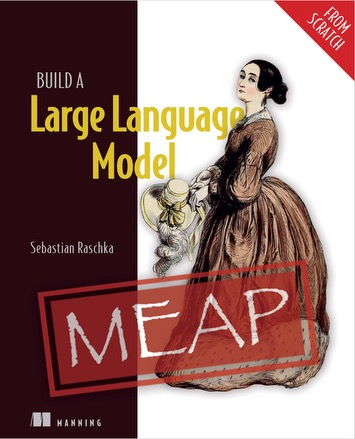














 🪨 why use many token when few token do trick — Claude Code skill that cuts 65% of tokens by talking like caveman
## Facts
- Repository: https://github.com/JuliusBrussee/caveman
- Homepage: https://caveman.so/
- Stars: 86,144 · Forks: 4,795 · Open issues: 369 · Watchers: 199
- Primary language: JavaScript
- License: MIT
- Last pushed: 2026-07-03T11:10:42+00:00
## Categories
- [AI Agents](/categories/ai-agents.md)
- [LLM Frameworks](/categories/llm-frameworks.md)
- [Vector Databases](/categories/vector-databases.md)
## Tags
meme, caveman, llm, ai, claude, claude-code, anthropic, prompt-engineering
## README (excerpt)
```text
🪨 why use many token when few token do trick — Claude Code skill that cuts 65% of tokens by talking like caveman
🪨 why use many token when few token do trick — Claude Code skill that cuts 65% of tokens by talking like caveman
## Facts
- Repository: https://github.com/JuliusBrussee/caveman
- Homepage: https://caveman.so/
- Stars: 86,144 · Forks: 4,795 · Open issues: 369 · Watchers: 199
- Primary language: JavaScript
- License: MIT
- Last pushed: 2026-07-03T11:10:42+00:00
## Categories
- [AI Agents](/categories/ai-agents.md)
- [LLM Frameworks](/categories/llm-frameworks.md)
- [Vector Databases](/categories/vector-databases.md)
## Tags
meme, caveman, llm, ai, claude, claude-code, anthropic, prompt-engineering
## README (excerpt)
```text




 Caveman agent — 19 tokens
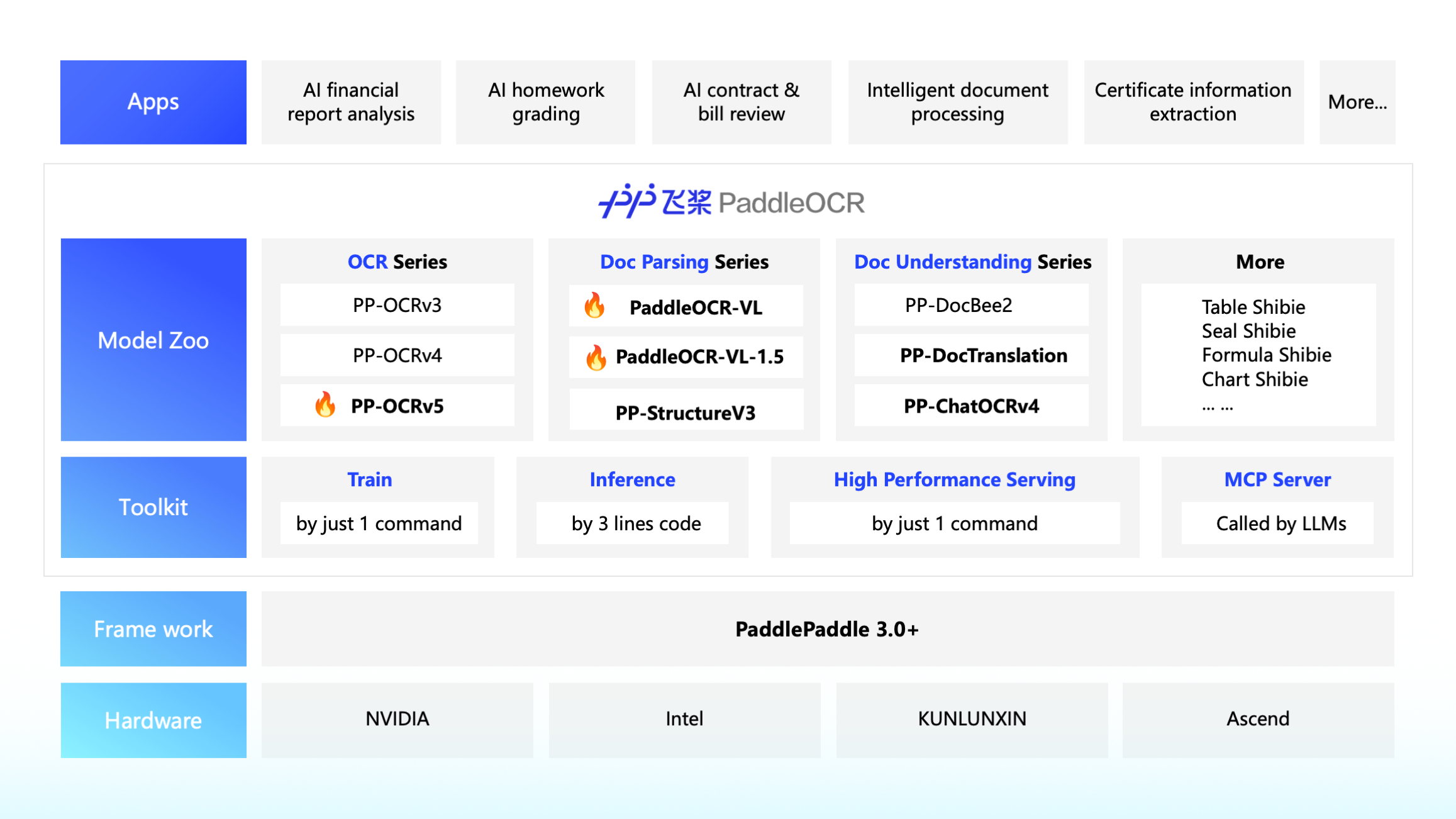




-DFE0E5)















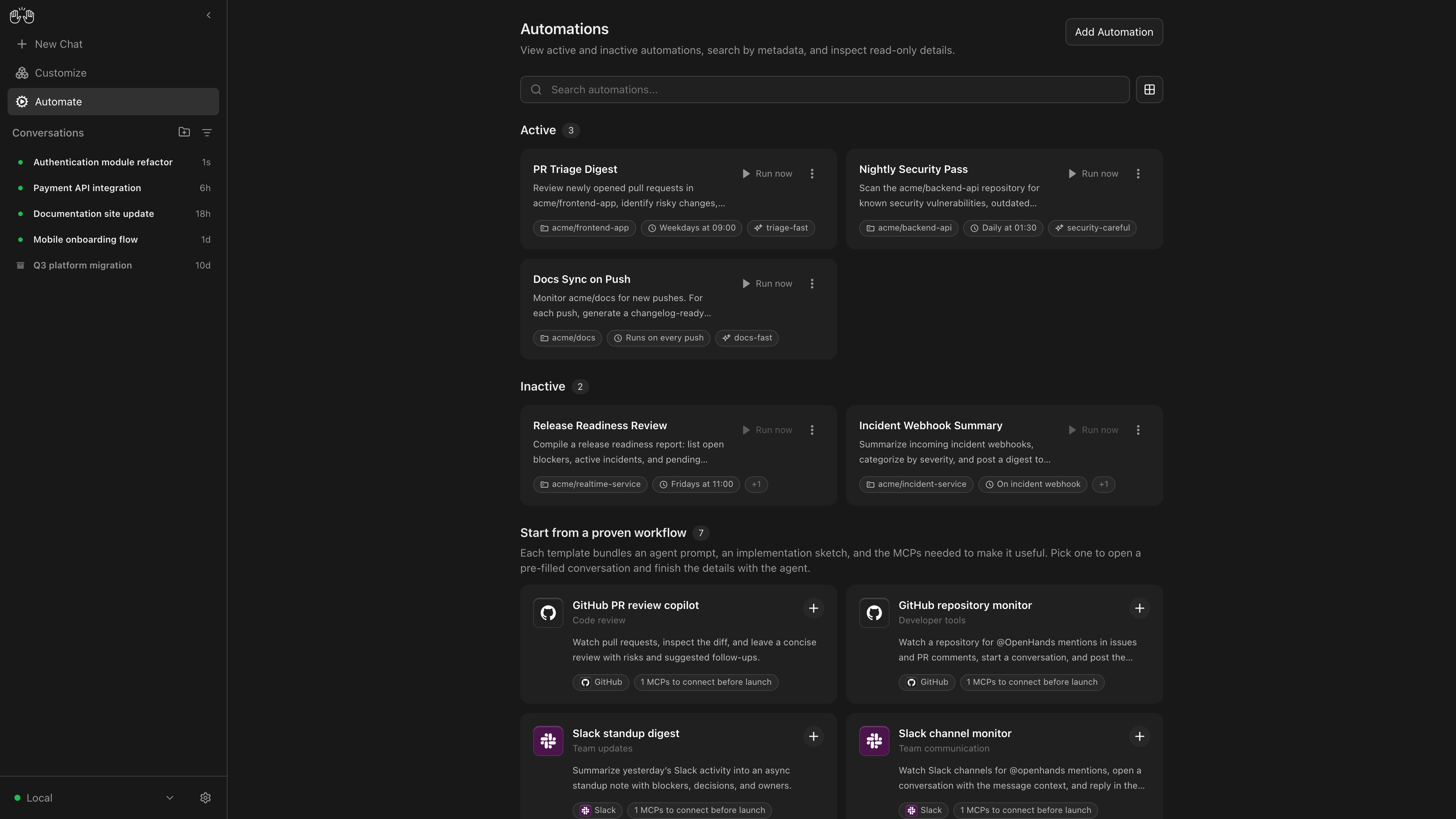




















 GPT 学术优化 (GPT Academic)
















 ](https://discord.gg/PUwSMR9XNk) | Join our [Discord community](https://discord.gg/PUwSMR9XNk) to connect with contributors and fellow `oh-my-openagent` users. |
> | :-----| :----- |
> | [
](https://discord.gg/PUwSMR9XNk) | Join our [Discord community](https://discord.gg/PUwSMR9XNk) to connect with contributors and fellow `oh-my-openagent` users. |
> | :-----| :----- |
> | [ ](https://x.com/justsisyphus) | Updates for `oh-my-openagent` used to be posted on my X account.
  ](https://github.com/code-yeongyu) | Follow [@code-yeongyu](https://github.com/code-yeongyu) on GitHub for more projects. |









 = Agents ·
  = Commands ·
  = Skills













-0078D4?style=for-the-badge&logo=windows&logoColor=white)


-FCC624?style=for-the-badge&logo=linux&logoColor=black)





















 # MemPalace
Local-first AI memory. Verbatim storage, pluggable backend, 96.6% R@5 raw on LongMemEval — zero API calls.
[![][version-shield]][release-link]
[![][python-shield]][python-link]
[![][license-shield]][license-link]
[![][discord-shield]][discord-link]
# MemPalace
Local-first AI memory. Verbatim storage, pluggable backend, 96.6% R@5 raw on LongMemEval — zero API calls.
[![][version-shield]][release-link]
[![][python-shield]][python-link]
[![][license-shield]][license-link]
[![][discord-shield]][discord-link]



















 - [Claude Code Guide](https://github.com/zebbern/claude-code-guide) by [zebbern](https://github.com/zebbern) - A current single-page reference for Claude Code: install, environment variables, slash commands, MCP, hooks, and subagents, kept in sync with the official changelog.

- LLM index: [/llms.txt](/llms.txt)
- Full corpus: [/llms-full.txt](/llms-full.txt)
_GraphCanon - The knowledge graph for AI development. https://www.graphcanon.com/_
---
title: ) LocalAI is the open-source AI engine. Run any model - LLMs, vision, voice, image, video - on any hardware. No GPU required.
LocalAI is the open-source AI engine. Run any model - LLMs, vision, voice, image, video - on any hardware. No GPU required.
## Facts
- Repository: https://github.com/mudler/LocalAI
- Homepage: https://localai.io
- Stars: 47,388 · Forks: 4,213 · Open issues: 208 · Watchers: 285
- Primary language: Go
- License: MIT
- Last pushed: 2026-07-07T11:50:28+00:00
## Categories
- [Inference & Serving](/categories/inference-serving.md)
- [AI Agents](/categories/ai-agents.md)
- [LLM Frameworks](/categories/llm-frameworks.md)
## Tags
image-generation, audio-generation, distributed, libp2p, decentralized, agents, ai, api
## README (excerpt)
```text
LocalAI is the open-source AI engine. Run any model - LLMs, vision, voice, image, video - on any hardware. No GPU required.
LocalAI is the open-source AI engine. Run any model - LLMs, vision, voice, image, video - on any hardware. No GPU required.
## Facts
- Repository: https://github.com/mudler/LocalAI
- Homepage: https://localai.io
- Stars: 47,388 · Forks: 4,213 · Open issues: 208 · Watchers: 285
- Primary language: Go
- License: MIT
- Last pushed: 2026-07-07T11:50:28+00:00
## Categories
- [Inference & Serving](/categories/inference-serving.md)
- [AI Agents](/categories/ai-agents.md)
- [LLM Frameworks](/categories/llm-frameworks.md)
## Tags
image-generation, audio-generation, distributed, libp2p, decentralized, agents, ai, api
## README (excerpt)
```text








- LLM index: [/llms.txt](/llms.txt)
- Full corpus: [/llms-full.txt](/llms-full.txt)
_GraphCanon - The knowledge graph for AI development. https://www.graphcanon.com/_
---
title: ) Milvus is a high-performance, cloud-native vector database built for scalable vector ANN search
Milvus is a high-performance, cloud-native vector database built for scalable vector ANN search
## Facts
- Repository: https://github.com/milvus-io/milvus
- Homepage: https://milvus.io
- Stars: 45,121 · Forks: 4,108 · Open issues: 965 · Watchers: 332
- Primary language: Go
- License: Apache-2.0
- Last pushed: 2026-07-07T16:24:35+00:00
## Categories
- [Inference & Serving](/categories/inference-serving.md)
- [LLM Frameworks](/categories/llm-frameworks.md)
- [Vector Databases](/categories/vector-databases.md)
## Tags
anns, distributed, cloud-native, embedding-database, embedding-store, diskann, embedding-similarity, faiss
## README (excerpt)
```text
Milvus is a high-performance, cloud-native vector database built for scalable vector ANN search
Milvus is a high-performance, cloud-native vector database built for scalable vector ANN search
## Facts
- Repository: https://github.com/milvus-io/milvus
- Homepage: https://milvus.io
- Stars: 45,121 · Forks: 4,108 · Open issues: 965 · Watchers: 332
- Primary language: Go
- License: Apache-2.0
- Last pushed: 2026-07-07T16:24:35+00:00
## Categories
- [Inference & Serving](/categories/inference-serving.md)
- [LLM Frameworks](/categories/llm-frameworks.md)
- [Vector Databases](/categories/vector-databases.md)
## Tags
anns, distributed, cloud-native, embedding-database, embedding-store, diskann, embedding-similarity, faiss
## README (excerpt)
```text

















































-d9d9d9)
-d9d9d9)



-d9d9d9)